












Monitors Practice Reviews

ASUS ProArt PA27JCV Review – 5K monitor for professional work – Even with entry-level HDR capabilities

General test setup

Basically, there’s not much to say. I use NVIDIA LDAT to measure the response times. This is placed in the center of the display. Just like I measure color fidelity with the ColorChecker Display Plus, for example.
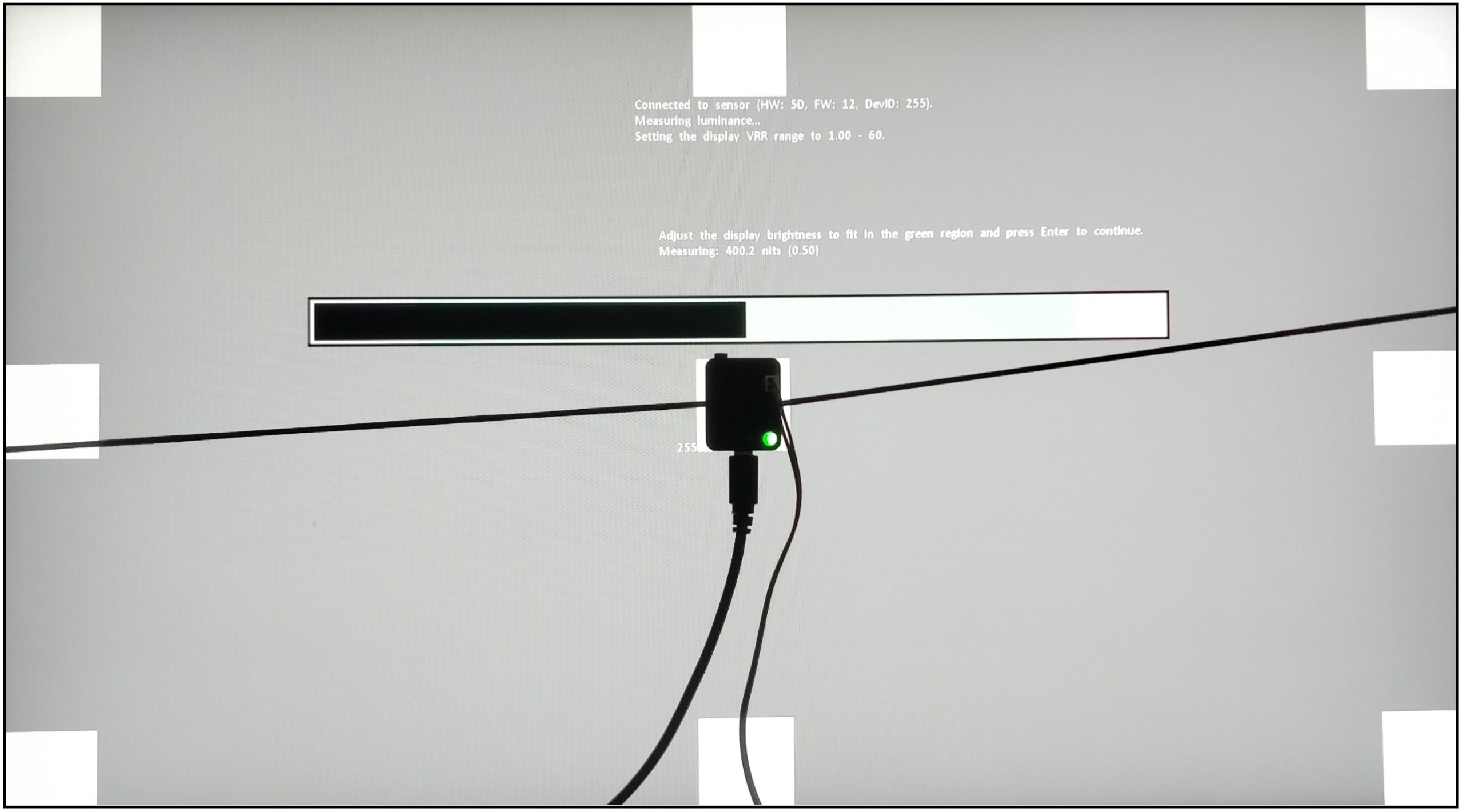
I let the monitor warm up for an hour at 200 nits beforehand. As with calibration, the panel should warm up first. Then you avoid different measured values. My current test setup looks like this:

CPU Intel Core i9-12900K
Mainboard MSI MPG Z690 Carbon WiFi
RAM 2x 16 GB Corsair Dominator 6000 MHz CL 30-36-36-76
SSD 1 Samsung 980 Pro 500 GB (System)
SSD 2 MSI M480 2 TB (games)
SSD 3 HP EX950 2 TB (games)
SSD 4 HP SDD S750 1 TB S-ATA (backup)
CPU cooler Alphacool Eisbaer Aurora 360
Power supply Seasonic Prime Platinum 1300 Watt
GPUs

NVIDIA GeForce RTX 4090 FE
MSI AMD Radeon RX 6700 XT Gaming X

Sound SoundblasterX AE-5 Plus
Keyboard Sharkoon Purewriter RGB (Red Button) via USB @1000 Hz polling rate
Mouse Sharkoon Light² 200 @1000 Hz polling rate
Monitor
ASUS ProArt PA27JCV (IPS 5120 x 2880p @ 60 Hz)
Test tools / software

Tools
Colorimeter: Calibrite ColorChecker Display Plus
Spectrophotometer: Calibrite ColorChecker Studio
Spectroradiometer: UPRtek MK550T
NVIDA LDAT V3: Response Times and Latency Sensor

Software
Portrait Displays Calman Ultimate 2024
UPRtek uSpectrum
UPRtek uFlicker
NVIDIA LDAT Displaytest
UFO Test (online)

If anything changes here, I will of course update this. The fact is that the PC hardware is basically irrelevant. I connected three different computers to the monitor and the results were always the same. The monitor itself should be NVIDIA G-Sync compatible. However, this is not a must for the GtG measurements! I always measure the response times after calibration. This creates the same conditions for all monitors.

Measurement method (GtG)

With the gray to gray (GtG) measurement, different gray levels are measured. But also from black = 0 to 255 = white. This results in 36 response times in the rise-up (black to white) and 36 in the rise-down (white to black) – making a total of 72 measurements. LDAT measures the time in ms that is required from the start color to the target color.
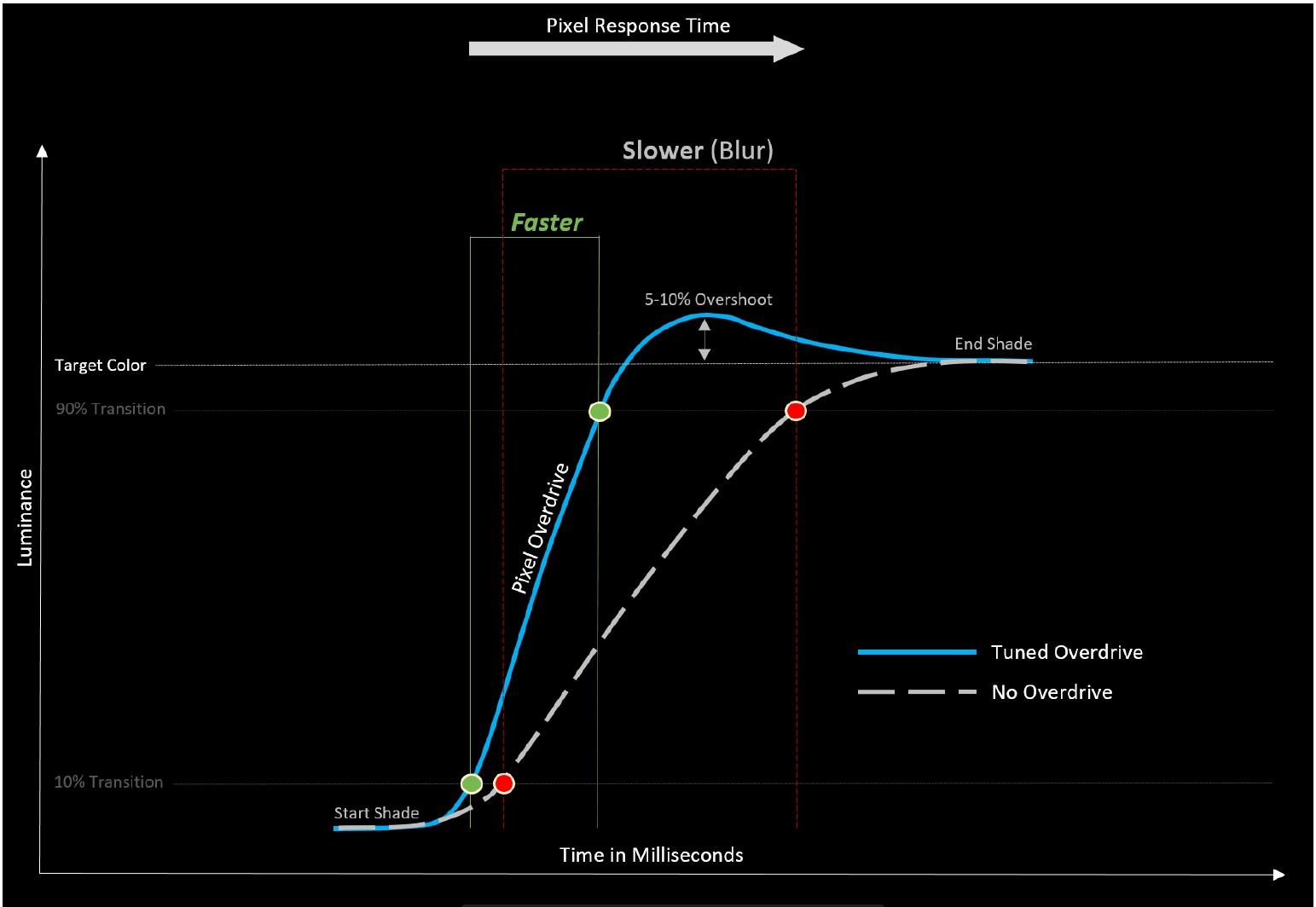
The current international standard for the response time is the 80 % transition. This means: In order to avoid measurement inaccuracies with regard to signal noise, LDAT also only measures the response time after 10 % of the start-transition curve and 10 % before the actual end. The overshoot is considered separately. See also the picture above.

Furthermore, it is currently not technically possible for me to make UFO recordings. I simply don’t have the necessary equipment. Unfortunately, I don’t have an adjustable high-speed camera (0 to 1000 FPS).
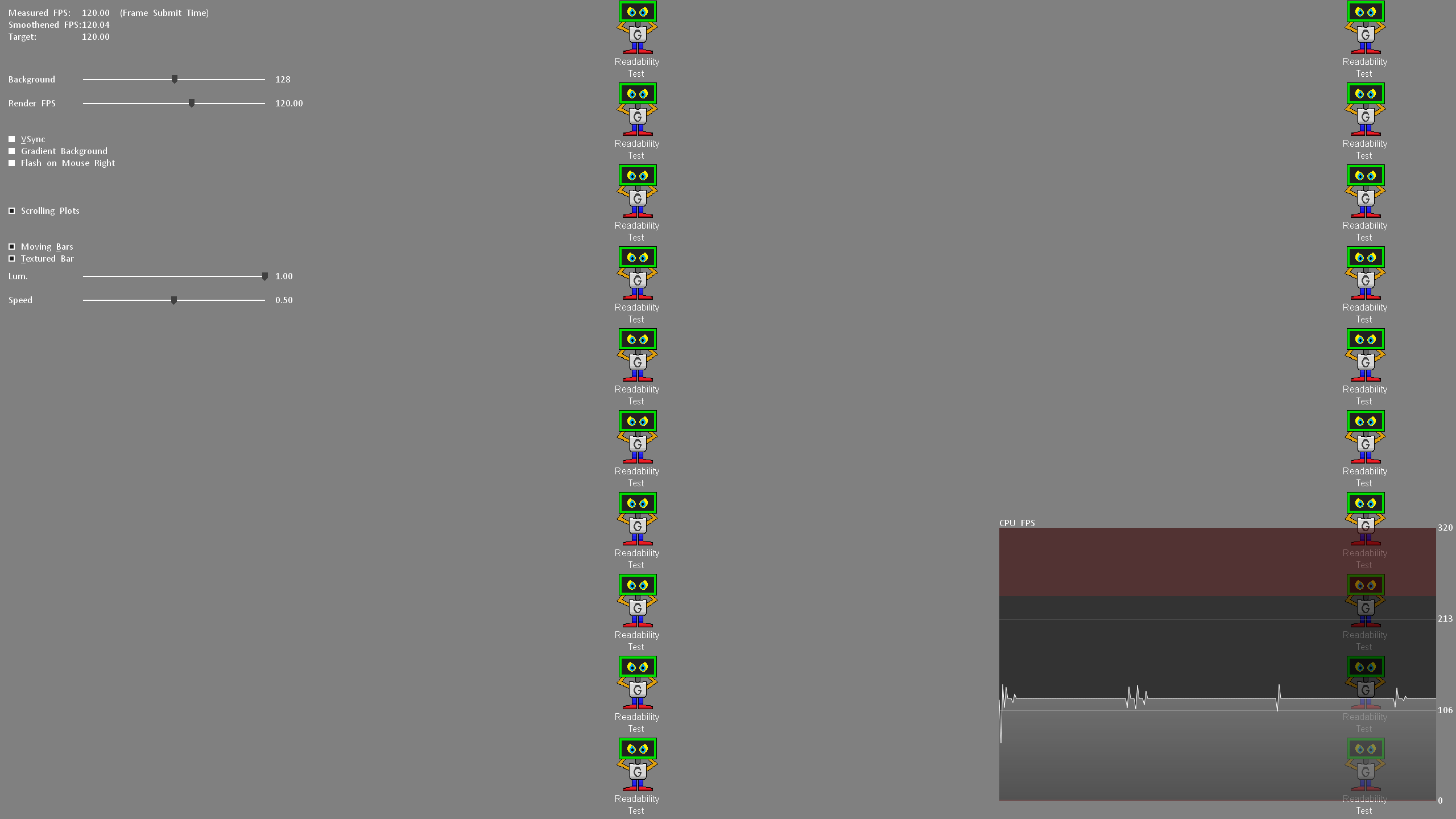
Nevertheless, I look at the motion clarity on the one hand with UFO (click here) and on the other hand with the NVIDIA LDAT software. (see picture above)

Display lag, monitor input lag and E2E latency

The display lag is the sum of the processing lag and half the scan-out (the image build-up to the middle of the screen = refresh lag). Measured via LDAT, for this – and I emphasize – only for the display lag, G-Sync compatibility is mandatory. This basically means FreeSync via DisplayPort. G-Sync must be activated in the NVIDIA driver.
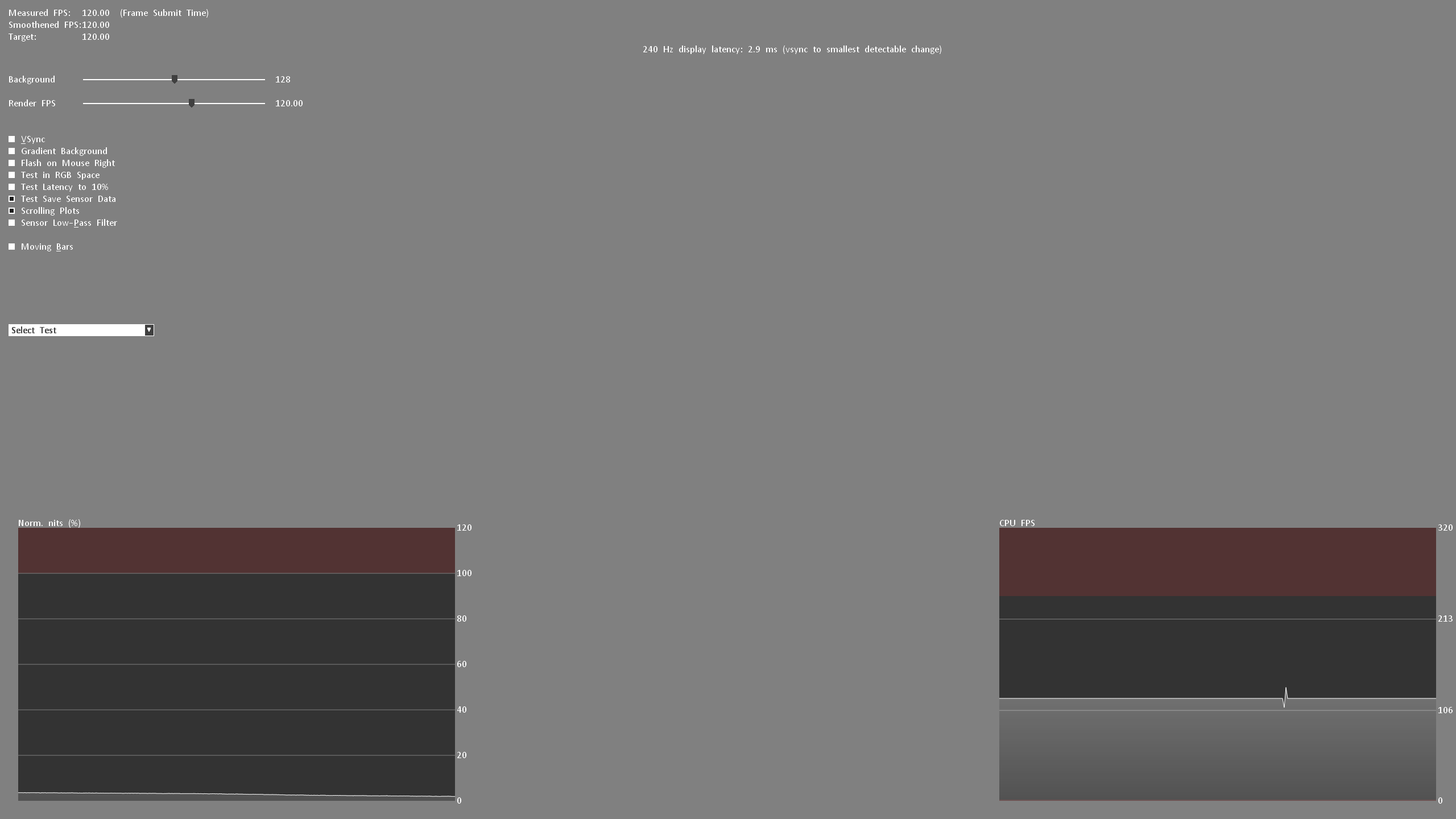
For the actual input lag, I add the average pixel response time (playable overdrive). Example: 3.6 ms display lag 2.6 ms response time = 6.2 ms input lag

Finally, I measure the E2E latency. In other words: from the mouse click to half the pixel response time. Yes, only half the transition is measured here.

Attention:

All latency measurements are performed at the maximum refresh rate and the same FPS. Example: 240 Hz with 240 FPS

Measuring the color performance

I have already explained how I measure color performance in the basic article on Calman Ultimate from Portrait Displays.

To be able to offer you the best possible color accuracy measurements, I always use the UPRtek MK550T Spectroradiometer.


On the one hand, the respective monitor is “profiled” in conjunction with Calman Ultimate so that I can also measure accurately with the Calibrite ColorChecker Display Plus Colorimeter. Secondly, each calibration is validated with the UPRtek MK550T. Furthermore, I also carry out various measurements with the UPRtek uSpectrum software – for example, the spectral analysis of each display in relation to the balu light component – the subject of eye-safe.

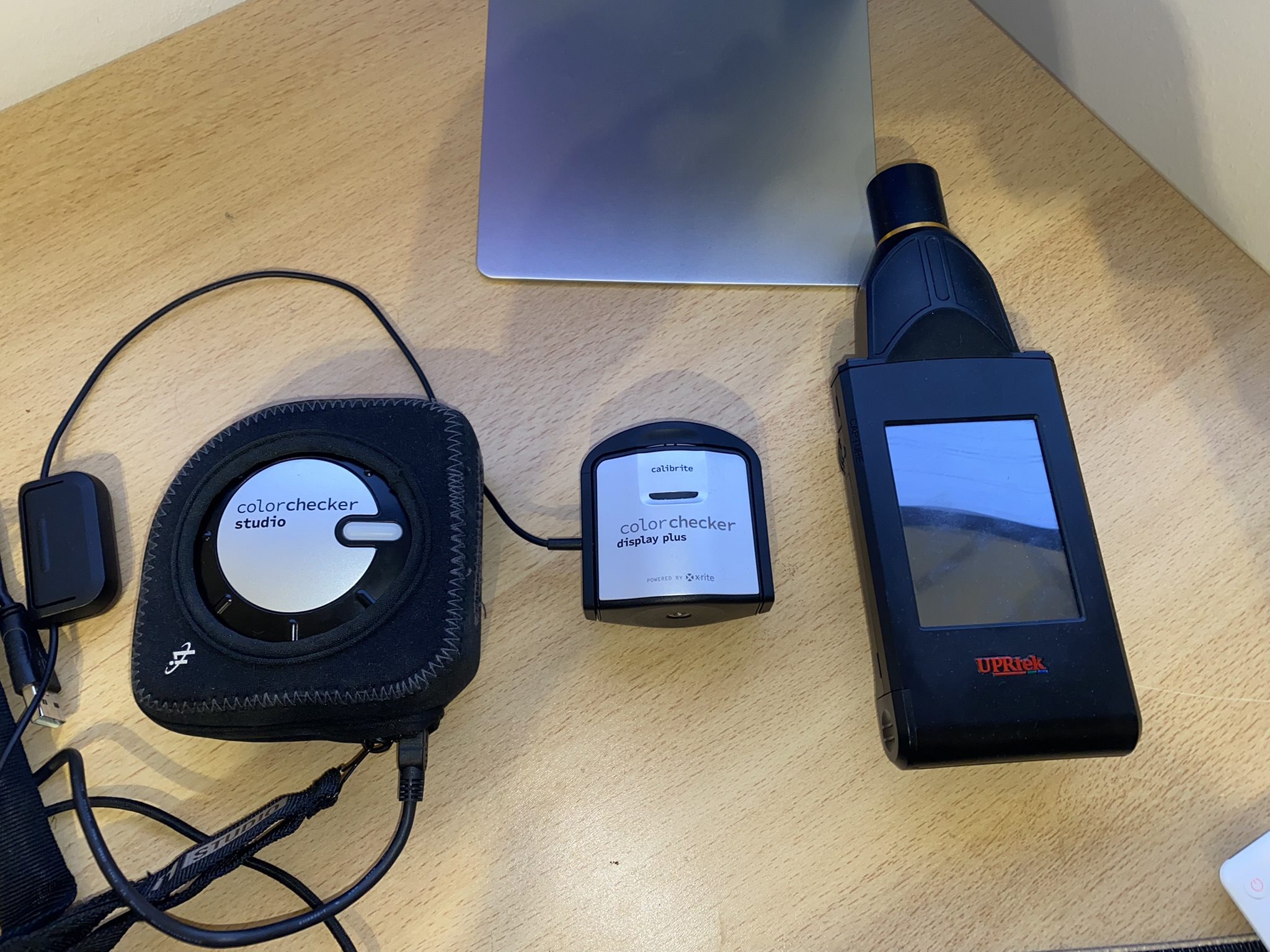
Here again to read:

I used the Calman Ultimate color calibration software from Portrait Displays for all measurements and calibrations. With my measurements, I can offer you certainty as to whether a monitor complies with the manufacturer’s specifications – or not.

Note

If you look at other tests on monitors from other testers, there may be differences – especially in the response times. You must therefore always check how other colleagues measure such things. This does not mean that my or other measurements are wrong. The differences arise due to different test methodologies and different hardware. The decisive factor is that all monitors are tested using the same measurement system/methodology. Then the values can be compared with each other. Please do not compare my measurement system one-to-one with others.

All measurements (latencies, response times, color performance, etc.) are repeated 3 times and must be subject to my defined accuracy.

Measurement repeatability:

Average Response Time /- 0.5 ms
Average Latency /- 1 ms
Average delta E 2000 /- 0,5
Brightness /- 10 Nits

The best result will be published. This ensures plausibility and fairness in the end! Continue on the next page.

 

Kommentar

Lade neue Kommentare

B
Besterino

Urgestein

7,630 Kommentare 4,144 Likes

Meine bescheidene Meinung: 5K@27“ ist Perlen vor die Säue und macht keinen Sinn bzw. keinen Mehrwert. Dazu der Preis, Edge-Lit und 60Hz… hat so keine Daseinsberechtigung.

Antwort 4 Likes

T
TheSmart

Urgestein

565 Kommentare 310 Likes

Die Technik dahinter mit den nur 16 Zonen ist naja..
Aber der Preis ist gar nicht mal sooo heftig.. ich setze immer einen Dell oder Eizo als Referenz an bei solchen Profimonitoren.
Und da kriegt man nichts unter einem vierstelligen Preis. Und ja ich meine dort auch die 27 Zoll Monitore. Ich bin mir jetzt auch gar nicht so sicher ob mehr Bildfläche in dem Bereich überhaupt Sinn macht. Es geht ja schließlich um das präzise Arbeiten und nicht um sich eine schöne Landschaft als ganzes anszuschauen.
Da sind die knapp noch 1000 Euro fast noch ein Schnäppchen.

Antwort 3 Likes

Igor Wallossek

1

13,159 Kommentare 26,153 Likes

Sehe ich auch so. Abstriche kann man da durchaus akzeptieren.

Antwort Gefällt mir

FritzHunter01

Moderator

1,452 Kommentare 1,961 Likes

Wenn man es so betrachtet, dann hast du im Grunde Recht. Danke, das hatte ich so jetzt nicht bedacht. Ich bin aber der Meinung, dass ein FALD hier bei dem Preis ein Pflichtprogramm ist.

Antwort 1 Like

maxproof

Mitglied

13 Kommentare 10 Likes

Zielgruppe sind Mac-User und die profitieren sehr von der Auflösung, weil das Scaling unter MacOS so seine Tücken/Eigenheiten hat und 4K spannenderweise mehr Resourcen frisst, als 5K.

Antwort 4 Likes

Lagavulin

Veteran

360 Kommentare 302 Likes

Genau meine Meinung!

5K-Monitore muss man mit der Lupe suchen und das „Apple Studio Display“ (5K, 27") kostet 1.749€. Wenn Asus es clever anstellt und den Monitor in den Foren und Kanälen für Mac-User bewirbt, wird sich der Asus ProArt PA27JCV verkaufen wie warme Semmeln. Das einzige was ihm verglichen dem Apple Display fehlt, sind die Webcam und Lautsprecher.

Antwort 2 Likes

FritzHunter01

Moderator

1,452 Kommentare 1,961 Likes

Lautsprecher hat der ASUS

Antwort Gefällt mir

FritzHunter01

Moderator

1,452 Kommentare 1,961 Likes

Stimmt, an die MAC user hatte ich jetzt gar nicht gedacht. Verdammt

Antwort 1 Like

T
TheSmart

Urgestein

565 Kommentare 310 Likes

Ich weiß nicht, was man immer mit den Lautsprechern an einem Monitor hat.. die sind doch vom Klang einfach unterirdisch.. wer Lautsprecher benötigt hat in der Regel ein paar gescheite Stereoboxen links und rechts vom Monitor platziert.

Dabei ist die Creatorszene dominert von Apple.
Früher gabs da quasi auch nur Apple..
Die haben sich da schön eingemauert..
Aber mittlerweile gibs so Spezialprogramme wie bspw QuarkXpress auch für Windows.

Antwort Gefällt mir

Alkbert

Urgestein

1,311 Kommentare 1,087 Likes

5K ist ja schon schön, aber gibt es so einen Schirm auch in Erwachsenengröße, also irgendwo zwischen 34 und 42 " ?

Antwort Gefällt mir

T
TheSmart

Urgestein

565 Kommentare 310 Likes

Wenn du das Geld dafür hast..
Klar.. es gibt von Eizo bspw einen mit 32 Zoll Größe.
Kostet aber auch knapp 5000 Euro.

Und ich denke da haben die meisten auch einfach ganz falsche Vorstelleungen.
Die meisten Profimonitore sind höchstens 27 Zoll groß.
Wenn du äußerst präzise arbeiten willst.. vor allem im Grafikbereich.. ist alles andere als maximal 27 Zoll einfach kontraproduktiv.

Auch hat da heute früh einer gemeckert werden den "nur" 60Hz.. niemand braucht in diesem Bereich 240Hz und mehr.. das ost rausgesxhmissenes Geld.
Wenn ihr sowas haben wollt und dazu Riesenmonitore.. sucht im Gamerbereich..
Oder vlt gibts ja auch noch eine paar größere Montore im Officebereich.... aber halt ohne die völlig übertriebneen Hz-Angaben.

Antwort Gefällt mir

Lagavulin

Veteran

360 Kommentare 302 Likes

Ups - habe ich doch glatt überlesen (2x 2W laut Specs). Danke für die Korrektur.

Antwort Gefällt mir

Alkbert

Urgestein

1,311 Kommentare 1,087 Likes

Ich mache Turbo CAD und bin nicht mehr der Jüngste. Momentan arbeite ich am 42" Phillips mit 4 K, aber mehr Auflösung ist für die 3D Modelle immer nett - nicht zwingend, aber nett. Refresh ist mir egal und schön muss er auch nicht sein, dann passt er wenigstens zum Besitzer.

Antwort 1 Like

T
TheSmart

Urgestein

565 Kommentare 310 Likes

Ich denke dann ist so ein Monitor, wie hier der getestete eh die falsche Wahl für dich.
So ein Profimonitor ist eher dazu da wenn du Grafiken etc bearbeitetest,die aus verschiedenen Ebenen bestehen.
Sprich bspw in der Werbebranche.
Ich könnte dir da evtl die UltraSharp Reihe von Dell empfehlen.. die sind von der Qualität her durchaus vergleichbar mit Eizo.
Die haben auch einige Monitore in Übergröße (ich glaube bis zu 49 Zoll) und 5K im Angebot.

Antwort 1 Like

Alkbert

Urgestein

1,311 Kommentare 1,087 Likes

@TheSmart
Danke, schau ich mir mal an.

Antwort Gefällt mir

MGFirewater

Veteran

269 Kommentare 106 Likes

quark habe ich das letzte mal 2009 benutzt! wenn adobe sich nicht langsam linux öffnen wird,
heißt früher oder später die alternative außerhalb der apple-welt affinity.

5k ist ganz nett, aber so grandios finde ich den Bildschirm mit nur 60Hz nicht. bin gespannt wie sich der von mir bestellte philips 32m2n6800m schlagen wird. preislich mit 787€ bei alternate günstiger, falt mini led mit hdr1000 & ähnlich gute vielleicht sogar noch einen tick bessere farbwiedergabe, wie der getestete proart. geizhals vergleich

Antwort Gefällt mir

e
eastcoast_pete

Urgestein

3,083 Kommentare 2,046 Likes

+1. Bei dem Preis sollten FALD und auch Mini-LED Ausleuchtung mit im Lastenheft stehen.

Antwort Gefällt mir

FritzHunter01

Moderator

1,452 Kommentare 1,961 Likes

Bzgl Lautsprecher, dass die nur bedingt tauglich sind ist mir klar. Aber man kann sie nutzen. Besser als gar nix…

Es gibt auch Monitore mit guten Lautsprechern: LG, Samsung und BenQ z.B.

Also der Sound vom Samsung OLED G8 ist wirklich Ok, den nutze ich sehr gerne.

Die meiste Zeit nutze ich aber das SGH50…

Die Mac Szene habe ich aktuell gar nicht auf dem Schirm. Es ist in der Tat so, dass der PA27JCV für diese Zielgruppe eine echte Empfehlung ist.

Antwort Gefällt mir

DDR5Opfer

Veteran

180 Kommentare 32 Likes

Ich finde auch das kann man getrost weglassen...

bei mir hats in der kleinen Mietwohnung jahrelang ne Mini-Blitzwolfrolle für 20€ getan
und nun ein kleiner Brüllwürfel qualitativ gut von Teufel....

zum zocken hat man dann eh qualitativ gute Kopfhörer mit hoher Dynamik oder bei tauben Nachbarn die Stereoanlage.

Die mitgelieferten Monitorlautsprecher -mal abgesehen von BenQ mit integrierten kleinen Sub-
sind meist eine totale Enttäuschung.

Dasselbe mit USB-Hub, welcher Nutzer der den PC als Hobby oder zum arbeiten hat hat nicht ein Mainbard mit reichlich USB-Anschlüssen oder ein passendes USB-Hub direkt hinten am Schreibtische mit Klettband befestigt?

Da sieht man keine Kabel groß rumhängen und man kann sich selber die Qualität des Hubs aussuchen je nach Bedürfnissen.

Antwort Gefällt mir

Danke für die Spende


Du fandest, der Beitrag war interessant und möchtest uns unterstützen? Klasse!

Hier erfährst Du, wie: Hier spenden.

Hier kannst Du per PayPal spenden.

About the author

Igor Wallossek

Editor-in-chief and name-giver of igor'sLAB as the content successor of Tom's Hardware Germany, whose license was returned in June 2019 in order to better meet the qualitative demands of web content and challenges of new media such as YouTube with its own channel.

Computer nerd since 1983, audio freak since 1979 and pretty much open to anything with a plug or battery for over 50 years.

Follow Igor:
YouTube Facebook Instagram Twitter

Werbung

Werbung






