












Monitors Practice Reviews

Review of the ASUS ROG Strix XG27AQDMG – a 1440p monitor with 240 Hz and a glossy WOLED panel

General test setup

Basically, there is not much to say. I use NVIDIA LDAT to measure the response times. This is placed in the center of the display. Just like I measure color fidelity with the SpyderX, for example.
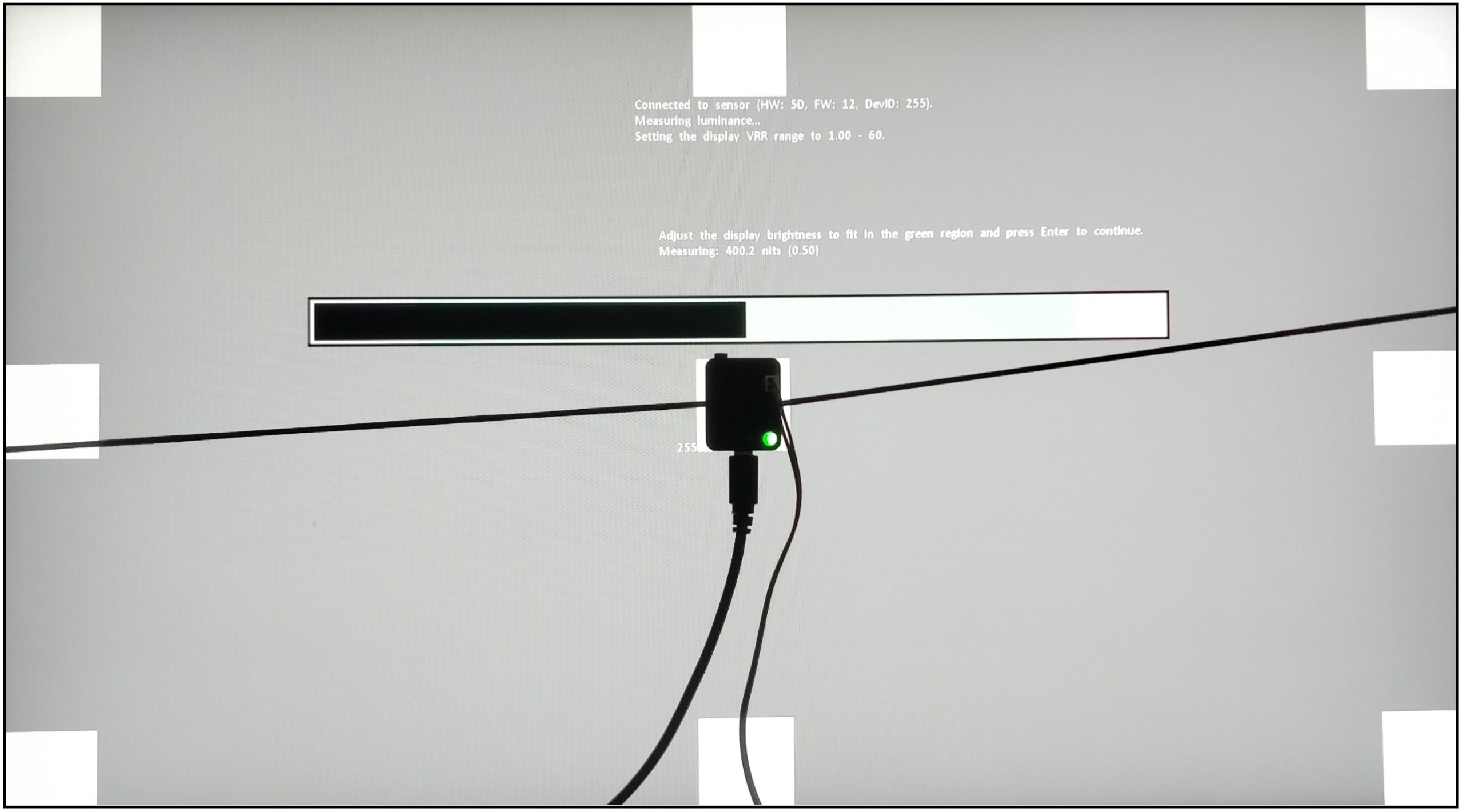
I let the monitor warm up for an hour at 200 nits beforehand. As with calibration, the panel should warm up first. Then you avoid different measured values. My current test setup looks like this:

CPU Intel Core i9-12900K
Mainboard MSI MPG Z690 Carbon WiFi
RAM 2x 16 GB Corsair Dominator 6000 MHz CL 30-36-36-76
SSD 1 Samsung 980 Pro 500 GB (System)
SSD 2 MSI M480 2 TB (games)
SSD 3 HP EX950 2 TB (games)
SSD 4 HP SDD S750 1 TB S-ATA (backup)
CPU cooler Alphacool Eisbaer Aurora 360
Power supply Seasonic Prime Platinum 1300 Watt
GPUs

NVIDIA GeForce RTX 4090 FE
MSI AMD Radeon RX 6700 XT Gaming X

Sound SoundblasterX AE-5 Plus
Keyboard Sharkoon Purewriter RGB (Red Button) via USB @1000 Hz polling rate
Mouse Sharkoon Light² 200 @1000 Hz polling rate
Monitor
ASUS ROG Strix XG27AQMG (WOLED 2560 x 1440pp @ 240 Hz)
Test tools / software

Tools
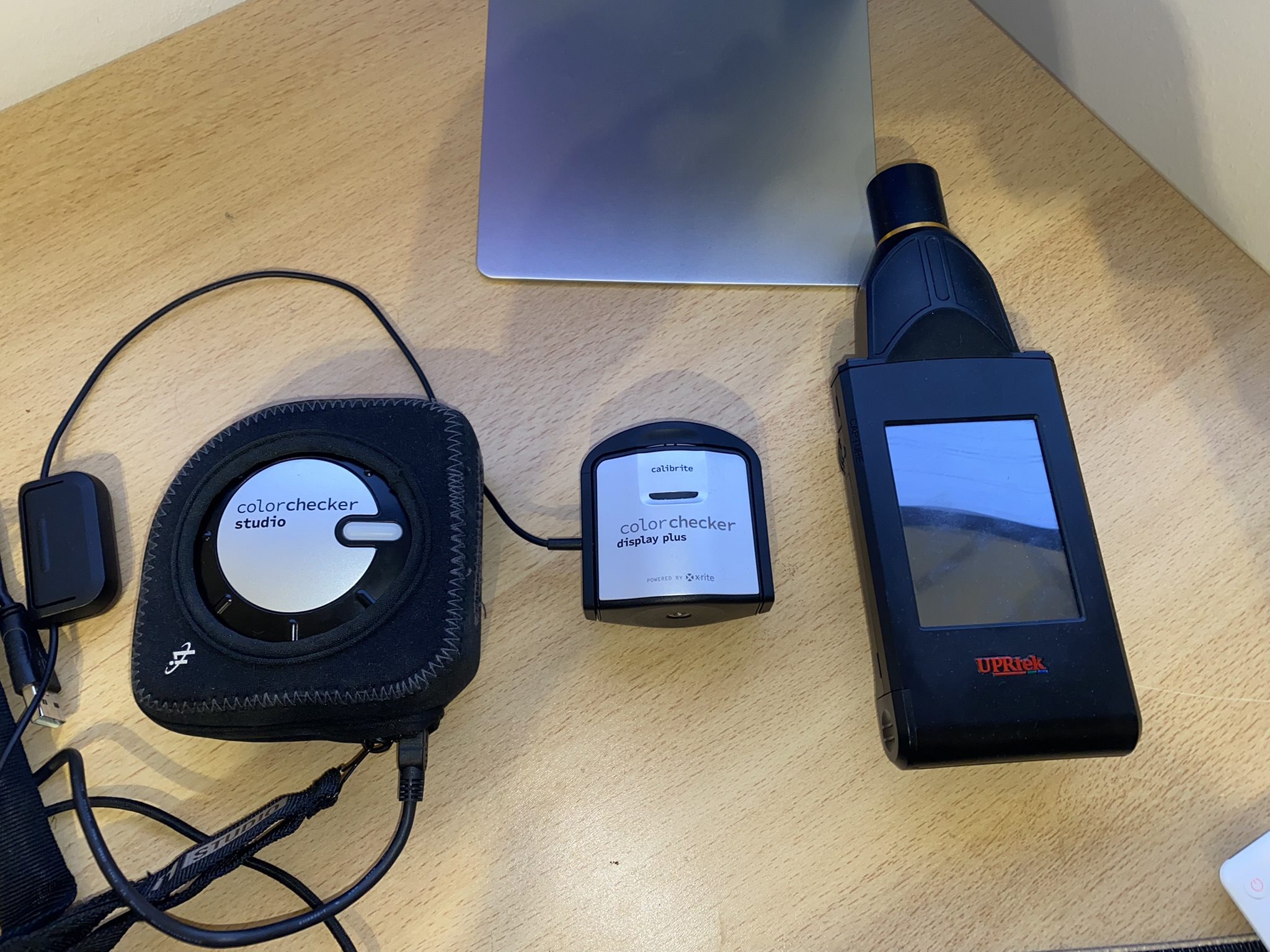
Colorimeter: Calibrite ColorChecker Display Plus
Spectrophotometer: Calibrite ColorChecker Studio
Spectroradiometer: UPRtek MK550T
NVIDA LDAT V3: Response Times and Latency Sensor

Software
Portrait Displays Calman Ultimate 2023
UPRtek uSpectrum
UPRtek uFlicker
NVIDIA LDAT Displaytest
UFO Test (online)

If anything changes here, I will of course update this. The fact is that the PC hardware is basically irrelevant. I connected three different computers to the monitor and the results were always the same. The monitor itself should be NVIDIA G-Sync compatible. However, this is not a must for the GtG measurements! I always measure the response times after calibration. This creates the same conditions for all monitors.

Measurement method (GtG)

With the gray to gray (GtG) measurement, different gray levels are measured. But also from black = 0 to 255 = white. This results in 36 response times in the rise-up (black to white) and 36 in the rise-down (white to black) – making a total of 72 measurements. LDAT measures the time in ms that is required from the start color to the target color.
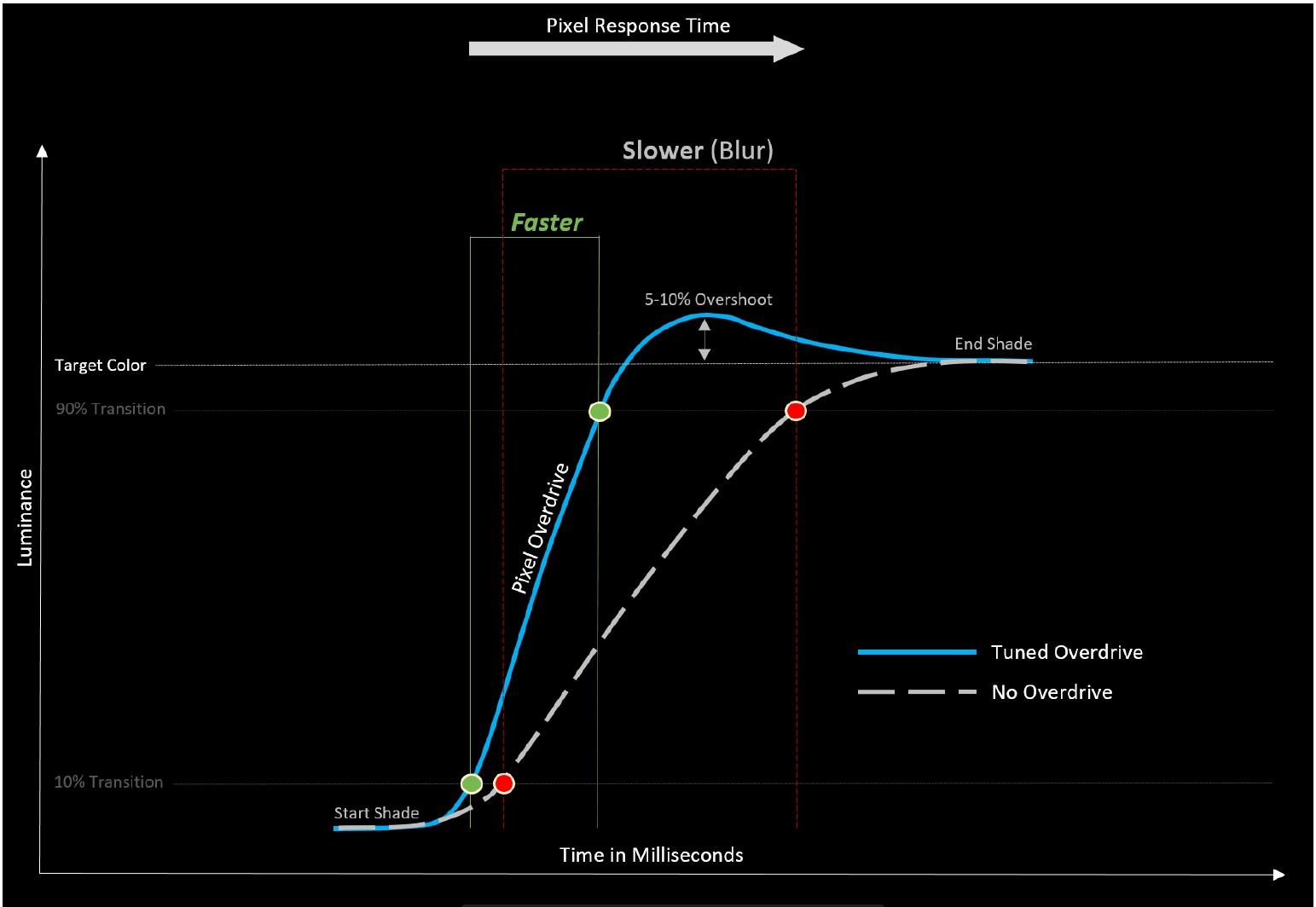
The current international standard for the response time is the 80 % transition. This means: In order to avoid measurement inaccuracies with regard to signal noise, LDAT also only measures the response time after 10 % of the start-transition curve and 10 % before the actual end. The overshoot is considered separately. See also the picture above.

Furthermore, it is currently not technically possible for me to make UFO recordings. I simply don’t have the necessary equipment. Unfortunately, I don’t have an adjustable high-speed camera (0 to 1000 FPS).
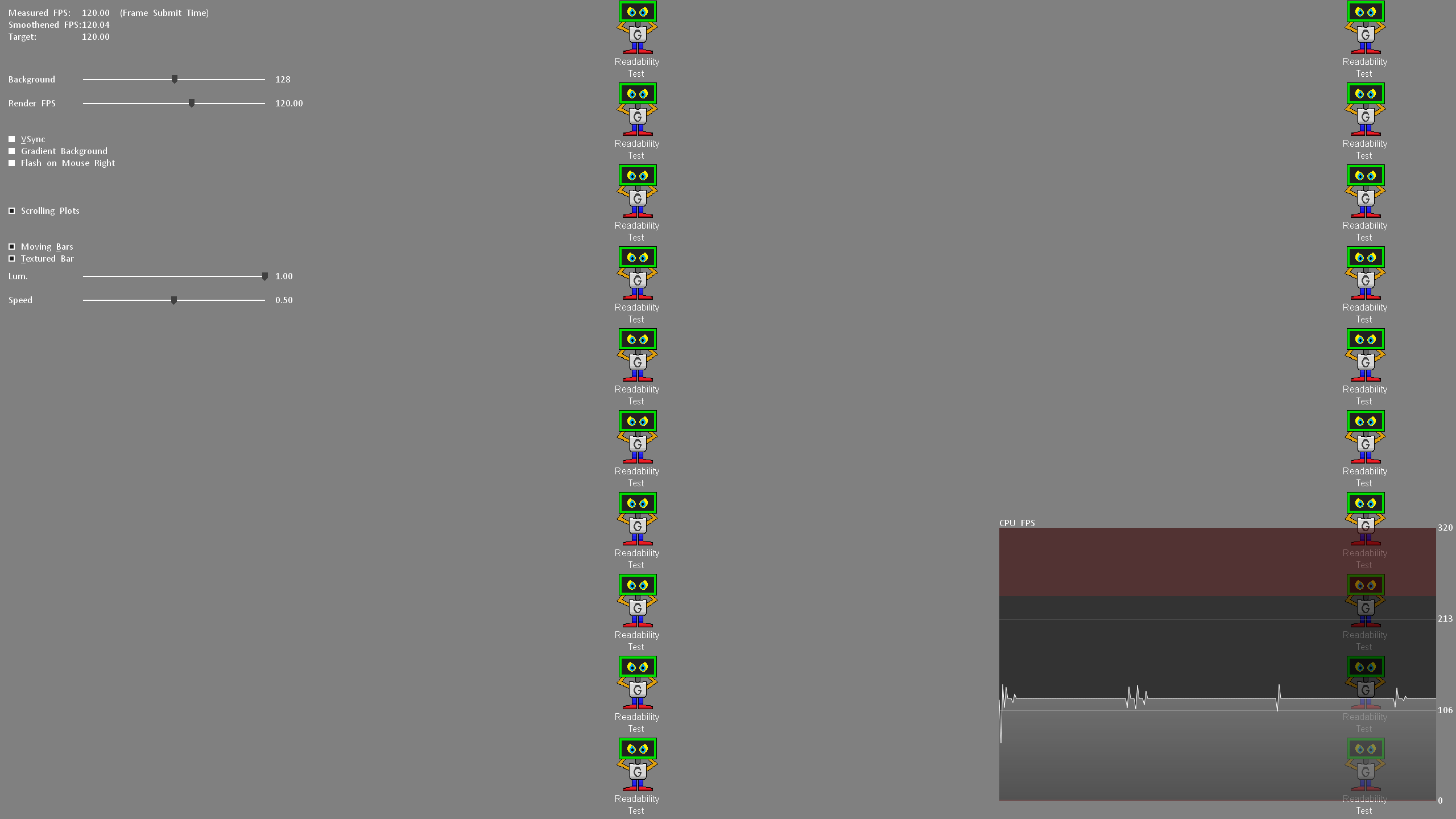
Nevertheless, I look at the motion clarity on the one hand with UFO (click here) and on the other hand with the NVIDIA LDAT software. (see picture above)

Display lag, monitor input lag and E2E latency

The display lag is the sum of the processing lag and half the scan-out (the image build-up to the middle of the screen = refresh lag). Measured via LDAT, for this – and I emphasize – only for the display lag, G-Sync compatibility is mandatory. This basically means FreeSync via DisplayPort. G-Sync must be activated in the NVIDIA driver.
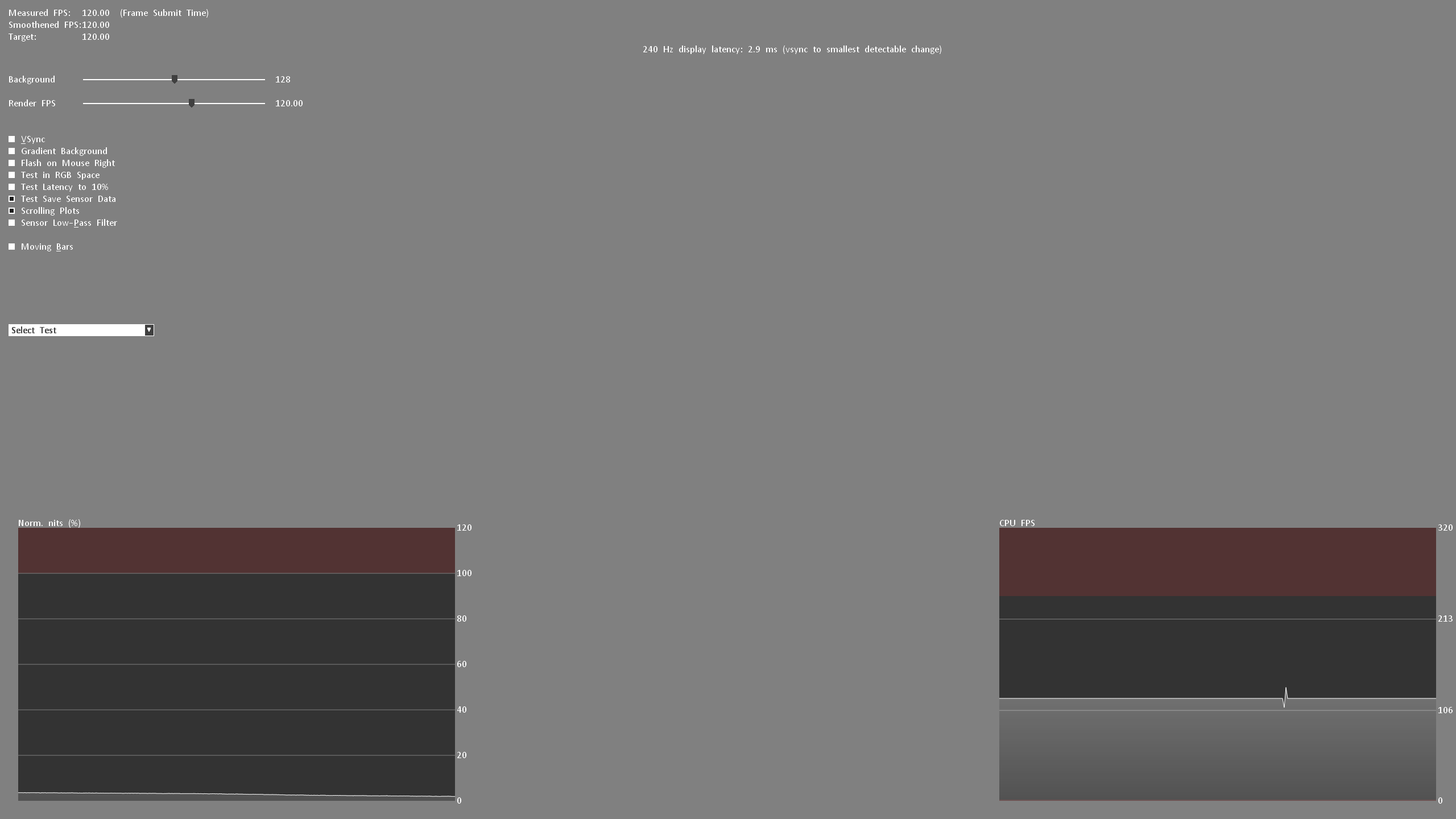
For the actual input lag, I add the average pixel response time (playable overdrive). Example: 3.6 ms display lag 2.6 ms response time = 6.2 ms input lag

Finally, I measure the E2E latency. In other words: from the mouse click to half the pixel response time. Yes, only half the transition is measured here.

Attention:

All latency measurements are performed at the maximum refresh rate and the same FPS. Example: 240 Hz with 240 FPS

Measuring the color performance

I have already explained how I measure color performance in the basic article on Calman Ultimate from Portrait Displays.

To be able to offer you the best possible color accuracy measurements, I always use the UPRtek MK550T Spectroradiometer.


On the one hand, the respective monitor is “profiled” in conjunction with Calman Ultimate so that I can also measure accurately with the Calibrite ColorChecker Display Plus Colorimeter. Secondly, each calibration is validated with the UPRtek MK550T. Furthermore, I also carry out various measurements with the UPRtek uSpectrum software – for example, the spectral analysis of each display in relation to the balu light component – the subject of eye-safe.

Here again to read:

I used the Calman Ultimate color calibration software from Portrait Displays for all measurements and calibrations. With my measurements, I can offer you certainty as to whether a monitor complies with the manufacturer’s specifications – or not.

Note

If you look at other tests on monitors from other testers, there may be differences – especially in the response times. You must therefore always check how other colleagues measure such things. This does not mean that my or other measurements are wrong. The differences arise due to different test methodologies and different hardware. The decisive factor is that all monitors are tested using the same measurement system/methodology. Then the values can be compared with each other. Please do not compare my measurement system one-to-one with others.

All measurements (latencies, response times, color performance, etc.) are repeated 3 times and must be subject to my defined accuracy.

Measurement repeatability:

Average Response Time /- 0.5 ms
Average Latency /- 1 ms
Average delta E 2000 /- 0,5
Brightness /- 10 Nits

The best result will be published. This ensures plausibility and fairness in the end! Continue on the next page.


Kommentar

Lade neue Kommentare

skullbringer

Veteran

356 Kommentare 413 Likes

Danke für den Test, Fritz!

Wieso will eigentlich irgendwer glossy Panele? :D

Antwort 7 Likes

e
eastcoast_pete

Urgestein

3,083 Kommentare 2,046 Likes

Schließe mich an beides an: Danke @FritzHunter01 für den und die anderen Monitor Tests, und ein spiegelndes Panel ist auch nicht mein Ding. Irgendwie nervt es mich doch, wenn man selbst die kleinste Lichtquelle (direkt oder indirekt, zB mein Gesicht) im Raum dann auf dem ansonsten schön dunklen Panel bei einer dunklen Szene gespiegelt sehen kann. Und gerade wegen der tollen Schwarz Werte und dem unendlichen Kontrast kauft man sich doch ein OLED.

Antwort Gefällt mir

S
SpotNic

Urgestein

1,616 Kommentare 788 Likes

"Glossy-Fans"? Das ist aus meiner Sicht ein Trugschluss, soweit mir bekannt ist ein Glossyfinisch schlichtweg günstiger als Matt und entspiegelt und spielt damit dem Hersteller in die Karten.

Man Verkauft dem Kunden also Nachteile als Feature, aber das funktioniert ja auch nicht selten.

Antwort 5 Likes

Sci-Man

Veteran

159 Kommentare 98 Likes

Schade, wieder nur 16/9.
Ich frage mich wann 21/9 OLED Monitore, die nicht unendlich groß sind, erscheinen.
So dicht wie ich davor sitze und auch nicht endlos Platz besitze, ist für mich mit 30-31 Zoll Ende.

Antwort Gefällt mir

Igor Wallossek

1

13,159 Kommentare 26,153 Likes

Glossy ist Schrott, ich ärgere mich jeden Tag an meinem LG drüber. Ich habe mittlerweile echt Skills entwickelt und Technik aufgerüstet, damit ich beim Zocken nicht genervt bin (elektrische Rollos), Hintergrundbeleuchtung statt Lichtquellen im Raum (die sich per Zuruf alle abschalten bzw. dimmen lassen)

Antwort 3 Likes

Nulight

Veteran

298 Kommentare 199 Likes

Stimmt beim 42“ LG C2 das gleiche, aber Abhilfe lässt sich mit richtig positionierten Lichtquellen gut schaffen.

Antwort Gefällt mir

FfFCMAD

Urgestein

1,158 Kommentare 486 Likes

Ich habe hinter mir deswegen einen Isolationsvorhang. Der ist Lichtundurchlässig und dunkel. Zusammen mit der Non-Glossy Version dieses Monitors passt das dann auch ^^

Antwort Gefällt mir

T
Tom42

Mitglied

78 Kommentare 56 Likes

Ehrlich gesagt habe ich bei 'glossy' aufgehört zu lesen *g*
Brauche kkeinen Schminkspiegel auf dem Arbeitstisch.

Matt ist zusätzlicher Produktionsschritt bei dem auch zusätzlicher Ausschuss anfällt. Mit Glossy wirds für die Hersteller profitabler.

Antwort 4 Likes

FfFCMAD

Urgestein

1,158 Kommentare 486 Likes

Den Raum abzudunkeln kann ich auch empfehlen, wenn man auf den nativen Schwarzpunkt de Monitors kalibriert hat. Dann säuft Dunkles auf dem Monitor auch nicht mehr so ab

Antwort 4 Likes

S
SpotNic

Urgestein

1,616 Kommentare 788 Likes

Aber das hilft vielleicht beim Zocken, oder reiner PC Arbeit, ich möcht ja morgends ungern im dunklen Büro sitzen.

Antwort 2 Likes

Rizoma

Veteran

276 Kommentare 285 Likes

Also ich habe bisher den unterschied zwischen Glossy und Matt nur bei TN Panels vergleichen können und der unterschied bei der Farbbrillanz war schon echt gut zu Gunsten des Glossy. ABER dafür in einer Dunkelkammer hocken zum zocken no way. Glossy kommt mir nicht mehr ins Haus.

Antwort Gefällt mir

Case39

Urgestein

2,730 Kommentare 1,086 Likes

View image at the forums

Asus ist wohl schon zu faul geworden, seine Werbetexte anzupassen😂

Antwort 1 Like

NamaNatranius

Mitglied

85 Kommentare 43 Likes

Für mich ist Glossy der einzige Grund, warum ich dieses Jahr ein lg g4 auf den Schreibtisch gestellt habe, anstatt eines Samsung S95. Die Wahrheit ist aber auch, dass der G4 eine Entspiegelung hat, nur halt nicht matt ist. Ich persönlich nach meinem CX/C2/G4 freiwillig nie wieder ein mattes Panel kaufen.
Hab auch schon matte OLEDs gesehen, auch Monitore, und für mein persönliches Empfinden leidet die Bildqualität in gewissen Szenen. Leider muss ich auch für die Monitoranwender sagen, dass OLED-Monitore nicht mit einem s95c/s95d/G3/G4 mithalten können. Was die Qualität angeht, kann man ja aber auch ihn den Messwerten feststellen. Ich habe schon einen direkten Vergleich mit OLED-Monitoren machen können. Einziger Nachteil: Ist halt die Pixeldichte und die HZ-Zahl.

Antwort Gefällt mir

grimm

Urgestein

3,639 Kommentare 2,708 Likes

Es ist schon alles gesagt: Auf dem Papier alles fein, aber glossy... Ich verstehe nicht, warum die Display-Hersteller es nicht gebacken kriegen, ein gutes Modell in unterschiedlichen Ausprägungen an den Start zu bringen.
Nimmst den technischen Unterbau und bringst das Teil in 16:9, 21:9, in matt und glossy, in 27 und 32", in 144/165/244 Hz... Ich verstehe nicht, warum das quasi immer Einzelstücke sind - beim Display-Kauf kann man so reinfallen, wenn man sich von einzelnen Details "blenden" lässt.

Antwort 2 Likes

Steffdeff

Urgestein

946 Kommentare 915 Likes

Danke für den Test,@FritzHunter01!

Leider war bisher noch nicht der passende Oled für mich bei deinen Tests dabei!
Der kommt aber noch, da bin ich mir sicher.
Es ist immer wieder schön zu lesen wie spielerisch du mit Fachbegriffen und Abkürzungen um dich wirfst, wo man als Laie dann doch erstmal lange Dr.Google befragen muss um sich ein Bild (😉) von der Sache zu machen.
Beim „Balu-Licht-Anteil“ bin ich jedoch noch nicht einmal im Dschungelbuch fündig geworden.😃
LG

Antwort 1 Like

T
Tralien

Veteran

293 Kommentare 91 Likes

ernstgemeinte frage: mir reichen 144 fps schätze ich.....zum einen weil ich keine 4090 habe / 5090 plane, zum anderen möchte ich optisch nicht auf allzuviel verzichten, auch nicht beim schnellen shooter. ich würde also einen neuen oled, sofern der weihnachtsmann einen bringt, (egal ob 240 oder 360 hz) wohl mit 144 betreiben. entweder in windows direkt so einstellen oder ingame begrenzen. habe ich da dann auch mit vrr flicker zu kämpfen?
mein aktueller monitor kann 144 hz, läuft auf 144 hz, ich habe gsync an und in den nvidia settings 139 hz als limit eingetragen, damit gsync nicht aus geht. läuft nicht immer auf 139, mal weniger, mal press dran, aber immerhin flickert da nüscht. gpu würde wohl 170 packen... wäre das so auch bei einem neuen oled einstellbar? 240 haben die ja mittlerweile alle die neuen, mindestens

Antwort Gefällt mir

FfFCMAD

Urgestein

1,158 Kommentare 486 Likes

Ich weiß nicht warum, aber bei meinem ASUS Oled, aber ohne "G", kann ich zwar Gsync Einstellen, laufen tuts aber nicht.

Auch kann ich für mich sagen, das du bei 240Hz kein Gsync brauchst. Ist einfach irrelevant. Zwischen den Bildern liegen 4,1ms.

Antwort Gefällt mir

T
Tralien

Veteran

293 Kommentare 91 Likes

na wie gesagt, meine graka wird 240hz nicht packen, und ich will die optik nicht so weit drosseln, dass die das packt

Antwort Gefällt mir

FfFCMAD

Urgestein

1,158 Kommentare 486 Likes

Muss sie ja auch nicht. VSYNC auf Schnell und gut ist. Und du kannst zur Not auch eine niedrige Refreshrate nehmen. Mit Pech musste dir aber eine Auflösung mit 144Hz manuell anlegen. Es kann durchaus sein, das 120Hz vorgegeben sind. Kann ich gerade nicht gucken

Antwort Gefällt mir

Danke für die Spende


Du fandest, der Beitrag war interessant und möchtest uns unterstützen? Klasse!

Hier erfährst Du, wie: Hier spenden.

Hier kannst Du per PayPal spenden.

About the author

Fritz Hunter (Stefan Bauer)

Werbung

Werbung


