Motherboard Reviews System

MSI MPG X870E Carbon WiFi Review – Stable workhorse with experience report, teardown, material test and thermal modding

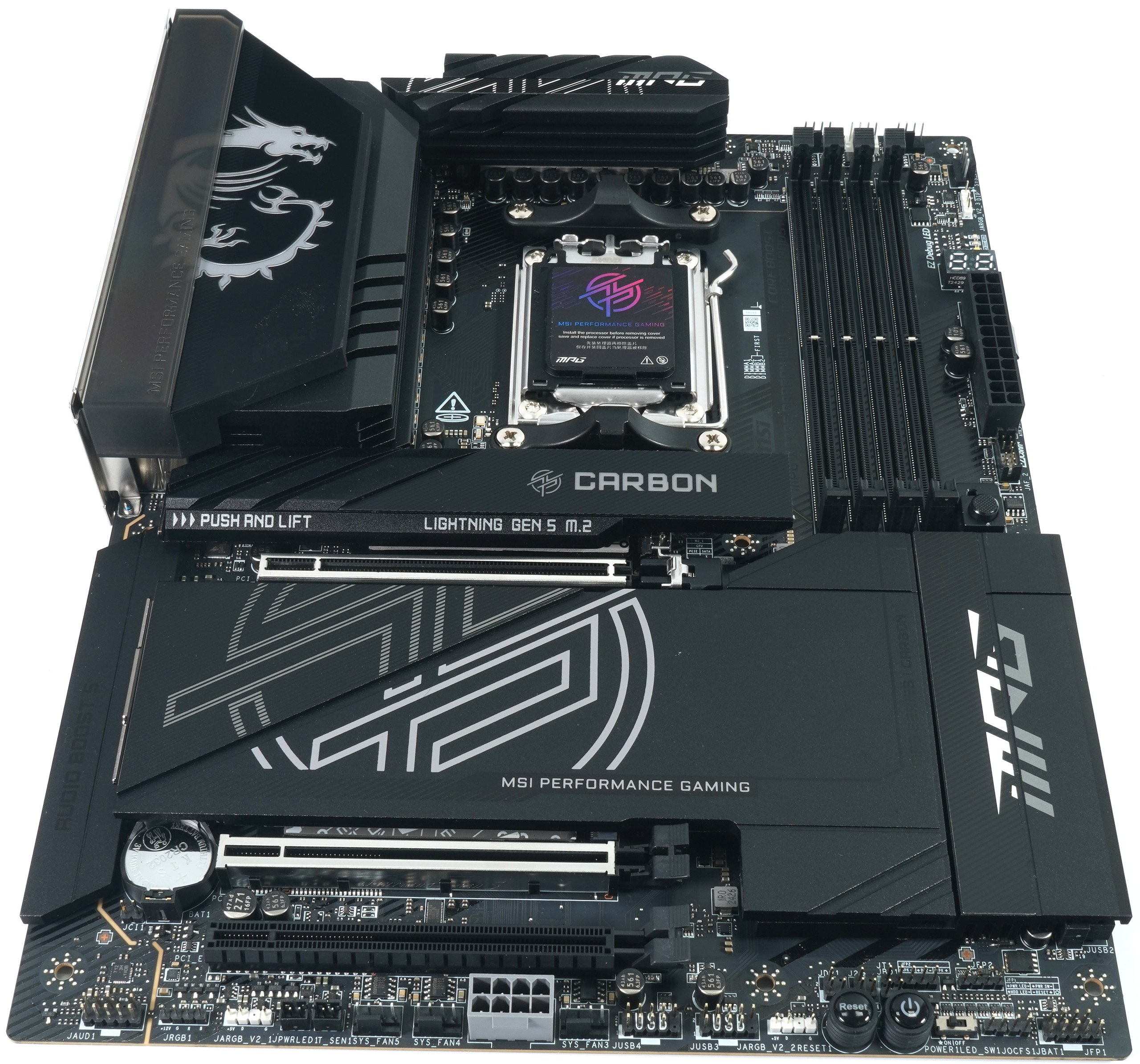
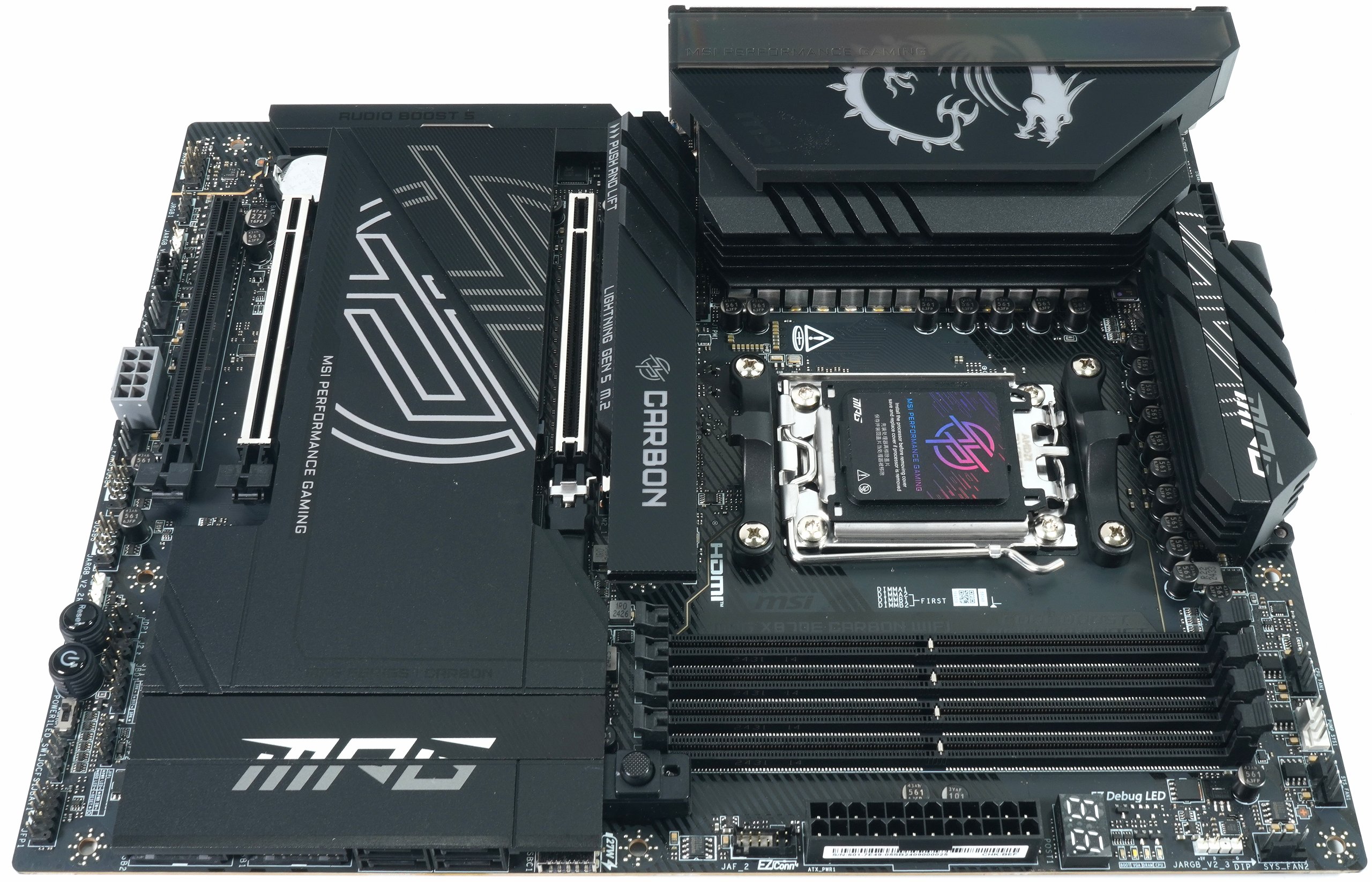
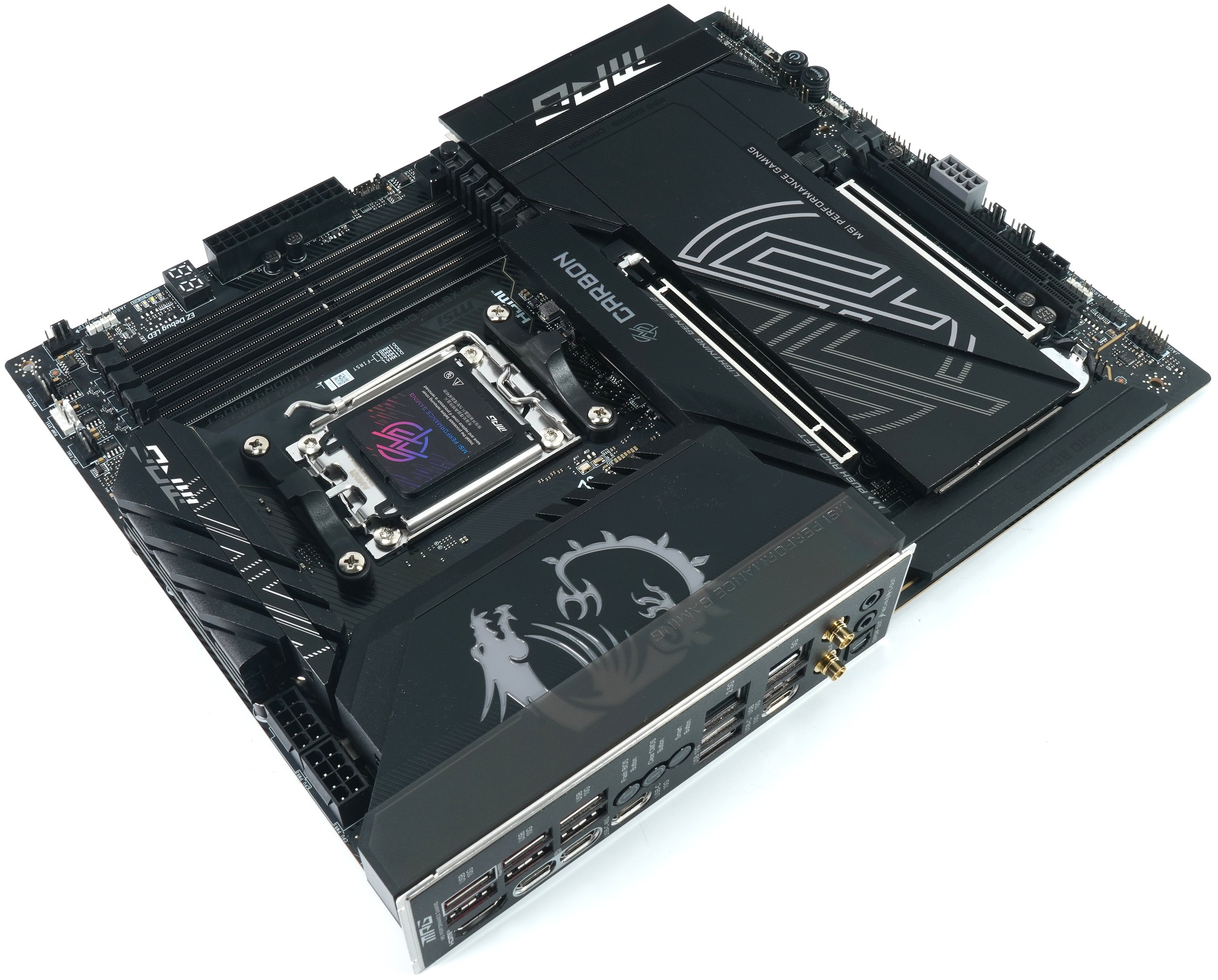
I recently replaced the MSI MEG X670E Ace in my benchtable with the MSI MPG X870E Carbon WiFi because a new (old) chipset for the Ryzen 9000 feels better and Intel is also releasing a new chipset together with Arrow Lake S into the product cycle. Just between you and me: in terms of performance, this stunt is superfluous, but with USB 4.0 and WiFi 7, I want to remain at least somewhat future-proof. I don’t want to hide the fact that some points are also a step backwards, but MSI has simply omitted the direct successor to the Ace.

There seems to be no room left between the Carbon WiFi and the Godlike for the Ace, because the MSI MPG X870E Carbon WiFi has been improved considerably. Others say cannibalization, but I at least mourn my 10G Ethernet and am happy about one or two features that ultimately make my life and testing much easier. So somehow it’s all a trade-off with compromises. And that’s exactly what I’m writing about today, because in terms of pure performance, the whole thing makes no difference. Basically, AMD has just elegantly upgraded the chipset and added a few features. USB 4.0 would also have been an option on the X670E. It largely runs externally.

Since there are already benchmarks for the MSI MEG X670E like sand on the sea, I will forego this redundancy and not widen the beach significantly, because some plausibility tests in the workstation and gaming area see both boards completely on par. However, the Ryzen 9 9950X performs a little better in a few applications on this board, but this may also be due to the special BIOS version. However, a pure unboxing would also be boring, so today I will limit myself to my conversion in the specific application area and various technical details that still promise tangible added value. But since it seems that everyone already had at least one mainboard test online yesterday, I’m going to take a back seat today and deliver one too. Just a little differently and in my own way. And for the first time, there will also be a cross-check of the installed thermal pads, which MSI advertises as 7 W/m-K. Nobody in the world has ever had that before.

Features, technological differences and technical data

Although the MSI MPG X870E Carbon WiFi with an RRP of 479 euros is 50 euros more expensive than the street price of 429 euros of its direct predecessor with the X670E chipset, it offers significantly more and comes very close to the currently omitted MSI MEG X670E Ace, which is currently significantly more expensive at over 800 euros, if you can still get it at all. In terms of power supply and cooling, the new Carbon is also completely sufficient for use in my benchtable and is actually already completely oversized. But reserves have never done any harm and an X870E Godlike would be a wonderful nice-to-have, but due to the price alone it would be decadent to use it on the benchtable with CPUs, SSDs, graphics cards and the obligatory thermal paste. Incidentally, the DOWSIL TC-5550 is used here in the form of the PastX 45 from X-Apply.

People are creatures of habit and I have rarely had a bad experience with the MSI BIOSes on the benchtable. Everything almost always worked right away and I don’t want to hide the fact that I prefer the rather conservative design of the settings to all the OC and gaming stuff, which simply has no place on a device that I also and above all test productive applications with. Non-transparent factory OC for the longest benchmark bar is completely suspect to me personally. Others may certainly see it differently and I don’t begrudge them that. But I deliberately take myself out of it. Even with Intel systems, where I’ve also had CPU losses, but in general I was always on the safe side and it was never due to the board.
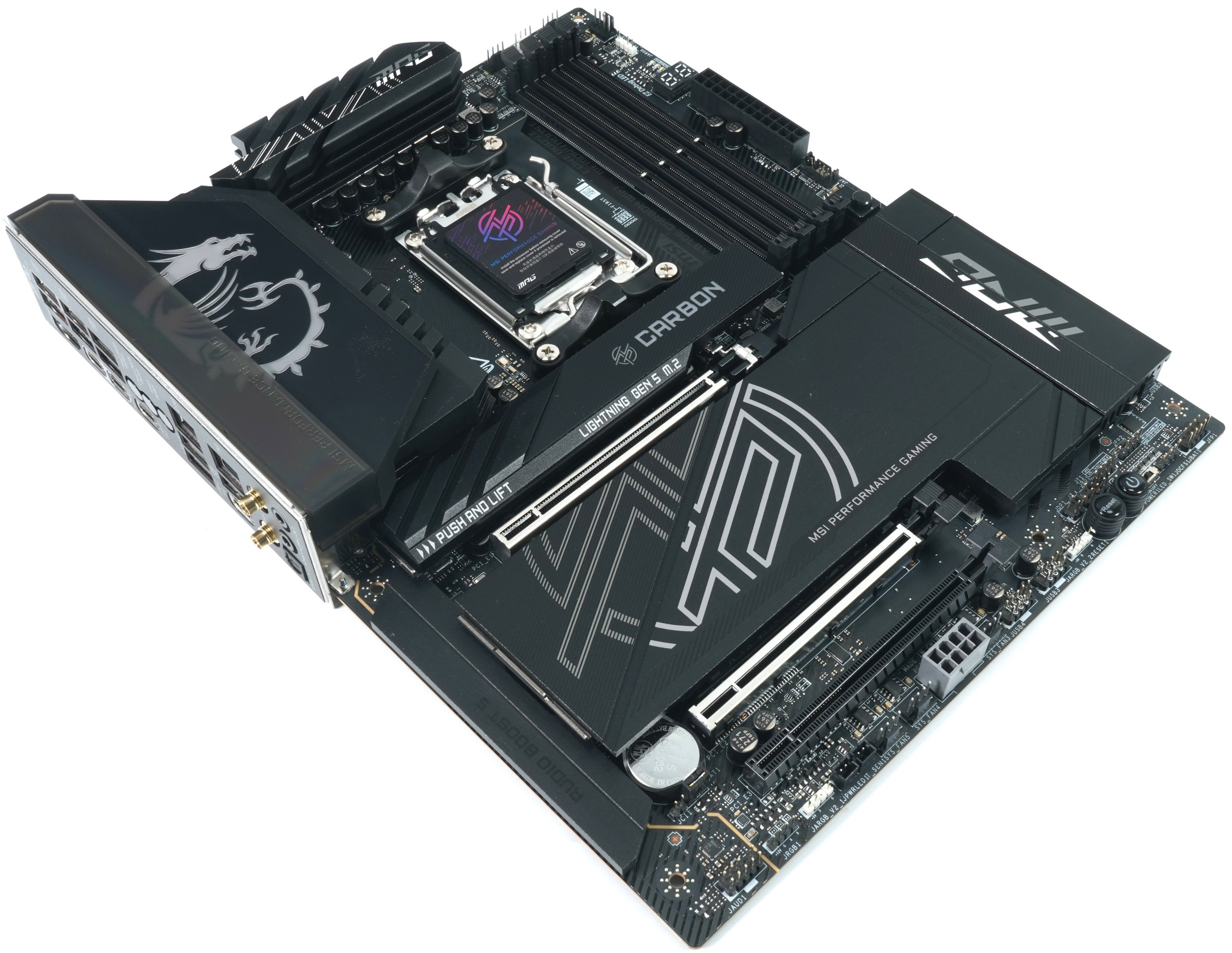
But what is the difference between the X870E chipset and the X670E, which both use 44 lanes, and between the two boards?

Connectivity and network support:
The X670E generally only supports Wi-Fi 6E, which offers 6 GHz WLAN for faster speeds and less congestion. The X870E, on the other hand, is designed for Wi-Fi 7, which offers higher data rates, improved latency and more efficient channel utilization than Wi-Fi 6E. This makes the X870E more suitable for future network standards, although you always need to consider if and when you will be upgrading yourself.

Performance and power supply:
The newer Carbon WiFi with the X870E uses a stronger power supply with more phases (18 2 1) and higher quality components designed for more extreme overclocking scenarios and even higher power requirements. This makes the Carbon WiFi X870E (according to MSI) particularly suitable for power users and enthusiasts who require maximum performance, as the previous model was weaker in this respect. However, the now discontinued Ace with 24 virtual phases was at least on a par.

Expandability:
The X870E offers more M.2 slots with PCIe Gen 5 support, making it ideal for use in systems with multiple high-speed SSDs. The X670E also supports PCIe 5.0, but in a slightly more limited number of M.2 slots. This means that the X870E offers more options for memory expansions.

AI optimization:
The X870E includes special optimizations for AI computing, making it better suited for future artificial intelligence and machine learning applications. These functionalities are missing in the X670E, which is more focused on general user and gaming applications. Here, too, you have to ask yourself what else would have been possible with the X670E and where the upgrade can only be realized via the firmware. But if AMD doesn’t want to, then that’s probably the way it is.

Finally, I have the data sheet for you before I start the installation.

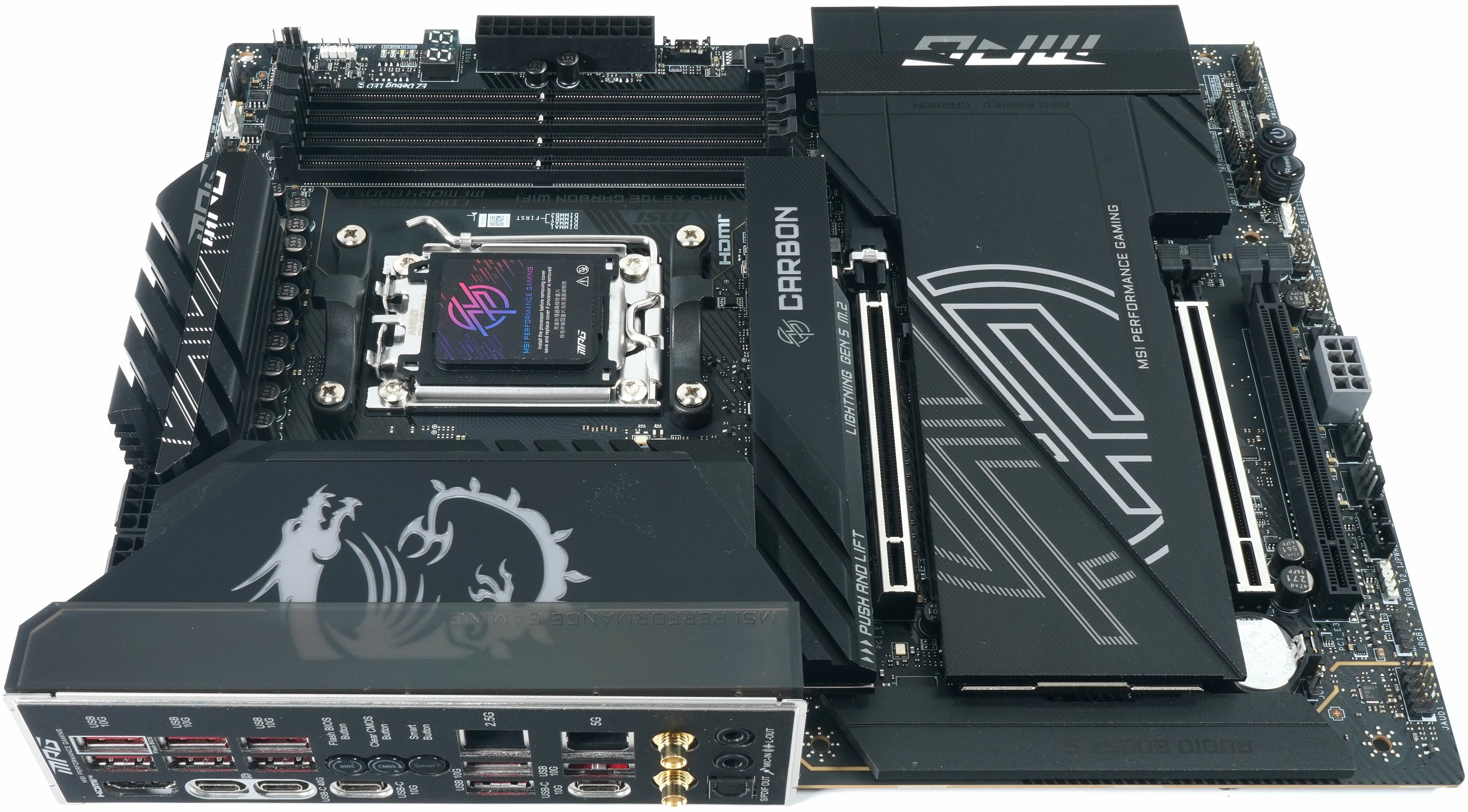
And for those who don’t recognize anything here on the I/O, the whole thing again as a real photo:

Of course, MSI also had a live stream of the new boards with the X870(E), which I don’t want to withhold from you:


 

Kommentar

Lade neue Kommentare

p
pinkymee

Veteran

143 Kommentare 167 Likes

Danke Igor für den sehr schönen Test mit einem sehr schönen Board. Besonders interessant das Modding mit T-Putty. Vielleicht überlegt sich MSI, mit DigitalBlizzard zusammenzuarbeiten, damit das Board von Anfang an gleich noch besser performt. Allen Komponenten darauf kommt es definitiv zugute.

Antwort Gefällt mir

c
carrera

Veteran

286 Kommentare 179 Likes

@Igor Wallossek : Toller Test, danke. Dein Teardown ist unübertroffen.

Antwort 3 Likes

e
eastcoast_pete

Urgestein

3,083 Kommentare 2,046 Likes

@Igor Wallossek : danke, interessanter Teardown und Überblick. Ich finde den 5 Gbit/s Ethernet Adapter auch spannend, vor allem wenn der Realtek sich wie von den Specs her beim Stromverbrauch zurückhält. Und ja, schönes Board, wobei es für meine Zwecke schon etwas Overkill ist. Aber besser zu viel Gutes haben als daß einem etwas wichtiges fehlt 😄.

Antwort 1 Like

OldMan

Urgestein

797 Kommentare 478 Likes

Zuerst mal Danke für die ausführliche Vorstellung. Aktuell habe ich auch das MSI X670E ACE. Leider scheint hier MSI tatsächlich die Lücke zwischen dem Carbon und dem Goodlike "vergessen" zu haben, oder kommt hier noch etwas? Was mich hier aber wirklich stört bzw. was mir fehlt ist der 10G Port. Schade. Somit bleibt dann nur das Goodlike, was aber zwei gravierende Nachteile hat: 1. Der Preis. Eine UVP von 1299€ ist schon sehr happig. Und dann ist der 3. Steckplatz nur ein kurzer. Beim Carbon sind zumindest alle 3 Steckplätze vollwertig. Und, was ich extrem schade finde ist, dass der Abstand der Slots 2 und 3 untereinander so knapp ausfällt. Somit kann man im Endeffekt auch nur 2 Slots nutzen. Da hätte man statt der 3 NvME Steckplätze zwischen Slot 1 und 2 auch einen zwischen Slot 3 und 4 setzen können. Platz für wirklich dicke GraKa's wäre bei Slot 1 immer noch geblieben.
Aber sonst, ein nettes Board.

Antwort Gefällt mir

Igor Wallossek

1

13,159 Kommentare 26,153 Likes

Bei zwei Karten rechnen die heute immer mit Wasserkühlung :D

Antwort Gefällt mir

P
Pokerclock

Urgestein

978 Kommentare 959 Likes

Bauernfängerei. Der 3. Slot ist nur x4 angebunden. Taugt aber dazu eine 10Gbit-Karte einzubauen, mit einem Port.

Antwort 3 Likes

grimm

Urgestein

3,639 Kommentare 2,708 Likes

Danke für den ausführlichen Review! Bin froh, dass wir mal wieder handfeste Hardware haben und nicht nur über Pampe schwadronieren.
Für meine nächste Plattform wird es auch definitiv ein Board aus dieser Liga.

Antwort 1 Like

Igor Wallossek

1

13,159 Kommentare 26,153 Likes

Nun ja, Pampe ist aber das neue Gold. Und es kann sonst keiner :D

Antwort 3 Likes

f
fwiener

Veteran

108 Kommentare 69 Likes

Sehr interessant. Das Board hatte ich im Blickfang, wie auch die neuen Taichi von AsRock. Wird es da auch solche ausführlichen Tests geben hier? Ich hoffe es jedenfalls!

Antwort 1 Like

Igor Wallossek

1

13,159 Kommentare 26,153 Likes

Naja, das Problem ist eher, dass hier kaum jemand Boards schicken mag, weil das Ergebnis vorher nicht feststeht. Außer von NZXT (ASRock als OEM) gab es bisher keine Zusagen. Ich teste ja kein OC und sonstige CPU-Vergewaltigungen. :D

Antwort 5 Likes

DMHas

Veteran

106 Kommentare 55 Likes

Schöner Test! Mich freut das Igor viel mehr ins technische Detail geht (Spannungsregelung / verbaute IC's).

Antwort 3 Likes

Midnight Angel

Veteran

229 Kommentare 179 Likes

Leider macht MSI hier den gleichen Shice wie die anderen Boardhersteller:

Der Asmedia USB4-Chip wird kurzerhand an die CPU angebunden (nicht etwa an den Chipsatz, dessen 4.0 laut AMDs eigenem Schema hinreichend wäre) - und schwupps, haben wir noch genau eine einzelne M.2 ohne Sharing an der CPU - alles andere (ein x4-Slot, die zweite 5.0 -M.2) darf dann der Grafikkarte die Lanes streitig machen.

Antwort 2 Likes

Lieblingsbesuch

Urgestein

577 Kommentare 105 Likes

Dieses ganze Gejammer um USB4 und Lane sharing ist lächerlich.
USB4 wird in Zukunft nicht mehr weg zu denken sein und 3 nutzbare M.2 Slots ohne das die GPU auf x8 runter fällt ist völlig ausreichend.

Antwort 1 Like

DigitalBlizzard

Urgestein

3,025 Kommentare 1,971 Likes

Danke @Igor Wallossek für einen wirklich super Test, auch hier einen Blick unter die schicke Oberfläche, so soll es sein.
Ich bin ja eigentlich kein großer Fan von Duet-Rails und doppler Chips, Virtuelle Phasenaufpepperei etc. aber in dem Fall hochwertig und gut gelöst, zumindest kein mieser Infineon Controller und separater doppler. 9 Phasen mit je 2SPS und wie hier mit dem Renesas sind ok, auch wenn ich mir in der Preisklasse eigentlich 20-24 Phasen wünschen würde, und am Liebsten im Single Rail.

Auch beeindruckend, was ein thermisches Modding der Boardkühler mit Putty bringt, das ist ja leistungsfördernd und lebensdauerverängernd, auch wenn die Standardwerte nicht schlecht waren, nach dem Mod waren sie deutlich angenehmer.
Wird hier aus meiner Sicht höchste Zeit für ein Umdenken der Boardhersteller, zumal es mittelfristig gesehen deren RMA Quoten senken dürfte.

Alles in Allem ein sehr schönes Board, hatte von MSI auch eigentlich nix anderes erwartet, aber schön zu sehen, dass man nach wie vor nach wertigen Bauteilen, Ausführungen und Zulieferern schaut.
Die Preise sind allerdings mittlerweile frech, nehme an dass das aber eher an der Tatsache liegt, das sich AMD hier den Hintern mit abstrusen Chipsetpreisen selbst vergoldet.

Antwort 2 Likes

Klicke zum Ausklappem
z
zass

Veteran

167 Kommentare 70 Likes

Wenn ich mir das Package von dem Ding ansehe wird das Ding bestimmt nicht die max. mögliche Verlustleistung bei 12V Input und max 0,5 A los.
Und wie ein Schaltregler sieht das eher nicht aus, und da steht auch das Wort "linear" im Text.

Antwort Gefällt mir

P
Pokerclock

Urgestein

978 Kommentare 959 Likes

Möge das Putty mit Dir sein, Igor. :)

Ist aber auch fies, den richtig guten Putty-Stuff von der Hardwareliebe gegen die MSI-Pads ins Feld zu schicken.

Ich freue mich auch immer nach nur wenigen Monaten Nutzung, die Silikon-Seen auf den SSDs schwimmen zu sehen. Ich kenne es eigentlich nicht anders, dass auf den Mainboards nur unterste Schublade an Pads genutzt wird.

Antwort 1 Like

DigitalBlizzard

Urgestein

3,025 Kommentare 1,971 Likes
DigitalBlizzard

Urgestein

3,025 Kommentare 1,971 Likes

Igor muss das Zeuch ja auch wieder loswerden, ich hab ihm ja neulich auch ne 42g Melkzizze von unserem blauen PuttyX 60 geschickt, also muss Igor langsam nen Lageristen einstellen und anbauen, oder das Zeug seiner natürlichen Bestimmung zuführen und das hat er mit dem MOD auf dem Board eindrücklich getan.
Sind schon deutlich andere Werte als mit dem Standardpad, und im Zusammenhang mit einem Test eine geniale Nummer, das zeigt nämlich was die Hersteller an Potential verschenken, das Putty kannst auch im Werk automatisch applizieren, statt Pads raufklatschen

Antwort 2 Likes

Midnight Angel

Veteran

229 Kommentare 179 Likes

Entschuldige bitte, daß ich wage, eine - wie ich meine - Design-Fehlentscheidung zu kritisieren.

Beim angesprochenen Board bringt eine Nutzung des zweiten 5.0-M.2-Slots die Graka auf x8.
Ebenso bringt eine Nutzung des mit x4 angebundenen PCIe-Slots die Graka auf x8.
Eine dieser beiden Einschränkung ist völlig unnötig.

Laut den Blockschaltbildern von AMD ist es völlig in Ordnung, den ASMedia-PCIe 4.0-USB4-Chip mit PCIe 4.0 anzubinden.

Macht nur kein Hersteller - die degradieren allesamt vier vollwertige 5.0-Lanes zu 4.0, womit - wenn man bei x16 für die Graka bleiben möchte, eben noch genau eine M.2, oder ein PCIe 5.0x4-Slot verfügbar ist.

Selbstverständlich hat MSI sich dann noch auf den Standpunkt gestellt, den einzigen x4 - Slot des Boards direkt an die CPU (anstelle an den Chipsatz) anzubinden - womit die Nutzung dieses Slots allein ausreicht, um die Graka wieder von ihren x16 herunterzuholen.

Notabene: Nirgendwo habe ich das Vorhandensein von USB4 kritisiert - es ist die bescheidene Ausführung dieser Schnittstelle, die mir auf den Senkel geht.

Antwort 3 Likes

Danke für die Spende


Du fandest, der Beitrag war interessant und möchtest uns unterstützen? Klasse!

Hier erfährst Du, wie: Hier spenden.

Hier kannst Du per PayPal spenden.

About the author

Igor Wallossek

Editor-in-chief and name-giver of igor'sLAB as the content successor of Tom's Hardware Germany, whose license was returned in June 2019 in order to better meet the qualitative demands of web content and challenges of new media such as YouTube with its own channel.

Computer nerd since 1983, audio freak since 1979 and pretty much open to anything with a plug or battery for over 50 years.

Follow Igor:
YouTube Facebook Instagram Twitter

Werbung

Werbung