
















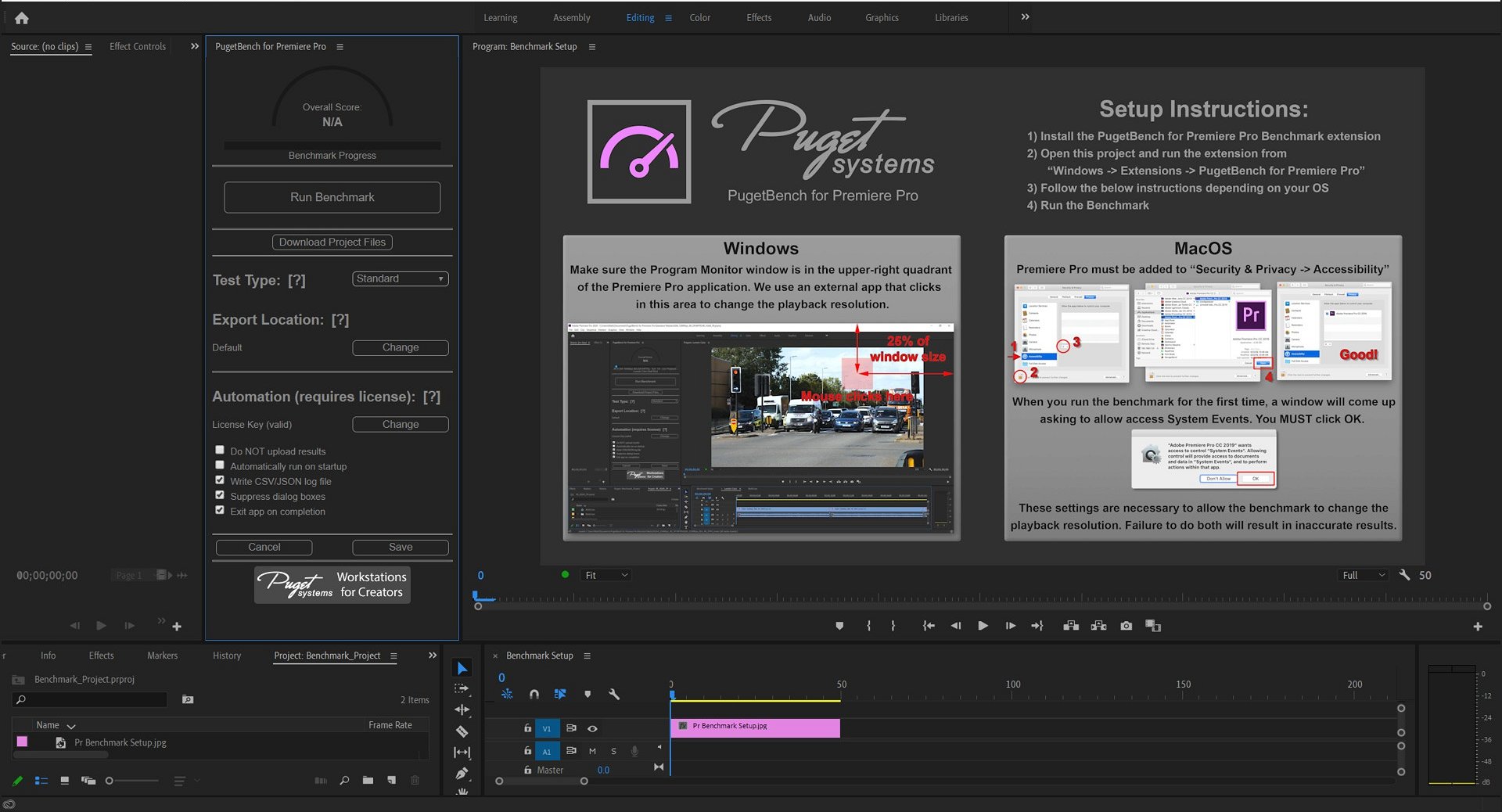
PugetBench for Premiere Pro is a practical benchmark tool that measures the performance of workstations in typical Adobe Premiere Pro workflows. The aim is to record the actual performance during import, editing, effects and export and thus create a basis for comparing different hardware configurations. Of particular relevance here is the mapping of GPU-accelerated effects and the measurement of encoding and decoding performance, as these often represent the biggest bottleneck in video production.
A significant part of the benchmark focuses on export performance, as this is crucial for productivity in practice. In order to emphasize the influence of encoding as much as possible, Puget Systems relies on a special setup: The source material is a DNxHR LB clip with 480×270 pixels, which is scaled on a UHD timeline (3840×2160). DNxHR LB is a very simple codec for processing; at the same time, there is no platform with hardware decoding support for this codec. This ensures that decoding is not the limiting factor, but that encoding is the bottleneck during export.
To prevent modern codecs such as H.264 or HEVC from becoming “too smart” due to their efficient compression algorithms with repeating pixel patterns and thus unintentionally achieving better results, a fractal noise image in PNG format is also superimposed on the clip. It is important to note that this is not the fractal noise effect from Premiere itself, but a prepared image that is applied to the clip. This ensures that each pixel is unique and that there are no redundancies in the encoding.
With this setup, the benchmark can very clearly capture the encoding performance of Premiere Pro in various codecs such as H.264, HEVC or DNxHR. In addition, it tests GPU-accelerated effects so that differences in real-time preview and rendering are also visible. The results provide a direct comparison of which hardware is best suited to which workflow. This makes the benchmark a valuable tool both for users who want to optimize their systems and for IT departments that need to select hardware for creative teams.
To evaluate the performance of a system when exporting to different codecs, the benchmark is designed to make the encoding part of a rendering as much of a bottleneck as possible. To achieve this, one uses a DNxHR LB 480×270 source clip scaled to a UHD (3840×2160) timeline. DNxHR LB is a very simple codec to process (especially at this low resolution) and does not support hardware decoding on any platform, making it a good base codec. To ensure that each pixel is unique and codecs like H.264 or HEVC don’t get too “smart”, one also applies a simple fractal noise image in PNG format (NOT the fractal noise effect) to the clip to ensure that there are no repeated pixels.
- H.264 50Mbps 8-bit UHD, H.264 50Mbps 8-bit (software encoding) UHD
- HEVC 50Mbps 8-bit UHD, HEVC 60Mbps 10-bit UHD, HEVC 50Mbps 8-bit (software encoding) UHD, HEVC 60Mbps 10-bit (software encoding) UHD
- DNxHR LB UHD, DNxHR SQ UHD,,DNxHR HQX UHD
- ProRes 422 Proxy UHD, ProRes 422HQ UHD, ProRes 4444 UHD.
For the processing tests, the benchmark uses a wide range of codecs in different resolutions and creates a timeline in the native resolution of the clip. It then exports each timeline to DNxHR LB in HD (1920×1080) resolution. This is where the hardware decoding support comes into play. The benchmark results from this method are very consistent and accurately reflect the relative performance between systems when working with different codecs.
- 4K H.264 150Mbps 4:2:0 8-bit, 4K HEVC 100Mbps 4:2:2 10-bit, 8K HEVC 100Mbps 4:2:0 8-bit,
- 4K ProRes 422 Proxy, 4K ProRes 422
- 4K DNxHR LB, 4K DNxHR SQ
- 4K Cinema RAW Light ST
- 4K ARRIRAW
- 5K Sony X-OCN
- 4K RED, 8K RED
The final category of tests looks at performance for GPU-accelerated effects. Many of the effects in Premiere Pro are relatively easy to process individually, so even a low-end GPU will not be taxed if only a single instance is applied. To address this, the benchmark applies each effect four to forty times, depending on the requirements. Again, a DNxHR LB UHD (3840×2160) clip is used as the basis and exported to DNxHR LB HD (1920×1080) – just like the “4K DNxHR LB” processing test. The difference is that the following effects are also applied for each test:
- Lumetri Color x40
- Gaussian Blur x40
- Sharpen x40,
- VR Digital Glitch x20, VR De-Noise x4.
In the overall PugetBench score for Adobe Premiere Pro 25.41, the Intel Arc Pro B60 came in third place with 96,669 points, just behind the Radeon Pro W7700 and the RTX 4000 Ada. The result shows a very balanced performance across all workflows, especially in decoding and GPU-accelerated effects. The smaller B50 follows with 85,302 points, which confirms the solid scaling between the two Intel cards. Premiere uses the GPU primarily for timeline playback, rendering and filtering – here the Arc architecture clearly benefits from the high compute rates and the powerful media engine.

The LongGOP score, which primarily evaluates H.264 and H.265 decoding, shows a clear advantage for AMD. The Radeon Pro W7700 and W7600 achieve top scores of 170 and 152 points respectively. The Arc Pro B60 follows with 127 points, but is still well ahead of NVIDIA’s Ada GPUs. The good performance can be explained by Intel’s integrated hardware acceleration for modern video codecs, which, however, works somewhat less efficiently at variable bit rates than AMD’s implementation.

In the intraframe score, which evaluates intraframe-compressed formats such as ProRes or DNxHR, the B60 is once again positioned in the upper midfield with 122 points. AMD leads with 159 (W7700) and 152 (W7600), while NVIDIA is slightly behind with 113 (RTX 4000 Ada). Premiere particularly benefits here from high memory bandwidth and optimized cache handling, which serves Intel’s architecture well, even if AMD’s dedicated transcoders still have advantages with these codecs.

The raw score, which evaluates the processing of uncompressed 4K to 8K files, shows a strong result for the B60 with 143.6 points – almost on a par with the RTX 2000 Ada (147 points) and only around 17% behind the RTX 4000 Ada. Intel can fully exploit its compute performance here, especially with GPU-accelerated effects in real-time previews.

In the GPU effects score, which tests GPU-heavy filters, color space transformations and transitions, the Arc Pro B60 achieved 38.2 points. This puts it just ahead of AMD’s W7700 (37.1) and well ahead of the smaller B50 (36.6). NVIDIA remains the undisputed leader here with up to 48.7 points, which can be attributed to CUDA optimizations and broader plug-in support. Nevertheless, it is clear that Intel now also offers stable and reproducible high performance with GPU effects.

Interim conclusion
In Adobe Premiere Pro, the Intel Arc Pro B60 impresses with its overall very strong and balanced performance. Especially in the raw and GPU effects area, it offers a level that was previously clearly reserved for NVIDIA. It falls slightly behind AMD in codec handling of LongGOP material, but delivers consistently high values for ProRes and DNxHR. The combination of high compute performance, a powerful media engine and stable drivers makes the B60 a real alternative for professional video editors working with mixed codecs and effects.

- 1 - Intro, overview and technical data
- 2 - Test system and equipment
- 3 - Teardown: PCB, topology and components
- 4 - Teardown: Cooler and fan
- 5 - Teardown: Material analysis and TIM testing
- 6 - Autodesk AutoCAD
- 7 - Autodesk Inventor Pro
- 8 - PTC Creo
- 9 - Dassault Systèmes Solidworks
- 10 - Autodesk Maya
- 11 - SPECviewperf 15 (2025)
- 12 - Adobe Photoshop 26.10
- 13 - Adobe After Effects 2025
- 14 - Adobe Premiere Pro 25.41
- 15 - AI benchmarks (AI Vision, Image, Text)
- 16 - Rendering
- 17 - Temperatures, clock rate, power consumption, noise
- 18 - Summary and conclusion









26 Antworten
Kommentar
Lade neue Kommentare
Urgestein
Veteran
1
Veteran
Urgestein
Urgestein
Urgestein
Urgestein
1
Mitglied
Urgestein
Urgestein
1
Urgestein
Veteran
Urgestein
Veteran
Mitglied
1
Alle Kommentare lesen unter igor´sLAB Community →