










Keyboard Reviews

Lofree Block keyboard in classic style: Review of a compact mechanical everyday companion

Introduction and unboxing

Minimalism meets functionality, all in one block. The Block keyboard is based on a deliberately minimalist design that combines suitability for everyday use with a clear design language. The soft gray tone of the housing, complemented by warm orange accents, creates a calm visual presence that blends harmoniously into different working environments. The block-shaped keycaps and the compact 98-key layout are aimed at users who value structured typing and an uncluttered interface.

The keyboard combines classic minimalism with practical features such as long battery life, two retro-style rotary controls and a small display for connection mode and battery status. The PBT material provides a matte, durable surface, while the gasket-mount construction creates a comfortable and balanced typing experience. With Bluetooth, wireless mode and USB-C, a wide range of connectivity options are available, compatible with MacOS, Windows and Android.

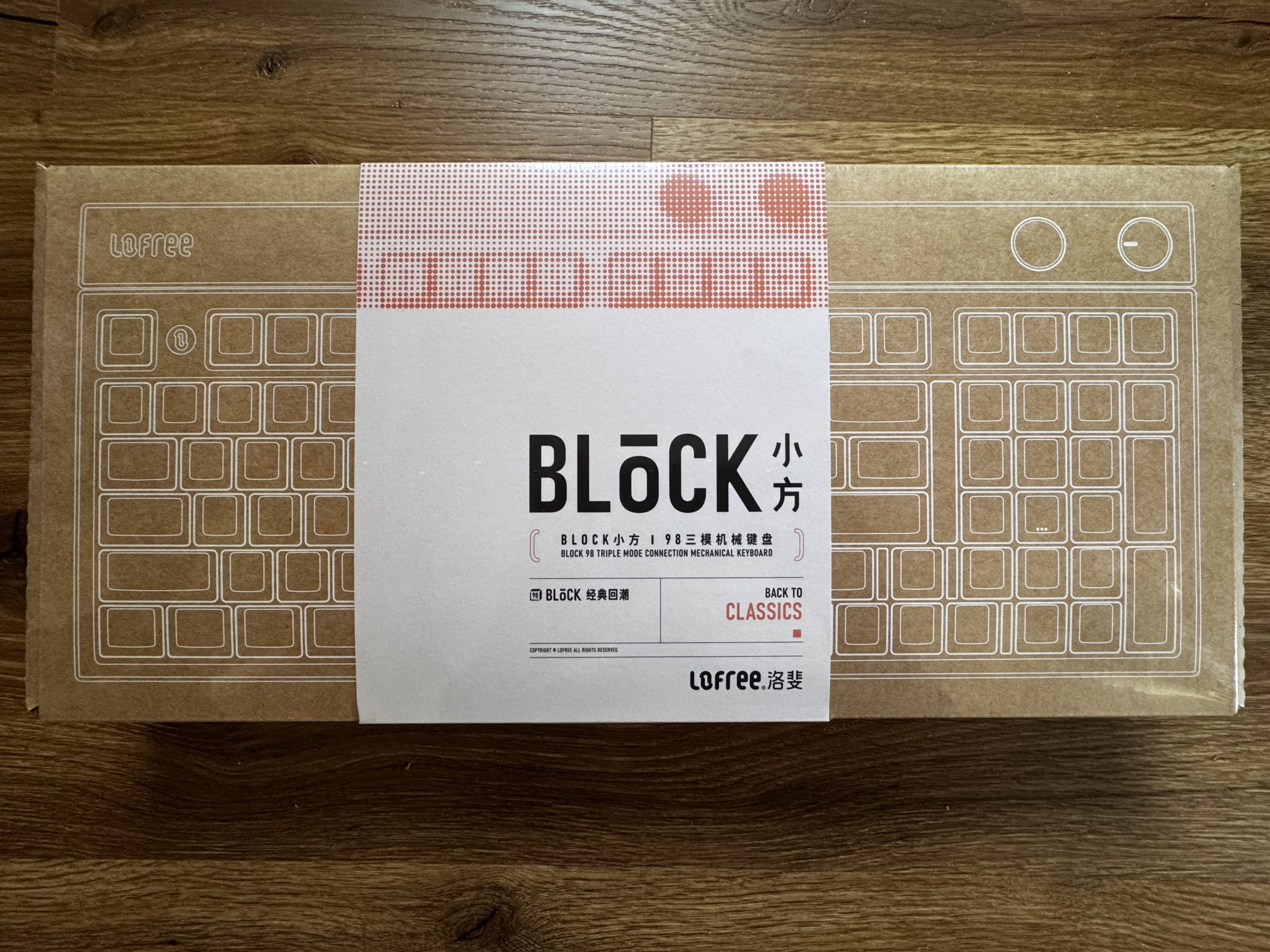
The front of the packaging is also made of brown cardboard with a white line graphic. A white band with red graphic elements and the Block lettering surrounds the cardboard and gives the design a clear, classic look.
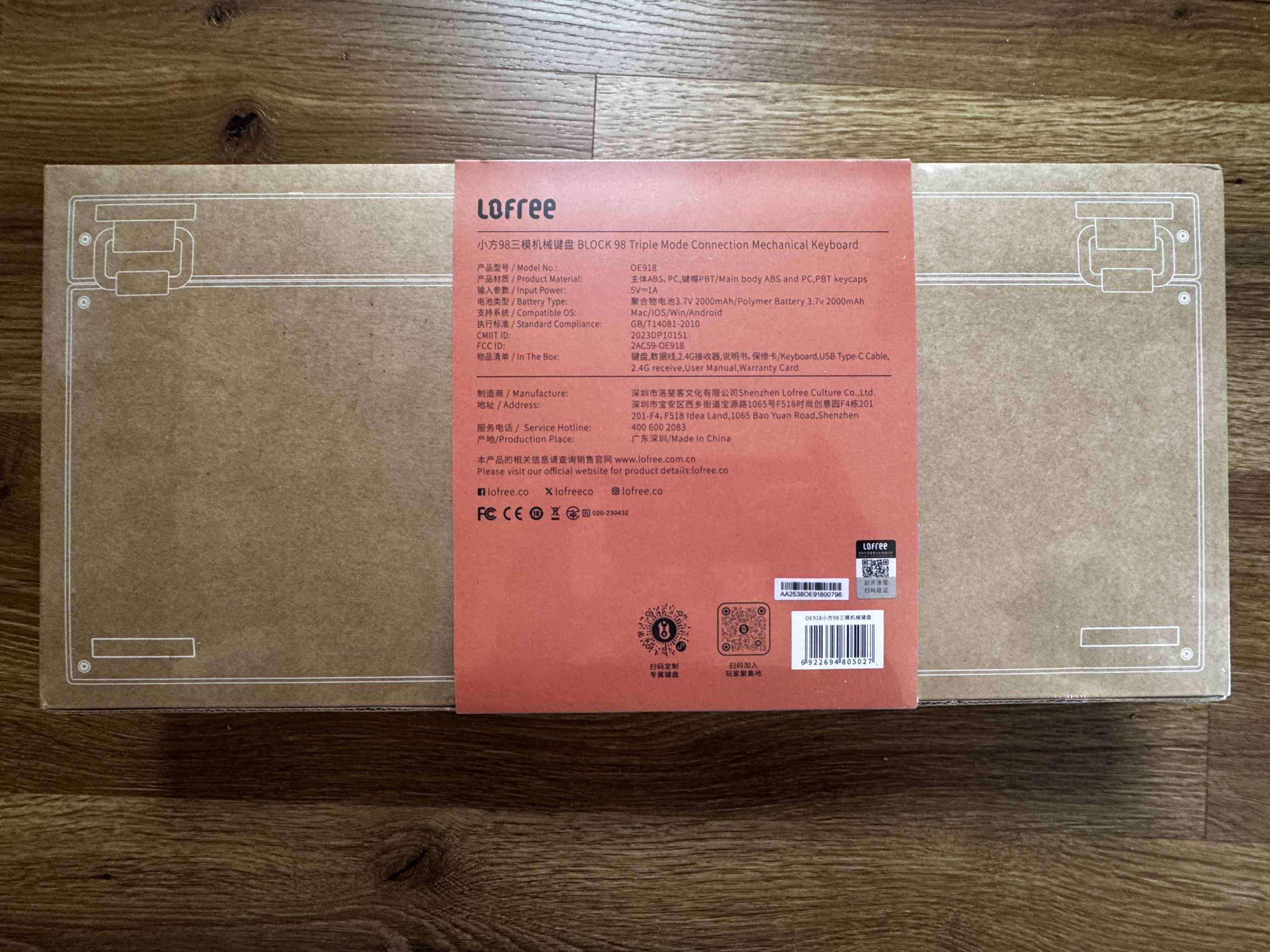
The back of the packaging shows a brown cardboard box with fine white lines that schematically represent the keyboard. In the middle is a red sticker with technical details, manufacturer information and the scope of delivery.
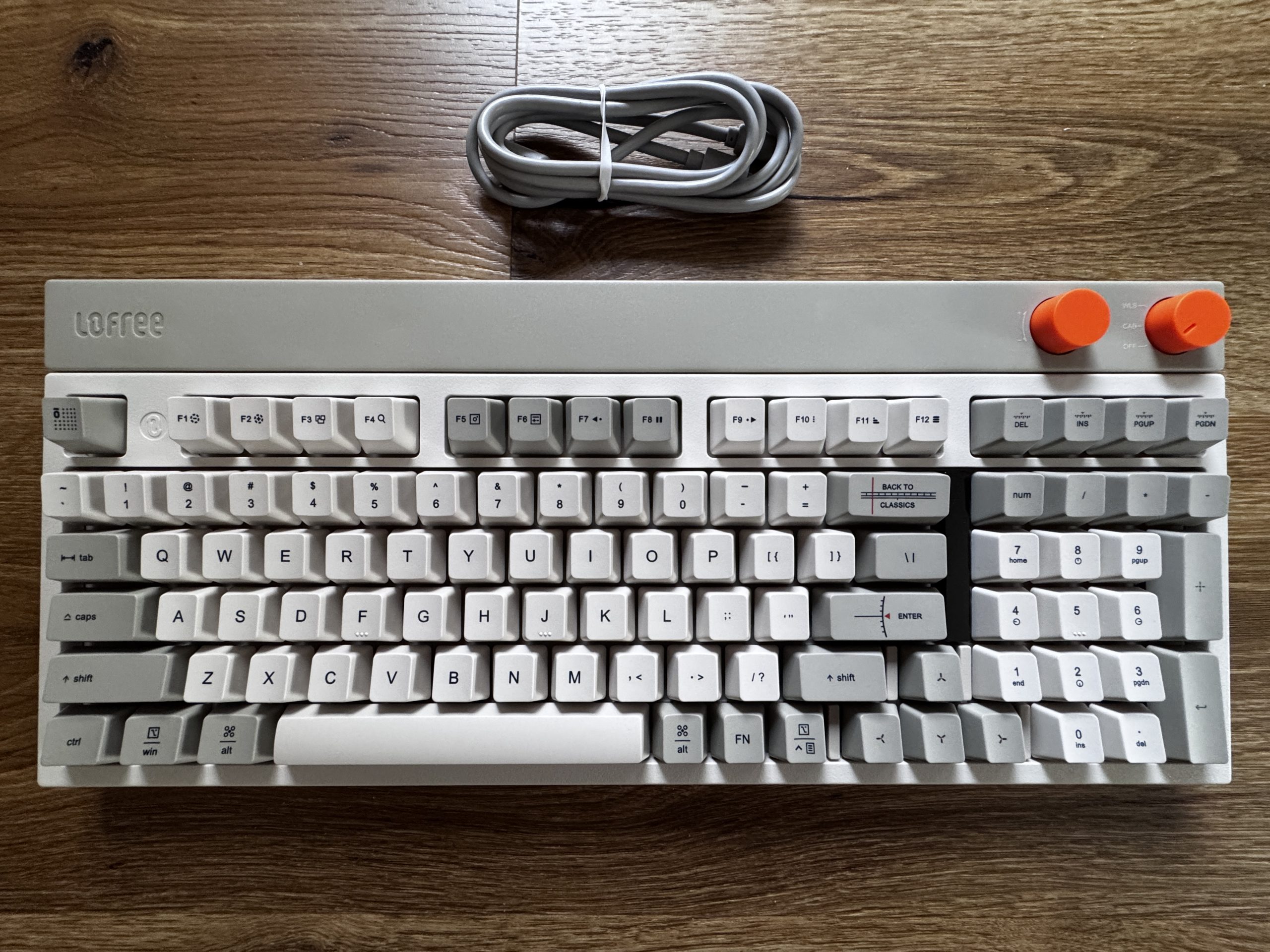
The top shows the complete layout with 98 keys in various shades of gray, creating a calm, clear overall impression. The main keys are kept light, while certain functional areas are accentuated slightly darker. The two orange rotary knobs on the top right edge are striking, deliberately breaking up the minimalist color scheme and offering a retro-style user interface. The Lofree logo is embedded in the top left, and a neatly rolled-up USB-C cable is located above the keyboard. The overall impression is structured, tidy and visually reminiscent of classic input devices from past decades.
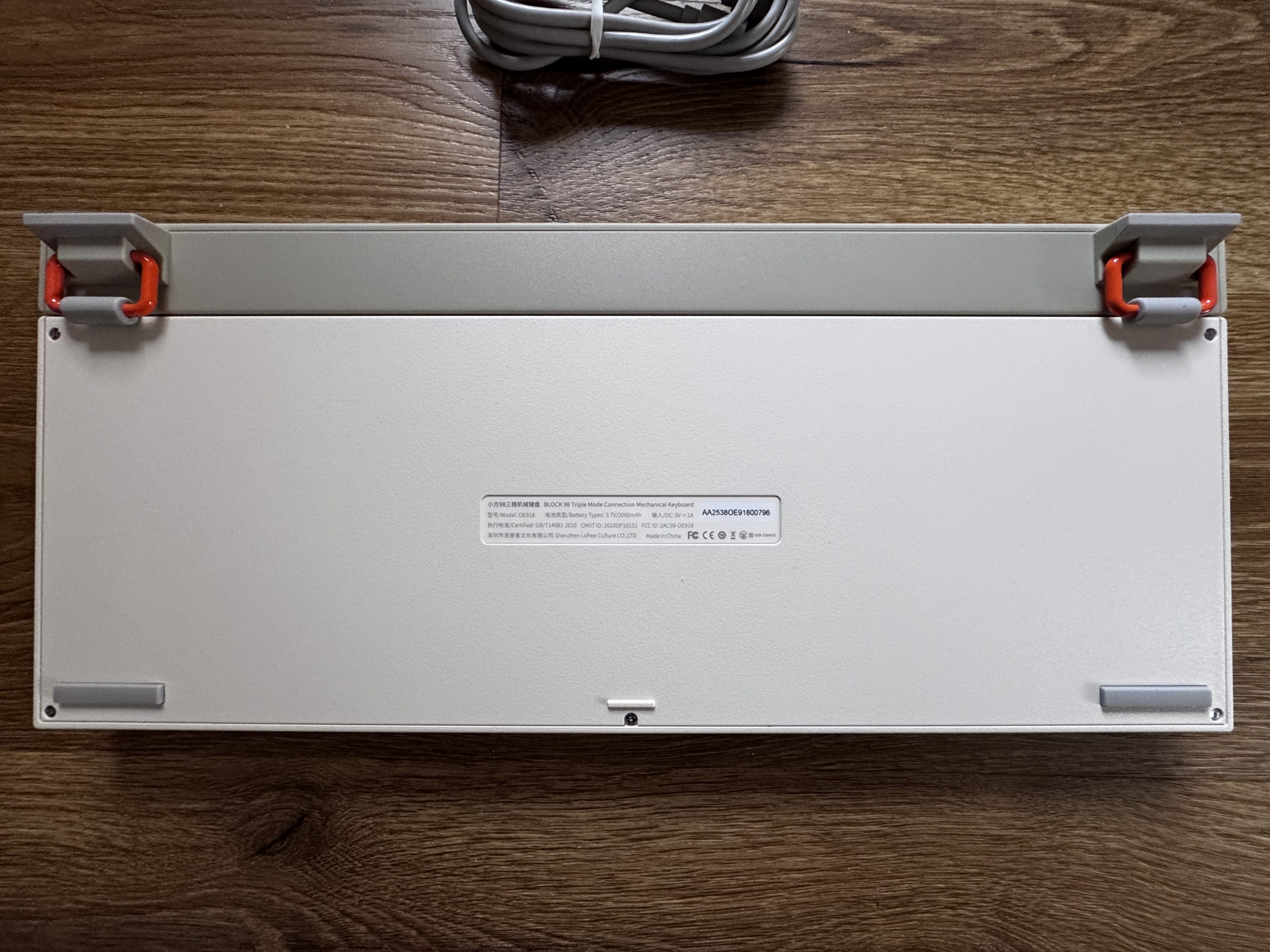
The underside of the keyboard has a bright, matt plastic casing with a slightly textured surface. Two fold-out feet on the top edge create a clear accent, as they are in gray and attached with striking orange joints. This construction provides stability and gives the design a functional, slightly industrial character. There is a narrow sticker in the middle with the model name, certifications and manufacturer information. There are flat rubber pads at the four corners, which are designed for a secure stand and non-slip use on the table.
Personally, I really like this keyboard. I would have liked the casing to be made of metal, as this material often has a higher quality feel and conveys an even more solid feel. Nevertheless, I am much more impressed with the overall design than I had initially expected. The classic style with the restrained old colors is pleasantly unobtrusive and brings a kind of retro charm that is rarely found today.

The overall appearance stands out noticeably from many modern keyboards, which often appear either too colorful or too technical. The result is a calm, clear look that goes well with a wide variety of setups and still has its own identity. For me, it’s simply something different, and that’s exactly what makes the keyboard interesting and appealing.


Kommentar

Lade neue Kommentare

Victorbush

Urgestein

1,011 Kommentare 243 Likes

Ich finde deine Tastatur Tests echt toll.

Großes ABER:

Was nützt es mir, wenn in letzter Zeit die Mehrheit der Tests in deutscher Sprache verfasst sind, es aber keine Qwertz Tastaturen sind.

Quasi nichts.
Ganz doll schade.

Antwort 1 Like

T
ThomasLeh

Veteran

225 Kommentare 186 Likes

Naja das Thema Qwertz könnte man ja mit einem passenden Tastenkappe Satz lösen. Was schwieriger ist das Thema ISO-Layout.

Antwort Gefällt mir

Igor Wallossek

1

13,159 Kommentare 26,153 Likes

Oder man hat angenähertes ISO, aber so einen abgehobenen Designer-Durchfall, wo man dann, wenn man blind schreibt, ständig auf Del statt Ins drückt, weil die Tastenreihe genau eine Reihe zu hoch angesetzt ist, da die obersten drei Tasten wegfallen mussten, damit dort, wo normalerweise Del sitzt, dann ein Display Platz findet, das ich aber nicht nicht brauche.... Sowas gibt es :D

Antwort 1 Like

T
ThomasLeh

Veteran

225 Kommentare 186 Likes

Nennt sich Qwertykey QK101. Auf der schreibe ich gerade 🤣 Gut das ich eher 5 Finger Suchsystem nutze😇

Antwort 1 Like

Victorbush

Urgestein

1,011 Kommentare 243 Likes

Ich muss gestehen ich kenne nicht mal den Unterschied zwischen ISO und Qwertz, ich sitze nur gerade vor einer Qwertz, egal wo.

Ich nutze nur 3-4 Finger. aber mit Bildschirmarbeitsplatzbrille wäre es dann wie Ostern oder Adventskalender….wo hat sich bloß die Taste versteckt…

Ich spreche ja auch nur für mich auf Arbeit oder im Internetz: Deutsch/Deutsch/Kauderwelsch bzw. deutsch in einfacher Sprache.

Antwort Gefällt mir

T
ThomasLeh

Veteran

225 Kommentare 186 Likes

Qwertz bzw Deutsches Layout ist erstmal die Belegung der Tasten. Iso vs Ansi betrifft dann auch die Form und Lage der Tasten.
DE-Ansi ginge auch, ist aber ungewohnt. Das wäre bei der Tastatur mit dem Tausch der Tastenkappe erreicht, Software seitig macht es das Betriebssystem. Wenn man die Tastenkappen nicht tauscht, tippt man halt was anderes als das was auf der Tastatur steht,
Iso bedarf hingegen ein anderes Platinen Layout.
Der offensichtlichste Unterschied zwischen Iso und Ansi ist die Enter Taste

Antwort 1 Like

Alter.Zocker

Urgestein

677 Kommentare 494 Likes

Ja das geht mir generell bei so "verdichteten" Layouts, wo versucht wurde, das vollständige AT-Tastenschema auf engerer Fläche "einzudampfen"...dazu kommen dann noch die neumodischen Windows-Tasten udgl., all das führt zu deutlichen Veränderungen gegenüber dem von mir (ich tippe seit Anfang der 90er des letzten Jahrhunderts auf Computer-/AT-Tastaturen herum) gewohnten Layout. Bei der hier getesteten "Block" gefällt mir zwar die Farbgebung und zum Teil bei den Haupt-Buchstaben-Tasten die BEschriftung, aber das hochverdichtete 102+-Layout mit u.a. verkürzter rechter Shift-Taste und "deplaziertem" Cursor-Block macht mir pers. aus eigener Erfahrung doch zu viel Probleme, als dass ich damit "flüssig" arbeiten könnte...Wenn kompakt, dann lieber "wirklich" kompakt mit reduzierten Tasten (z.B. TKL, 80%) und nur bei BEdarf (EXCEL-"Tabellen-Orgien") ggf. separatem Ziffernblock. Damit komme ich aktuell daheim als auch in der Arbeit gut zurecht... ;)
Andere "Design-Unfälle" bei dem Exemplar, wie die verspielten und winzigen Aufdrucke sämtlicher Sondertasten, sowie die an Staubschutzkappen erinnernden orangen "Drehknöppe" lasse ich mal v.a. im Kontext des professionellen Office-/Labor-Gebrauchs unkommentiert...

Antwort Gefällt mir

e
eastcoast_pete

Urgestein

3,083 Kommentare 2,046 Likes

Bei den Tastaturen und dem Layout frage ich mich allerdings auch, wie sehr bedienungsunfreundliche Layouts dem Trend zu kompakten Tastaturen (also unter 95%) geschuldet sind?

Und @Karsten Rabeneck-Ketme: Danke für Deine Tests! Eingabegeräte werden oft übersehen, dabei sind sie in vielen Fällen der hauptsächliche Flaschenhals, der die Produktivität bestimmt. Der schnellste PC hilft nicht, wenn man sich dauernd vertippt. Und beim Spielen ist's bei mir auch so, daß es viel mehr Spaß macht mit einer guten Maus oder einem guten Controller.

Antwort 1 Like

Karsten Rabeneck-Ketme

Moderator

317 Kommentare 136 Likes

Ich habe die Tastaturen nun mal in ANSI bekommen. Und mir persönlich ist ANSI auch viel lieber. Du kannst aber doch ein ANSI-Board in German belegen, wie es auf dem Bild hier von meinem Board zu sehen ist. Ich weiß gar nicht, ob es die Block in ISO DE gibt. Müsste ich nachfragen.

Antwort Gefällt mir

hansmuff

Veteran

116 Kommentare 67 Likes

Für den Preis will ich VIA benutzen können. Ansonsten ein hübsches Gerät.

Antwort Gefällt mir

Danke für die Spende


Du fandest, der Beitrag war interessant und möchtest uns unterstützen? Klasse!

Hier erfährst Du, wie: Hier spenden.

Hier kannst Du per PayPal spenden.

About the author

Karsten Rabeneck-Ketme

Werbung

Werbung