










Monitors Reviews

Corsair Xeneon Edge review – The difference between needing, needing and wanting is smaller than you think

Today we’re doing something different, because I have a test object that somehow wants and has to manage the balancing act between needing, wanting and must-to-have as well as its own finances. Personally, I see the Corsair Xeneon Edge as a narrow additional screen for the desktop, intended for content that you want to keep in view at all times without overloading the main monitor. Of course, you can do that and that’s exactly why I was a bit intrigued.
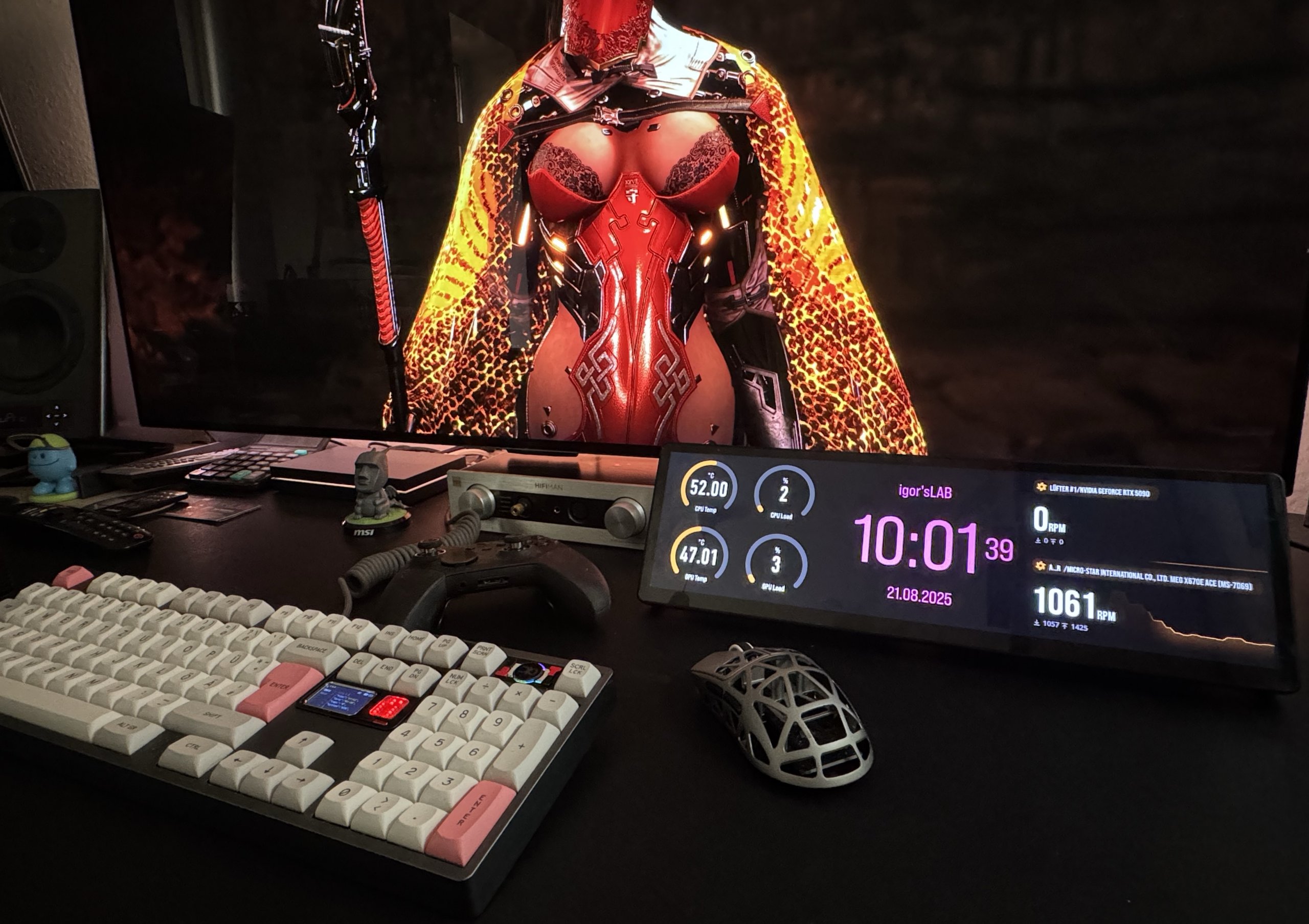
According to the packaging, it’s a 14.5-inch touchscreen with five-point input, IPS, HDMI and USB-C with DisplayPort Alt-Mode, i.e. a solution that acts like a normal second monitor on the system side. This is exactly what makes the concept interesting (including possible pitfalls, for which I have workarounds), because you can park any windows there, whether system data, chat, music control or a timeline. At the same time, I remain cautiously unenthusiastic for the time being, because the low vertical design can restrict layouts, reflections are always an issue with a glass front and I will say something reliable about the actual brightness, viewing angles and touch behavior later in the test.
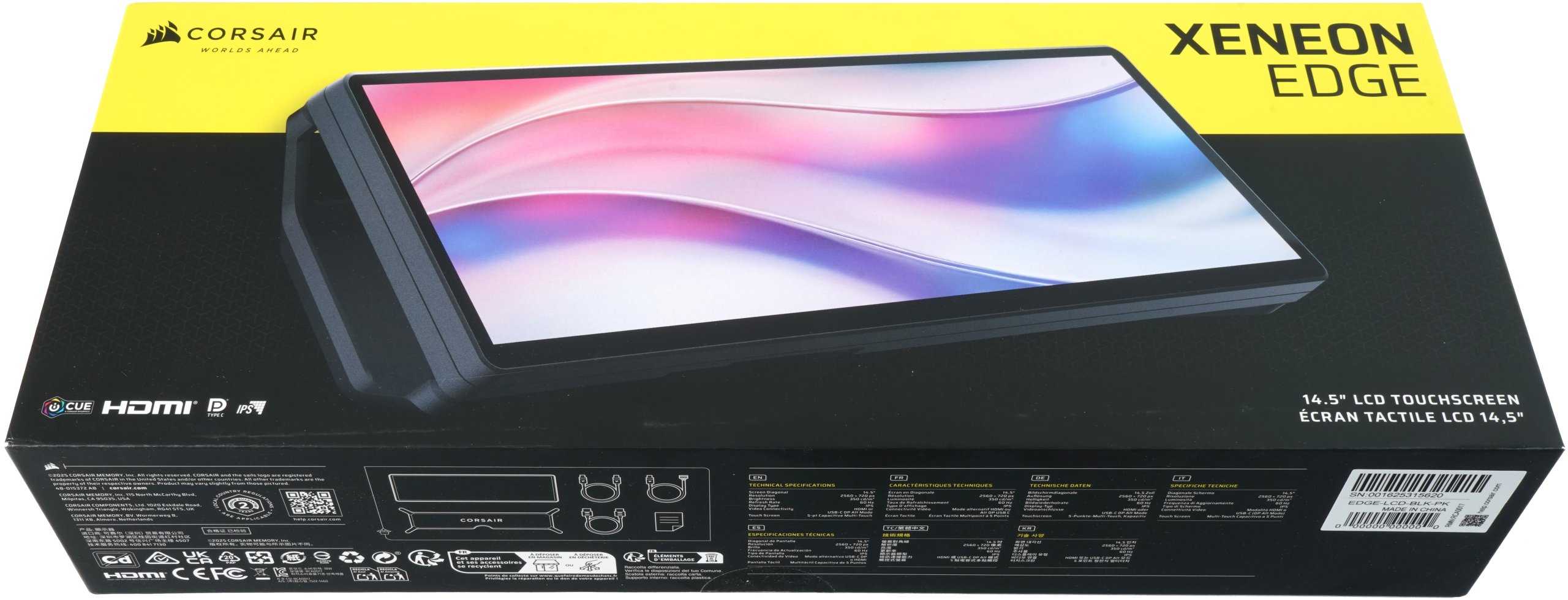
For me, the target group is determined by the form factor and connections. Creators and streamers gain a permanent surface for telemetry, chat and scene control, office users keep their calendar and communication in view, sim racing and flight setups benefit from a dedicated display for instruments, while music production and video editing can outsource buttons, metering and transport control. The benefits depend on your workflow, because if you work with several monitors anyway, you will appreciate the Edge as a slim addition, while those who only use a very bright and anti-glare primary screen will have to weigh up the added value against possible reflections and the lower pixel height. Later in the test, I will also check how well content can really be scaled and whether Windows handles touch mapping properly. Let’s see.
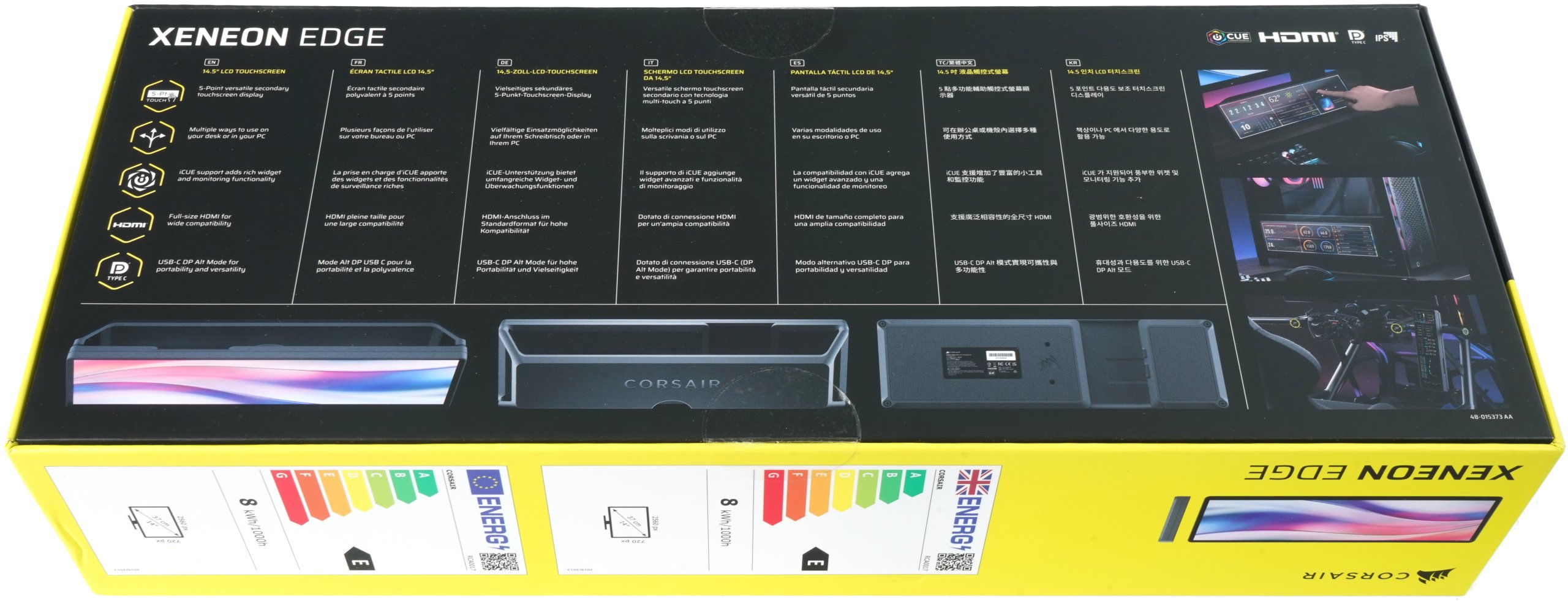
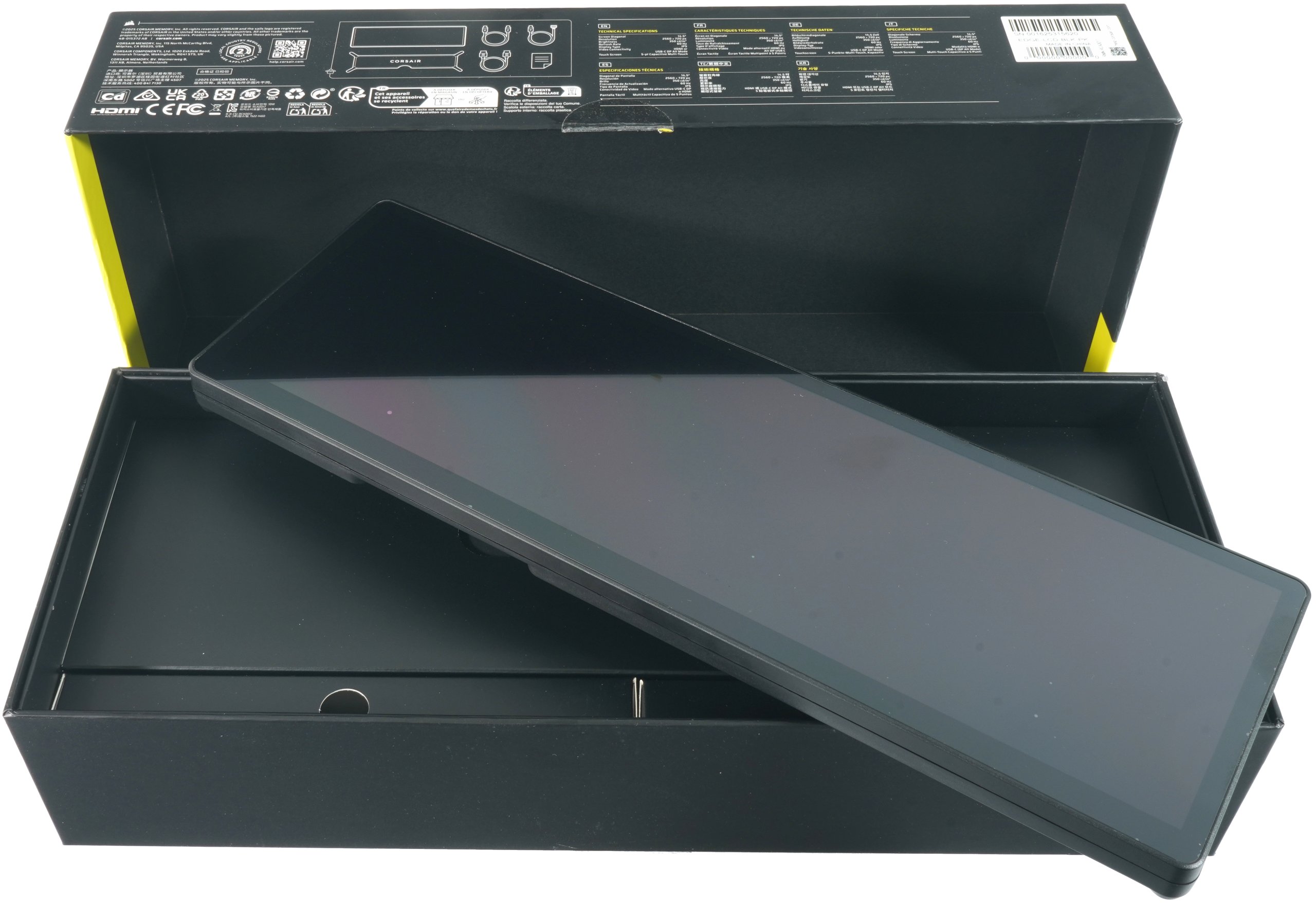
Corsair remains matter-of-fact when unpacking. The black and yellow box shows the device and key data, the back illustrates the usage scenarios on the desk and on the case. After opening the box, the screen fits perfectly in an insert, covered by a protective film, the first impression is clean, I remove small dust spots on the glass with the enclosed cloth. Large anti-slip pads are noticeable on the underside, along with a type plate with serial number, the only two ports are in the middle, USB-C and HDMI in full size, I don’t see any other ports. Two threaded holes in the rear area indicate a mounting option, but I verify exactly what they are intended for in the test.
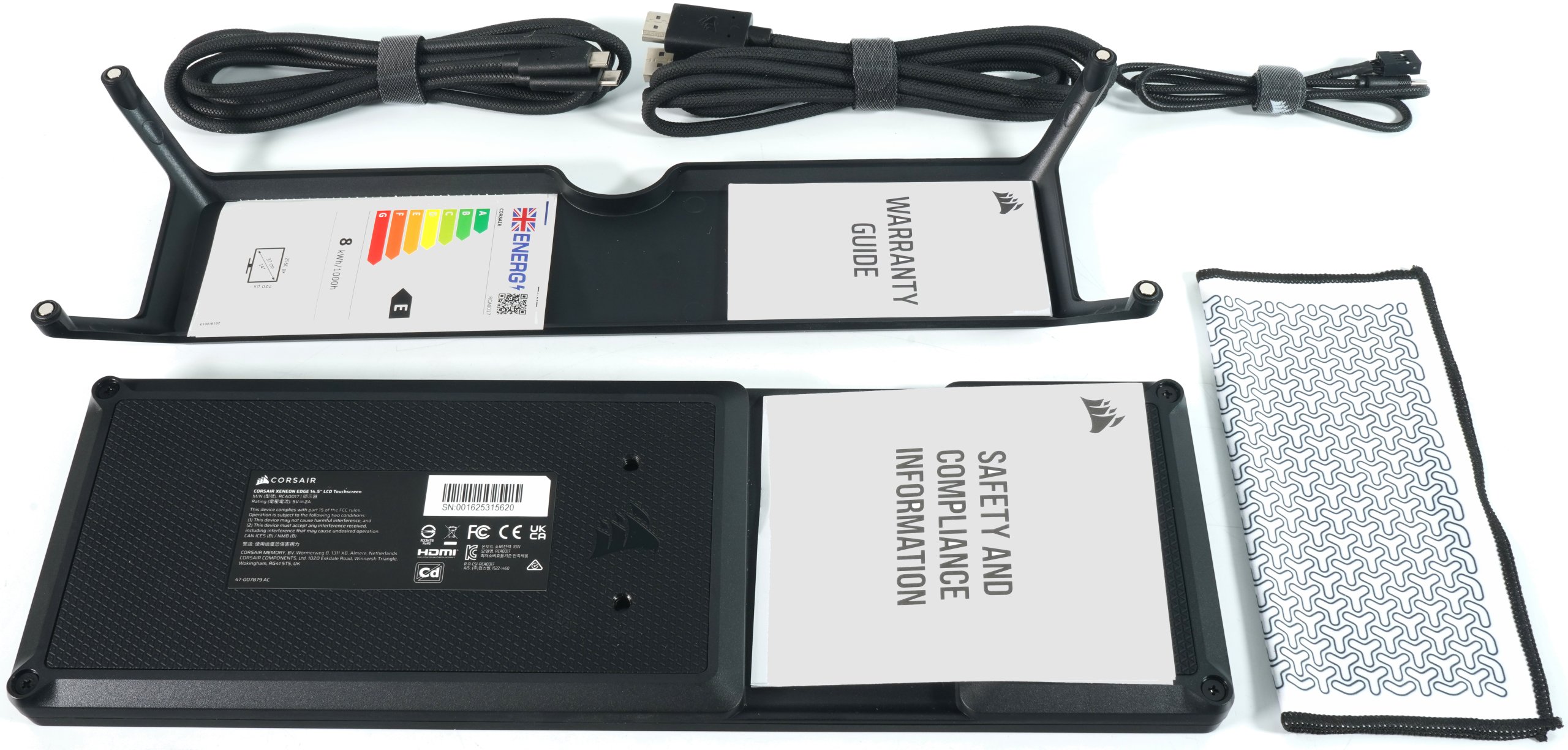
The accessories include two long, textile-covered main cables, one for the image (HDMI to Displayport) and a thick USB-C cable, which has its hurdles included. There is also a shorter USB-C cable to USB header, a cleaning cloth with a pattern, the warranty guide as well as safety and compliance information and the printed energy label (which nobody needs). Also included is a dimensionally stable plastic element with a non-slip structure and magnets, which is intended to serve as a support. The material appearance is functional, not luxurious, which is perfectly fine for a work tool. I will show you in the test with pictures and measured values how stable the whole thing is during fast inputs and which position on the table actually proves its worth.
The bottom line is that the Xeneon Edge is of course not a replacement for a fully-fledged monitor, but a niche tool for permanent additional information and this is exactly how I will measure and evaluate it in the end. I will answer all open questions as well as the practicality of the stands and cables in today’s test, where you will find the reliable results and a final conclusion. And apart from nerves, it also costs money. The RRP of just under 260 euros is not cheap, but it could have been even more painful. But I’ll come back to this in the conclusion, now it’s your turn to read and the market is welcome to flatten the price a little more.

Feature Value
Width 372 mm
Height 120 mm
Thickness 22 mm
Screen resolution 2560 x 720 pixels
Refresh rate 60 Hz
Panel type AHVA
Video connectivity HDMI, USB Type C DP Alt Mode
Power supply USB type C, 5 V, 2 A
Mounting methods Magnetic stand, Quarter inch 20 UNC bracket, Magnetic back, 360 mm fan bracket
Optional mounting methods Elgato Multi Mount, Corsair Frame Series LCD Side Panel Mount
Supported operating systems Windows 11, full iCUE support and monitor mode
macOS, iCUE not supported, monitor mode only


Kommentar

Lade neue Kommentare

Gurdi

Urgestein

2,264 Kommentare 1,930 Likes

Spannendes Gerät. Habs auf der Gamescom gesehen und hat mir gut gefallen. Das absolut lustlose Personal am Stand von Corsair hat uns jedoch (am Fachbesuchertag!) binnen kürzester Zeit erfolgreich vertrieben und war so auskunftsfreudig ein Rechtsanwalt der noch kein Honorar vereinbart hat.

Preis finde ich etwas zu teuer, könnte mir das kleine Panel aber durchaus auch bei mir zuhause gut vorstellen. Test von Igor deckt alle Aspekte ab wie ich finde und zeigt das Spannungsfeld gut auf. Alles weitere muss der geneigte Interessent entscheiden.

Antwort 4 Likes

W
Wandermage

Mitglied

68 Kommentare 12 Likes

@Igor Wallossek

Was würdest du präferieren? Den Xeneon Edge oder ein per Spacedesk oder ähnlicher Lösung angeschlossenes Tablet? Das spezielle Seitenformat kann ein Tablet natürlich nicht.

Antwort Gefällt mir

Igor Wallossek

1

13,159 Kommentare 26,153 Likes

Tablett hatte ich schon mal, aber das war mir zu sperrig. HDMI ist aber besser als USB-C, das verursacht auch geringere Lasten.

Antwort Gefällt mir

Grainger

Mitglied

21 Kommentare 22 Likes

Das Teil ist für das was es bietet viel zu teuer.

Kleine Monitore für unter den Hauptmonitor mit Auflösungen von
1920x480 oder 1280x720, usw.
erhält man teilweise für unter 100 €.

Klar, die können kein iCue, aber das letzte mal als ich es mit iCue zu tun hatte (ist aber ein paar Jahre her) war die Software (vorsichtig gesagt) doch sehr verbesserungswürdig und eher kein Kaufargument.

Wenn man so etwas wie AIDA64 einsetzen will kommt natürlich der Preis für die Software noch dazu.

Ich nutze ein Display mit 1280x720 und einem selbst gebastelten AIDA-Skin und bin soweit zufrieden damit.

View image at the forums

Antwort 5 Likes

e
eastcoast_pete

Urgestein

3,083 Kommentare 2,042 Likes

Das Xeneon erinnert mich stark an das ScreenPadPlus Zweitdisplay in früheren Generationen der Zenbook Duos und damit ausgestatteten Zephyrus Laptops von ASUS. Leider ist ASUS von dem Design abgerückt, oder ich hätte mir so eins gekauft - trotz allen Problemen mit "ASUS". Und weil das Design scheinbar rechtlich geschützt ist, wird's auch so schnell kein anderer Anbieter so machen können.
Die Idee eines breiten Zweitdisplays mit Touchscreen unter dem Hauptmonitor um so bestimmte Kontrollen dort immer präsent zu haben hat IMHO viel für sich.

Antwort Gefällt mir

_
_roman_

Veteran

292 Kommentare 92 Likes

Danke

Man nutzt für diesen Zweck einen einfachen Trick in den Anzeigeeinstellungen von Windows, mit dem sich das unbeabsichtigte Wandern des Mauszeigers auf den erweiterten Bildschirm nahezu vollständig unterbinden lässt, ohne Touch oder die Anzeige selbst zu verlieren. Der Ansatz besteht darin, die beiden Bildschirme in der Anordnungsansicht nicht bündig Kante an Kante zu platzieren, sondern so zu versetzen, dass sie sich nur noch auf einem sehr kleinen Bereich berühren. Der Mauszeiger kann Monitore nur dort überqueren, wo in der Anordnung eine Kante direkt an eine andere Kante grenzt. Reduziert man diese Berührungszone auf wenige Pixel, entsteht praktisch eine Sperre entlang der restlichen Kante, die versehentliche Übergänge verhindert. Für den Widget Betrieb ist das ideal, weil der zweite Bildschirm dann als reine Ansicht mit Touch dient, während der Zeiger auf dem Hauptschirm bleibt.

Andere Software hat diese Probleme nicht.

Antwort Gefällt mir

Lagavulin

Veteran

360 Kommentare 302 Likes

Interessantes Gerät, kommt für mich aber leider zu spät auf den Markt. Ich habe mir letztes Jahr das G.SKill WigiDash gekauft. Das hat einen nur 7 Zoll großen Touchscreen und kann im wesentlichen Daten aus AIDA64 oder von HWiNFO anzeigen (und ein bisschen Gedöns wie Uhrzeit und Audio-Steuerung). Kostet dafür aber auch nur 120 Euro.

Antwort 2 Likes

e
eastcoast_pete

Urgestein

3,083 Kommentare 2,042 Likes

Wie schon von @Grainger erwähnt, gibt's sowas ähnliches auch von anderen für deutlich weniger Geld. Z.B. ein 12.3 Zoll breites (1920x720) IPS Touchscreen Display von Prechen, einer Chinesischen Firma die sich scheinbar auf Touchscreens spezialisiert. Sieht dem Corsair sehr ähnlich (halt etwas kleiner), hat dieselben Anschlüsse, und soll ähnliche Funktionen anbieten, minus der Corsair-proprietären Software (iCue). Dafür kostet es weniger als die Hälfte des Corsairs Touchscreens. Frage ist natürlich wieviel Frickelei das Einrichten dann ist, aber das war ja in @Igor Wallosseks Test auch beim Corsair angesagt.

Nachtrag: Da wir es hier von Corsair haben, wie wäre es denn mit der Aufhängung für ein solches Display gleich mit integriert in den Ständer. Mit entsprechender Software wär das auch praktisch für Dinge wie Videobearbeitung oder Musik mixen - der Hauptmonitor könnte so weitgehend für "Content" genutzt werden, Bedienungselemente von Da Vinci, Premiere etc kommen auf den breiten Touchscreen.

Antwort Gefällt mir

ssj3rd

Veteran

378 Kommentare 253 Likes

Sehe hier keinerlei Vorteil ggü einen viel günstigeren Wigidash von G.Skill…

Antwort Gefällt mir

Gurdi

Urgestein

2,264 Kommentare 1,930 Likes

Naja ist schon etwas größer und schöner, aber im Grunde stimmt das natürlich. Der Preis ist halt einfach zu hoch.

Antwort Gefällt mir

W
Wandermage

Mitglied

68 Kommentare 12 Likes

Displays von Wisecoco scheinen hier eine größentechnische Alternative ohne iCue zu sein.

Antwort Gefällt mir

Y
Yumiko

Urgestein

1,282 Kommentare 587 Likes

Da können laut AIDA64 noch Probleme lauern.
Auch kostet AIDA64 60€ pro Jahr für den Privatanwender, was das Panel in der Summe recht teuer macht für diesen Zweck.

Antwort Gefällt mir

OldMan

Urgestein

797 Kommentare 478 Likes

Den G.SKill WigiDash habe ich mir auch gegönnt. Als reines Infoterminal für die Systemwerte echt genial. Der große Vorteil ist dass der über USB läuft und man nicht die Seiteneffekte hat die ein zweiter Monitor zwangsweise mit sich bringt. Und die Anbindung an AIDA64 ist perfekt gelöst und funktioniert ohne Probleme.
Einen zweiten kleinen Monitor Display gibt es etwas günstiger aber nur für diesen Zweck was ich es einsetze zur Systemüberwachung hat es einfach zu viele Nachteile

Antwort Gefällt mir

Grainger

Mitglied

21 Kommentare 22 Likes

Man muss AIDA64 nicht zwangsläufig updaten, dass ist kein Abo-Modell.
Das eine Jahr bezieht sich nur auf "with 1 year maintenance", die Software selbst ist auch danach noch lauffähig.

Antwort 1 Like

Y
Yumiko

Urgestein

1,282 Kommentare 587 Likes

Naja, gerade bei Hardware die immer neu rauskommt, ist Updaten üblicherweise nötig, wenn man aufrüstet oder was neues kauft.
Bringt ja nichts wenn die mit alter Hardware zurechtkommt, man aber Neuere verbaut hat.

Antwort Gefällt mir

Ultra

Neuling

6 Kommentare 2 Likes
RazielNoir

Urgestein

789 Kommentare 384 Likes

Bei mir tut es ein Touchscreen eines HP EliteSlice Konferenzraumsystems (günstig geschossen in der Bucht). Dient zur Steuerung der Lightroom-Kontrollen, währen das zu bearbeitende Bild auf dem kalibrierten Hauptmonitor verbleibt

Antwort Gefällt mir

Danke für die Spende


Du fandest, der Beitrag war interessant und möchtest uns unterstützen? Klasse!

Hier erfährst Du, wie: Hier spenden.

Hier kannst Du per PayPal spenden.

About the author

Igor Wallossek

Editor-in-chief and name-giver of igor'sLAB as the content successor of Tom's Hardware Germany, whose license was returned in June 2019 in order to better meet the qualitative demands of web content and challenges of new media such as YouTube with its own channel.

Computer nerd since 1983, audio freak since 1979 and pretty much open to anything with a plug or battery for over 50 years.

Follow Igor:
YouTube Facebook Instagram Twitter

Werbung

Werbung