















As a high-end motherboard for AMD’s AM5 platform, the ASRock X870E Taichi OCF is clearly positioned above the classic enthusiast segment and is aimed at users who are specifically looking for maximum electrical and signal reserve. With this model, ASRock consistently transfers the OC Formula concept to the X870E chipset and thus to the current Ryzen generation for the first time, which already defines the basic orientation. It is not about a universal all-round board, but about a platform that is specially designed for manual fine-tuning, high loads and reproducible stability under demanding operating conditions.
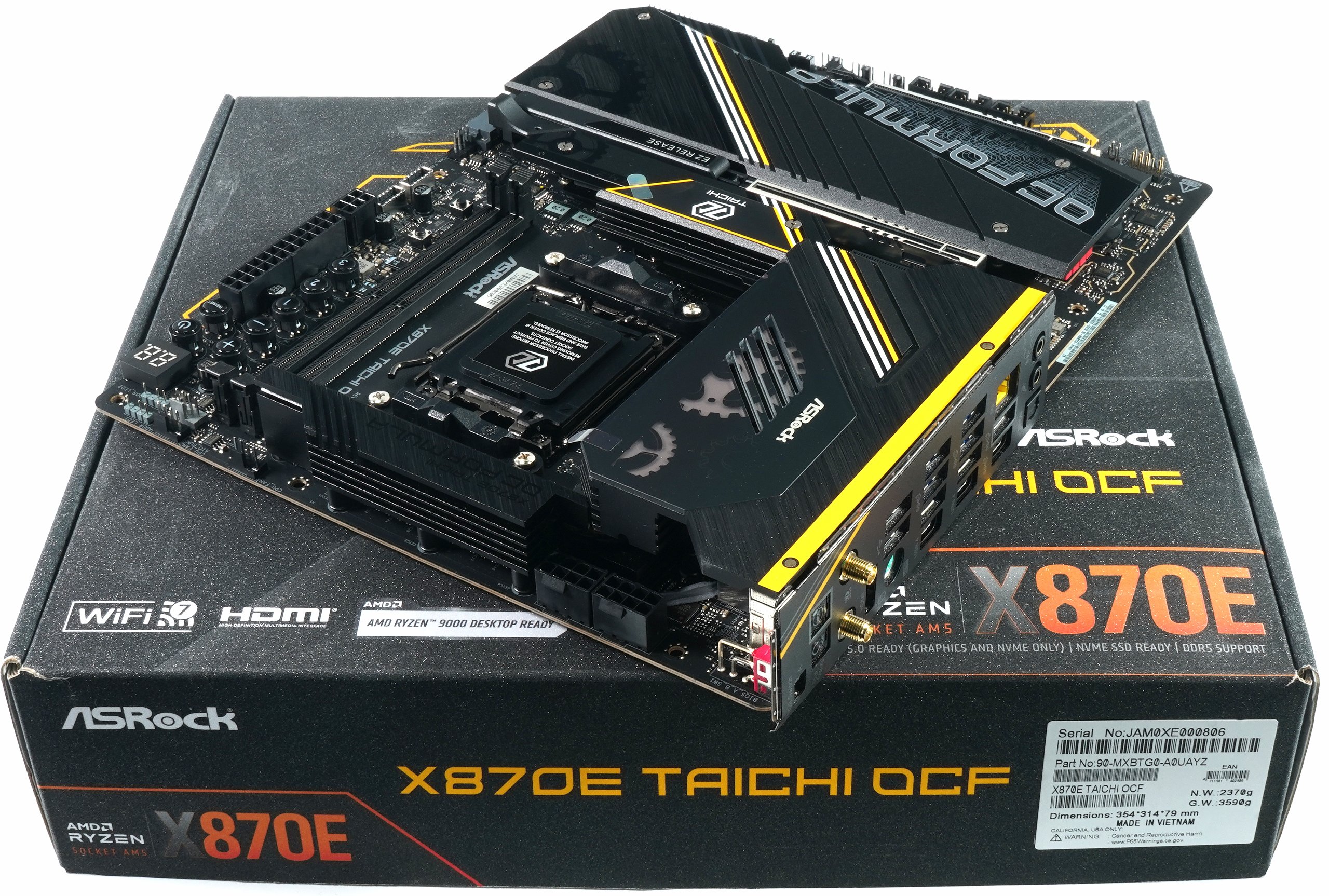
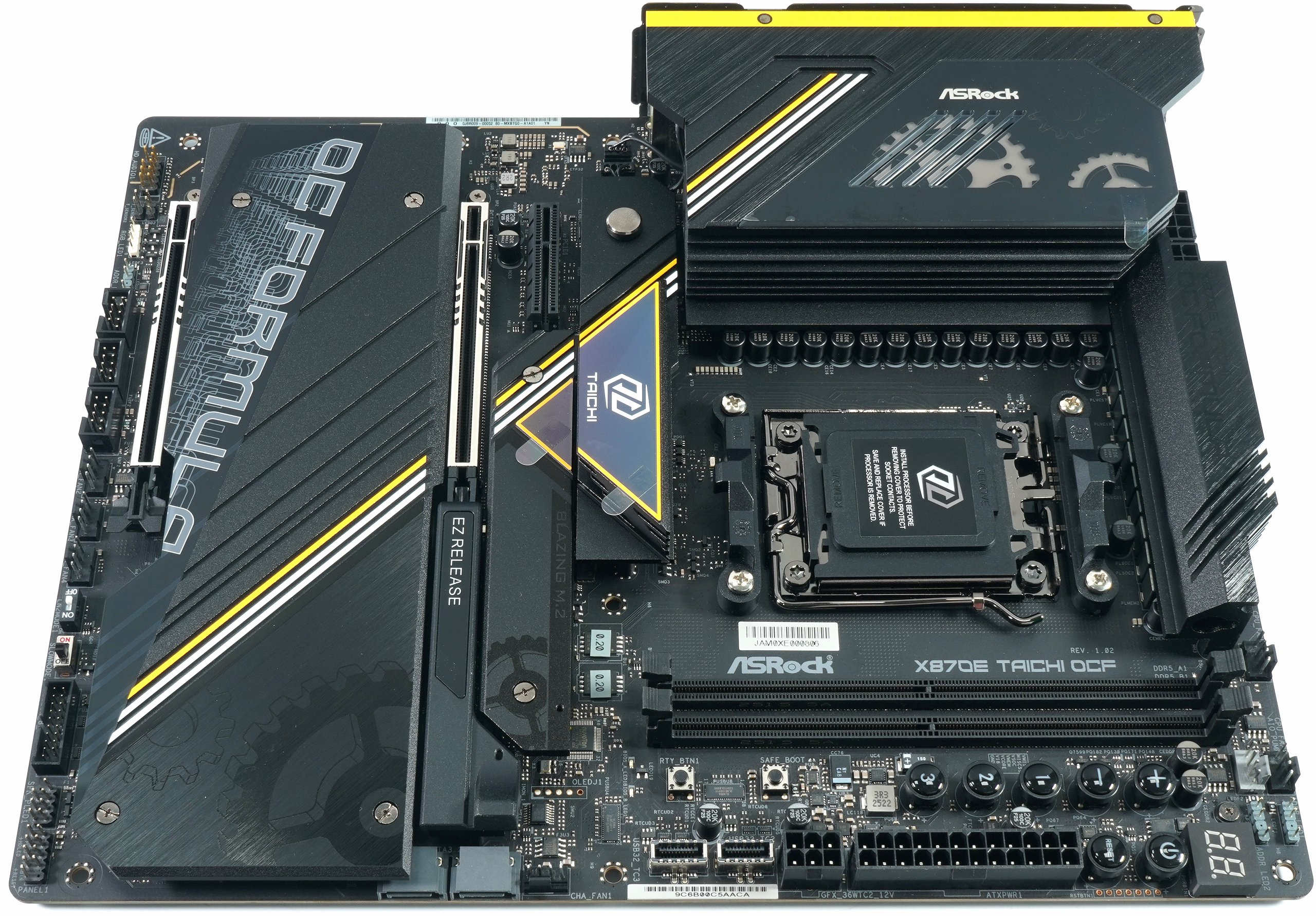
The OCF plays a special role within the Taichi series. While regular Taichi variants traditionally offer a combination of upscale features, broad connectivity and striking design, the OCF clearly shifts the focus towards overclocking and signal quality. This is reflected in the board layout, the power supply, the memory connection and the BIOS design. The board is therefore intended less as the decorative centerpiece of a closed gaming system and more as a working device for users who regularly work with open setups, frequent hardware changes and manual settings.
Technically, the X870E Taichi OCF relies on a very massive VRM structure, PCI Express 5.0 for the graphics card and M.2 memory as well as modern interfaces such as USB4 on the rear I/O. These features should not be viewed in isolation, but serve the goal of providing a stable and controllable platform even with high power consumption, fast DDR5 configurations and long load phases. The development effort is visibly less in the cosmetic area, but rather in layout discipline, voltage management and BIOS depth, i.e. exactly where ambitious users expect real advantages.
Target group and price positioning
The target group of the ASRock X870E Taichi OCF can be clearly defined. It is primarily aimed at experienced overclockers and tech-savvy enthusiasts who consciously configure memory timings, voltages and load states manually and need a reliable hardware basis for this. In addition, there are power users who are looking for a long-term AM5 platform with maximum connectivity without having to switch to workstation chipsets. System integrators in the premium segment are also part of the target group, provided the focus is on stability, reserves and scalability and not on cost optimization.
In terms of price, the X870E Taichi OCF is clearly at the upper end of the X870E range. It is positioned above classic enthusiast motherboards and competes more with specialized overclocking models from other manufacturers than with broad-based gaming boards. This positioning is not so much due to individual features, but rather to the higher overall development and material costs, particularly for the power supply, PCB design and BIOS maintenance. For the typical mainstream user, this does not result in any measurable added value, but for the intended target group, it results in a platform that is specifically tailored to their requirements. Consequently, the ASRock X870E Taichi OCF is not a product for as many buyers as possible, but a deliberately pointed motherboard for users who are looking for precisely these features and are prepared to pay the corresponding surcharge for technical reserves, layout quality and overclocking tools.
What we do today
The overclocking concept of the ASRock X870E Taichi OCF is clearly designed for stability, reproducibility and controlled work, not for achieving short-term record values. The platform offers a wide range of tools to explore the limits and ensure stable configurations without claiming to automatically achieve top positions in rankings. It is precisely this sober approach that makes the board interesting for technical analyses, because the design is aimed less at show OC and more at resilient framework conditions.
As there are currently hardly any really in-depth reviews that go beyond functional descriptions and superficial tests, I will examine the motherboard myself in detail on the following pages. You can expect a comprehensive analysis of the board, the electrical topology, the specific components used and the cooling design, including the choice of materials and thermal connection. The aim is to make the technical substance of the X870E Taichi OCF transparent and comprehensible, beyond marketing claims and theoretical specifications. These end on this page at the latest when you turn the page.
Unboxing and scope of delivery including accessories
When unboxing the ASRock X870E Taichi OCF, it is already apparent from the outside that this is a very high-quality motherboard that is delivered in a sturdy, large-format cardboard box. The packaging is robustly designed to protect the board and accessories safely during transportation and indicates the most important technical features such as DDR5, PCI Express 5.0, USB4 and Wi-Fi 7 by means of imprints, without this being distracting when simply opening it. Inside, the mainboard is initially embedded in an antistatic cover which, together with foam padding, prevents sensitive components from being damaged by shocks. As soon as the board is removed, the E-ATX board is revealed in the characteristic design of the Taichi series, combined with the yellow and black accents of the OCF variant, whereby this first impression underlines the fact that ASRock is addressing a product in the premium segment here
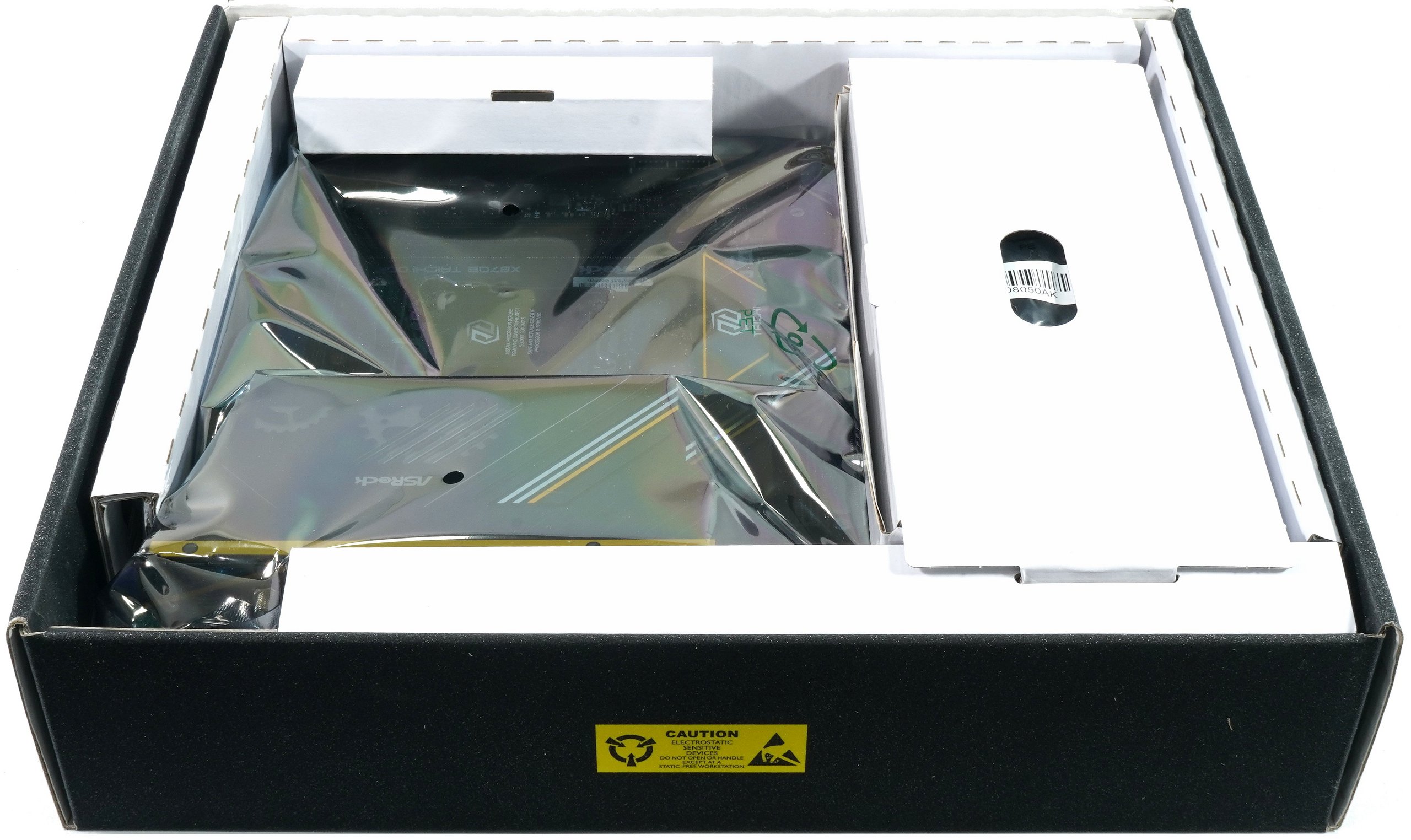
Under the main compartment for the board is another, smaller compartment with the accessories. The scope of delivery includes two SATA data cables, which are intended for connecting classic SATA storage devices and are also useful in more complex systems with multiple drives. A multi-part Wi-Fi antenna is included so that the integrated Wi-Fi 7 functionality can be used directly without the need to purchase additional accessories. Also included in the package is a small ARGB splitter, which makes it possible to connect several addressable RGB components and control them centrally. The accessories are supplemented by two thermistor cables, which are not only intended for temperature measurements in overclocking scenarios, but can also help to monitor critical points in the system. A special, small fan for cooling the DRAM area rounds off the scope of delivery and is an indication that ASRock has also considered the requirements of high voltages and clock rates. Printed documents are also included, including a quick start guide and the warranty information, which make it easier to get started with the assembly.
In direct comparison with accessory lists of other boards from the same segment, it is noticeable that ASRock does not include too many of the usual goodies such as illuminated logos, additional M.2 screws or dedicated tool bags with the X870E Taichi OCF, nor are any essential components missing. The selection is focused on the essentials and covers the typical needs of an ambitious system setup. This corresponds to the positioning of the board as a tool for demanding configurations, where many users are likely to have their own additional material in use anyway and where the focus is on technical features and stable basic equipment.
Technical highlights at a glance
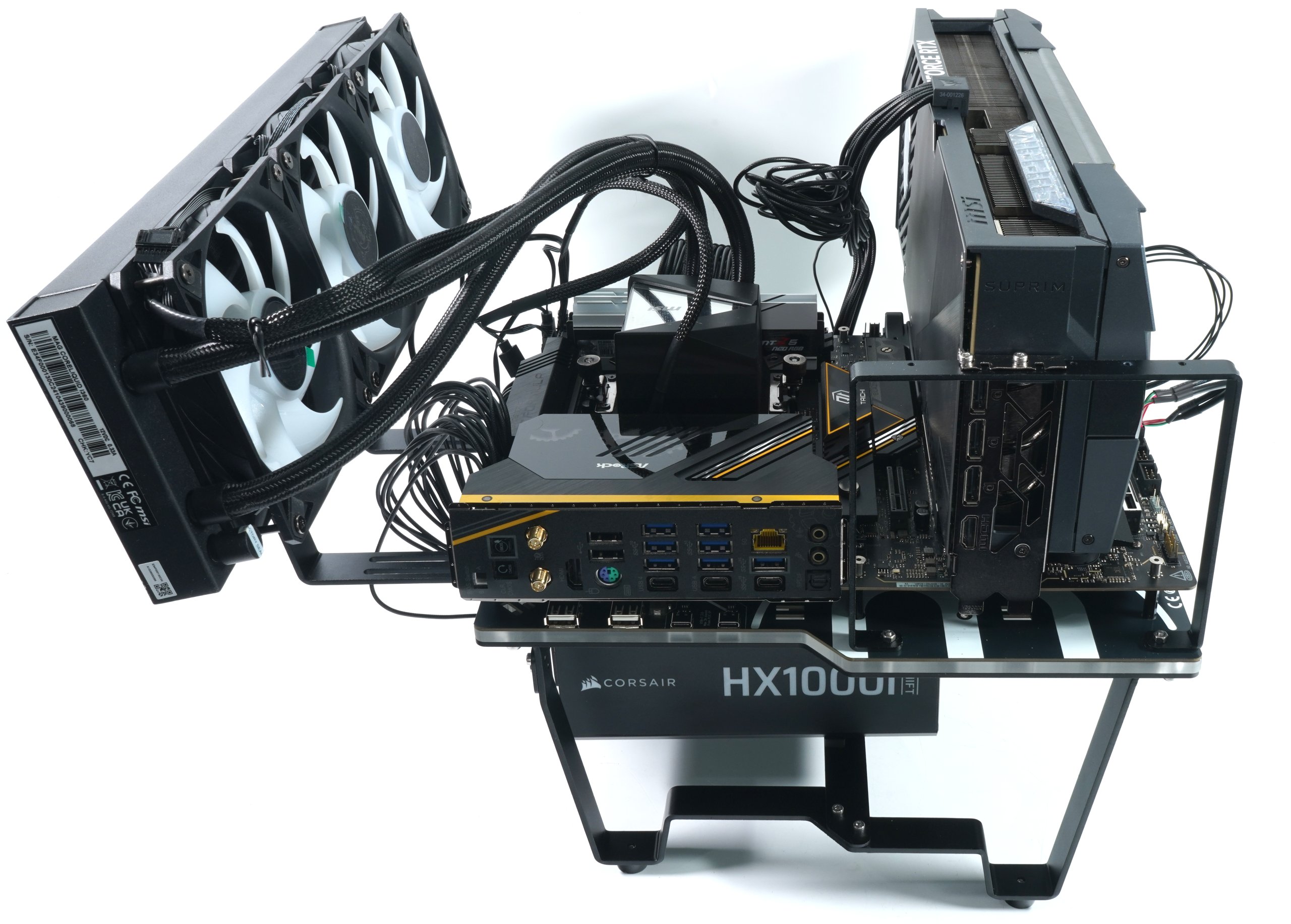
With the ASRock X870E Taichi OCF, the connection of PCIe and M.2 resources is technically particularly relevant because it is defined directly from the CPU and chipset and therefore has an impact on expandability and performance. According to the manufacturer’s official specifications, the board has two PCIe 5.0 x16 slots that are connected directly to the CPU. These slots support full x16 operation when a single slot is used; when both slots are fitted at the same time, the bandwidth is split into two x8 configurations, which is made possible by the 16 PCIe lanes of the CPU. This division is typical for AM5 high-end boards, but ASRock uses it in such a way that both slots can also be operated as PCIe 5.0 x8 when both are occupied, which is a comparatively high bandwidth for secondary expansion cards. The M.2 ports of the X870E Taichi OCF are six in total, and two of them support PCIe 5.0 x4, the highest interface speed currently available for NVMe SSDs. These two PCIe 5.0 M.2 slots are directly connected to the CPU lanes and therefore offer maximum bandwidth and low latencies for the corresponding drives. The remaining four M.2 slots use PCIe 4.0 connectivity via the chipset, with two of them using PCIe 4.0 x4 and the others using lower configurations, allowing a wider choice of storage.
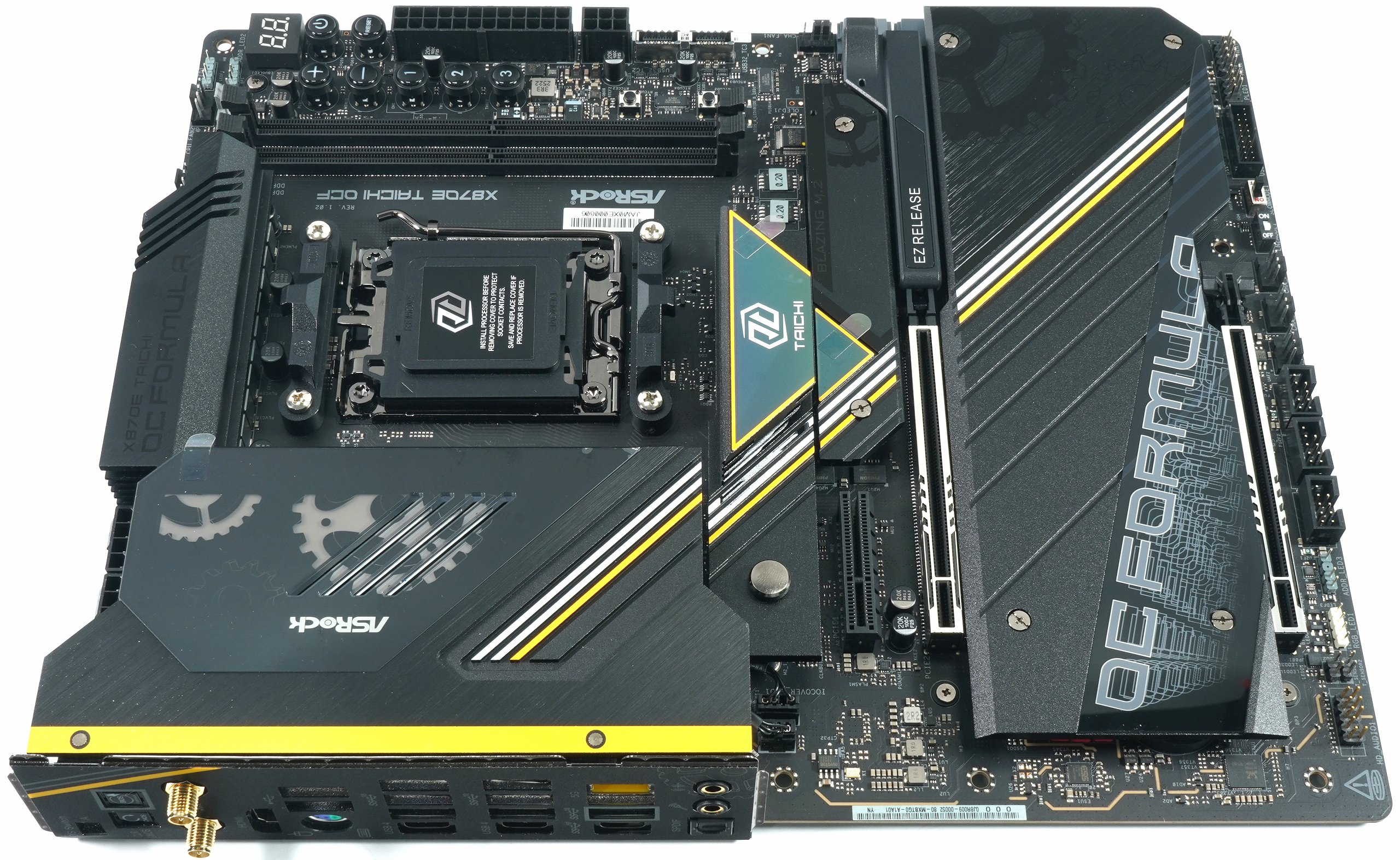
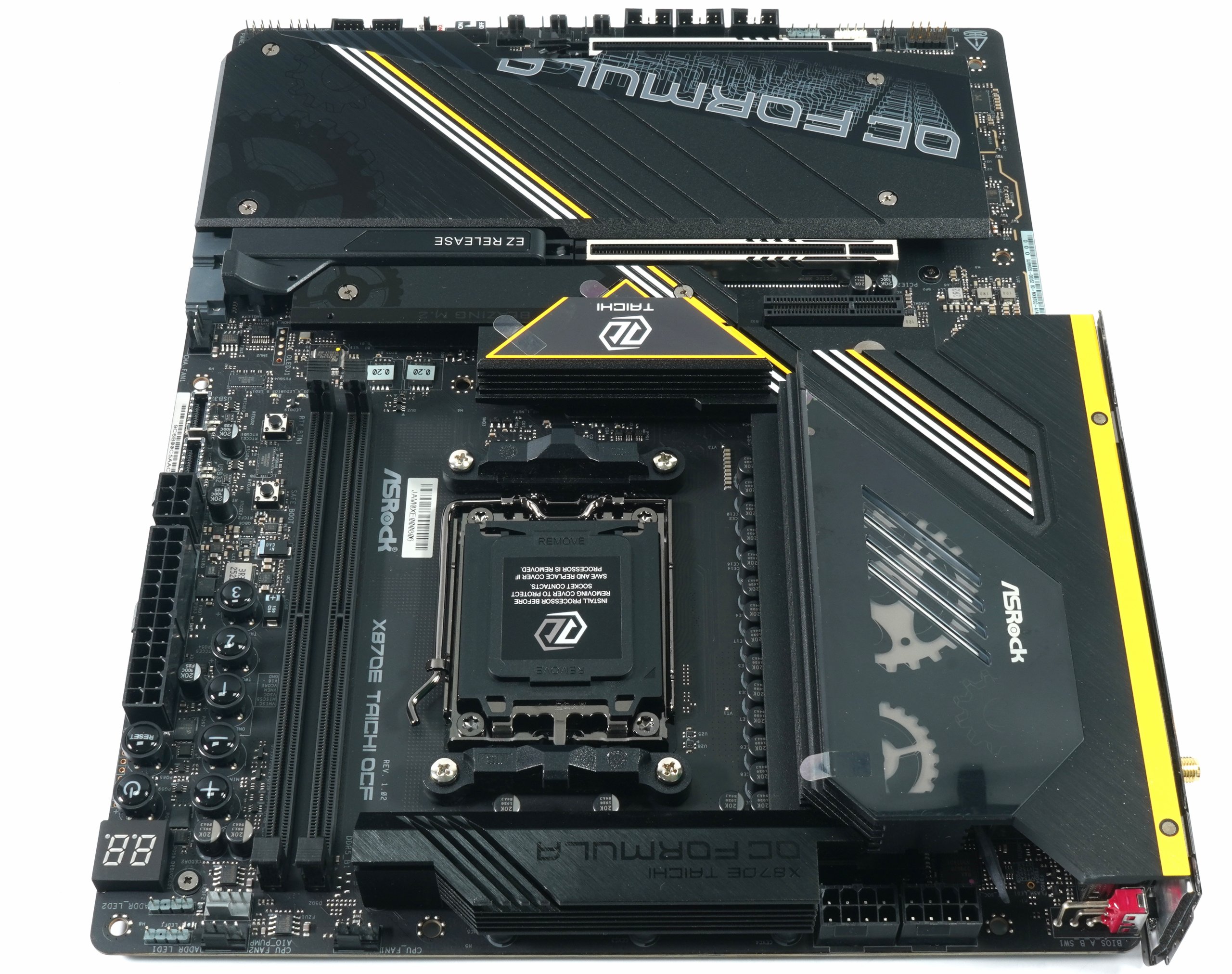
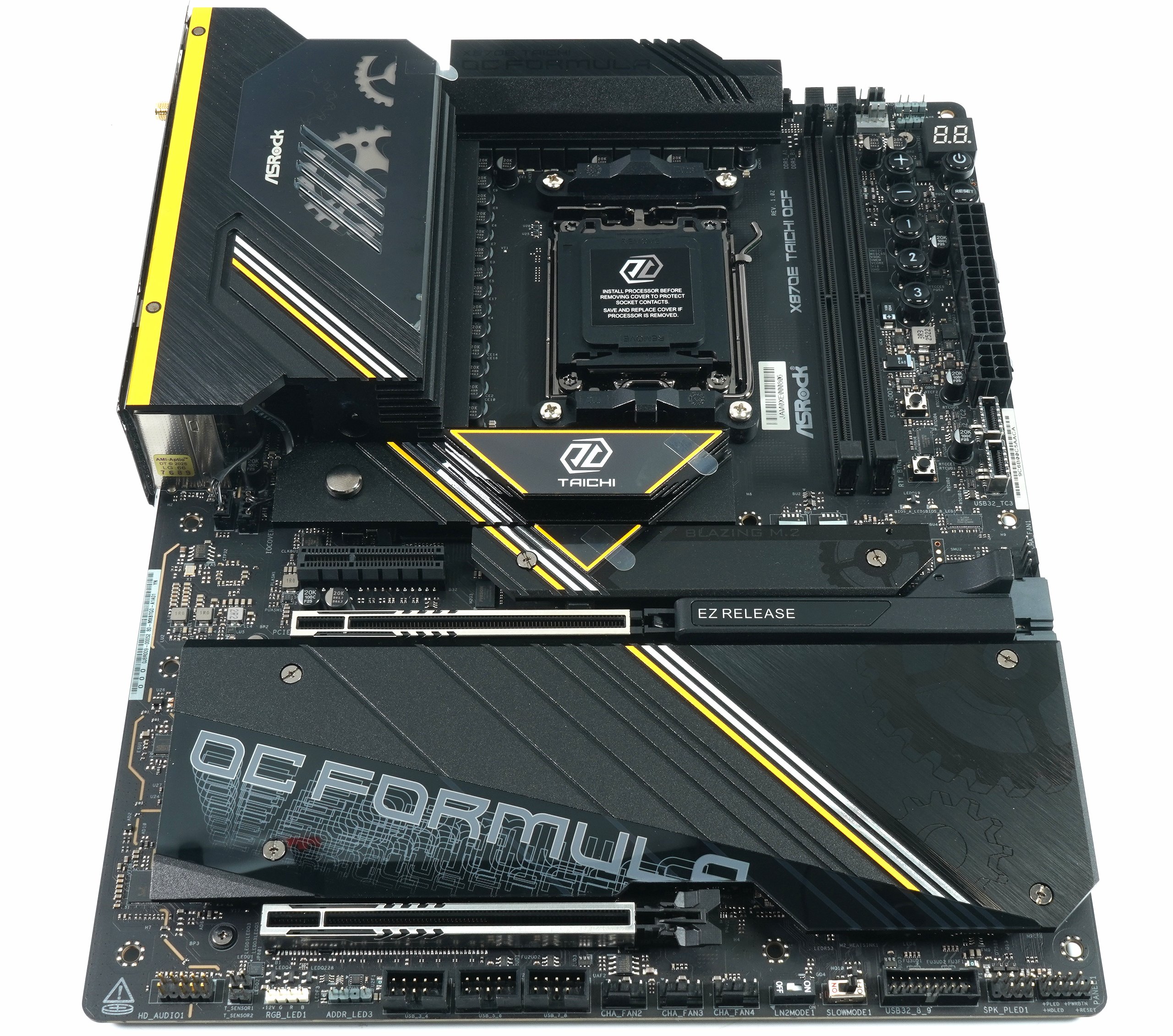
In the context of lane distribution, it is important to note that the CPU provides a maximum of 24 PCIe lanes, of which up to 16 are used for the PCIe graphics card slots and four are dedicated to one of the M.2 slots when operating in PCIe 5.0 x4 mode. The remaining lanes and connections to the chipset lanes are made via the X870E chipset itself, which provides additional PCIe 4.0 resources, which then feed the other M.2 slots and PCIe 4.0 extensions, among others. This architecture is characteristic of AM5 platforms with high-end chipsets and ensures that the most important slots and slots can be operated without unnecessary loss of bandwidth. Compared to many motherboards in the same segment, the X870E Taichi OCF not only offers two fully-fledged PCIe 5.0 slots with flexible lane allocation, but also two PCIe 5.0-capable M.2 slots, which is not standard on all competitor models in this combination and with this bandwidth. This combination of CPU and chipset lanes represents a structural advantage, especially for users with several very fast NVMe drives and for expansion cards with high bandwidth requirements.
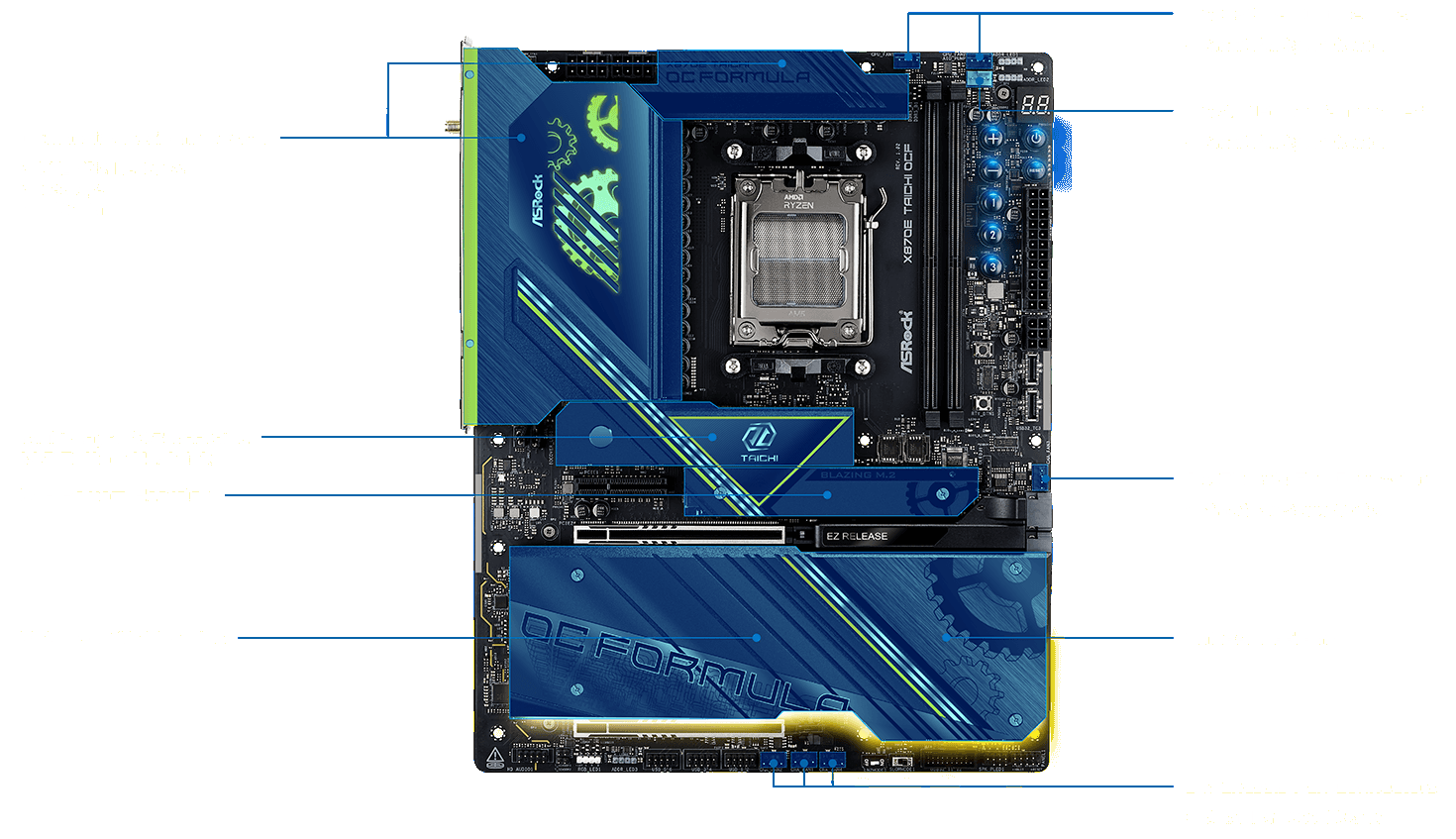
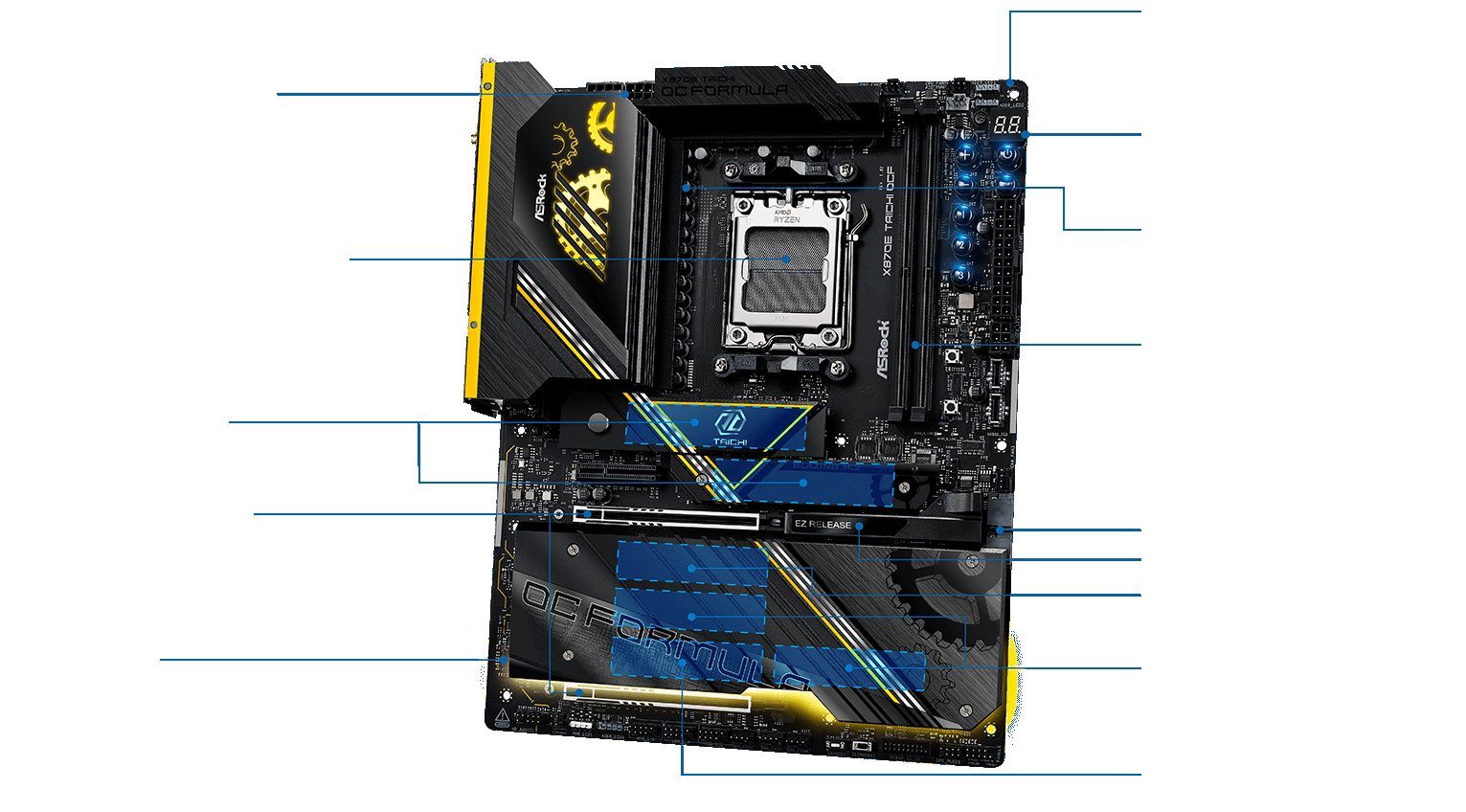
The cooling concept of the ASRock X870E Taichi OCF is consistently designed for high continuous load and extreme overclocking and thus differs noticeably from many regular X870E motherboards. The central element is the massively dimensioned heatsink armor, which covers both the voltage converters and adjacent critical areas and is designed for high thermal inertia in order to effectively absorb load peaks. The VRM heat sinks have a large surface area, are deeply finned and thermally coupled via heat pipes, whereby the heat loss is evenly distributed and efficiently dissipated to the ambient air. The passive cooling concept is complemented by specifically placed airflow openings, which are particularly effective in open configurations or with strong case airflow. For the memory area, ASRock also includes a dedicated DRAM cooling fan, which is specially designed for high DDR5 voltages and clock rates and provides additional local convection if required. The M.2 slots are also equipped with independent heat sinks, whereby the two PCIe 5.0 M.2 slots directly connected to the CPU in particular are provided with sufficiently dimensioned heat dissipation to avoid thermal throttling of fast NVMe drives. Overall, the cooling design is not optimized for minimum height or visual restraint, but is clearly designed for function, reserves and reproducible thermal stability under demanding operating conditions.
| Description | |
|---|---|
| Unique feature | OC Formula platform for AM5, designed for maximum signal quality, manual overclocking and electrical stability |
| Productivity and I/O | PCIe Gen5 for graphics card and M.2, dual channel DDR5, two USB4 Type-C ports with up to 40 Gb/s, six M.2 slots in total |
| Durability and construction | Server-grade low-loss PCB, 10-layer PCB with 2 oz copper, 22 2 1-phase VRM with 110 A PLC for Vcore and SoC, large-area heatsink armor, flexible integrated I/O panel, 20K black polymer caps |
| Network and gaming | 5 GbE LAN, 802.11be Wi-Fi 7 module with Bluetooth 5.4, MU-MIMO support |
| Overclocking features | ASRock Hyper BCLK Engine, physical OC buttons, Rapid OC button, V-Probe measuring points, slow mode and LN2 switch, dedicated OC profile buttons |
| CPU support | AMD Socket AM5, support for Ryzen 9000, 8000 and 7000 series, Hyper BCLK Engine also at CPU level |
| Memory | 2 × DDR5 DIMM slots, up to 128 GB, ECC and non-ECC unbuffered, DDR5-8400 to DDR5-10400 depending on CPU generation, XMP and EXPO support |
| PCIe slots | 2 × PCIe 5.0 x16 via CPU with x16 or x8/x8 mode, 1 × PCIe 4.0 x4 via chipset, lane dependencies depending on CPU |
| M.2 connection | 2 × PCIe 5.0 x4 M.2 directly on the CPU, 4 × M.2 via chipset with PCIe 4.0 x4, PCIe 4.0 x2 and PCIe 3.0 x4, extensive lane sharing options |
| USB equipment | 2 × USB4 Type-C (CPU), numerous USB 3.2 Gen2 and Gen2x2 ports, USB-PD support up to 36 W |
| Audio | Realtek ALC4082, ESS SABRE9219 DAC with 130 dB SNR, WIMA capacitors, separate PCB layers for L and R, direct-drive front audio up to 600 ohms |
| Diagnostics and control | Dr. Debug LED, Power, Reset, Retry, Safe-Boot Buttons, BIOS Selection Switch, BIOS Flashback |
| Accessories | SATA cable, Wi-Fi antenna, DRAM fan, ARGB splitter, thermistor cable |
| Form factor | ATX, 30.5 × 24.4 cm, designed for open test benches and high-end builds |
| Operating systems | Windows 10 64-bit and Windows 11 64-bit |
| Certifications | FCC, CE, ErP/EuP ready |
But enough with the presentation, now it gets practical 🙂

- 1 - Introduction, unboxing and technical data
- 2 - Topology of voltage regulators and their cooling
- 3 - Teardown: USB 4 sub system, PC audio and WiFi 7
- 4 - Teardown: Chipset topology and other components
- 5 - Backplate, cooler, pads, and thermal conductivity
- 6 - UEFI, overclocking and own experience
- 7 - Performance and conclusion














76 Antworten
Kommentar
Lade neue Kommentare
Veteran
1
Mitglied
Veteran
Mitglied
Veteran
Mitglied
1
Mitglied
1
Urgestein
Veteran
Veteran
Veteran
Veteran
1
Urgestein
Urgestein
Mitglied
Alle Kommentare lesen unter igor´sLAB Community →