















The Intel Arc Pro B60 from Sparkle is in an exciting price range below 1,000 euros, in which several professional graphics cards are currently vying for the favor of demanding users. Its direct competitors include models such as the older NVIDIA RTX 4000 Ada and RTX 2000 Ada or AMD’s Radeon Pro W7600 and W7700, which all cover similar price ranges, but in some cases appeal to very different target groups.
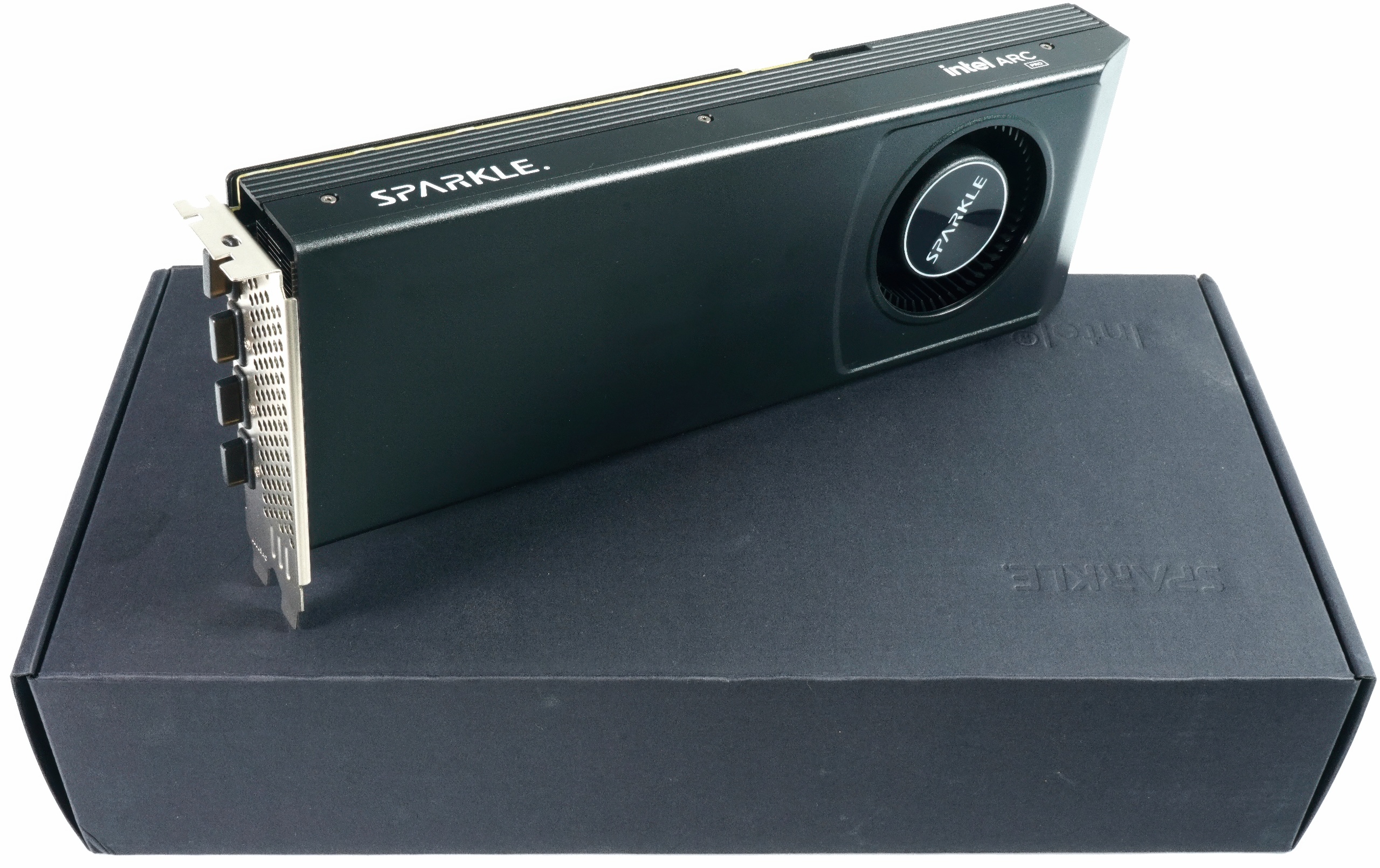
The card tested here was kindly provided by one of our community members, as Intel was unable to sample anything, which further emphasizes the independent nature of this test. As my focus is traditionally on workstation applications, AI acceleration, technical analysis and teardowns, I have again deliberately left out the gaming part. Instead, I have passed the card directly on to my colleague Raff from PC Games Hardware, who is certainly more dedicated to gaming performance and memory. This way, there is no unnecessary overlap, but a fair division of labor from which everyone benefits in the end – including the readers, who get both perspectives: Technology and practice at first hand. Correction: first-hand.
I would also recommend that interested readers take a look at the test on PCGH: Gaming and memory test of the Intel Arc Pro B60.
I would therefore also recommend interested readers to read the second edition of PCGH. In the summary, I have also calculated the scaling of the two Arc-Pro cards and compiled the real differences. This is where theory and practice coincide remarkably closely.
A word about the AMD Radeon Pro W7700. Unfortunately, this card was a total failure after the first complete benchmark run, so that no more actual night tests are possible. The card only runs at 1080p and shows very strange benchmark results. I therefore note that the results of this card in today’s test are plausible, but could not be tested a second time. Normally I do three time-shifted runs per card, which also explains the high time expenditure for such articles.
Technical overview and design of the Sparkle Arc Pro B60
The Sparkle Intel Arc Pro B60 is based on Intel’s current Xe2 HPG architecture with 20 Xe cores and 160 XMX engines, combined with 24 GB GDDR6. The memory is connected via a 192-bit interface, runs at 19 Gb/s and achieves a specified bandwidth of 456 GB/s. The graphics clock is up to 2.4 GHz. Officially, up to four displays are supported, the GPU is capable of DisplayPort 2.1 and HDMI 2.1, depending on the respective board configuration. PCIe 5.0 is provided as the interface. These key data are taken from the manufacturer’s specifications from Intel and board partners.
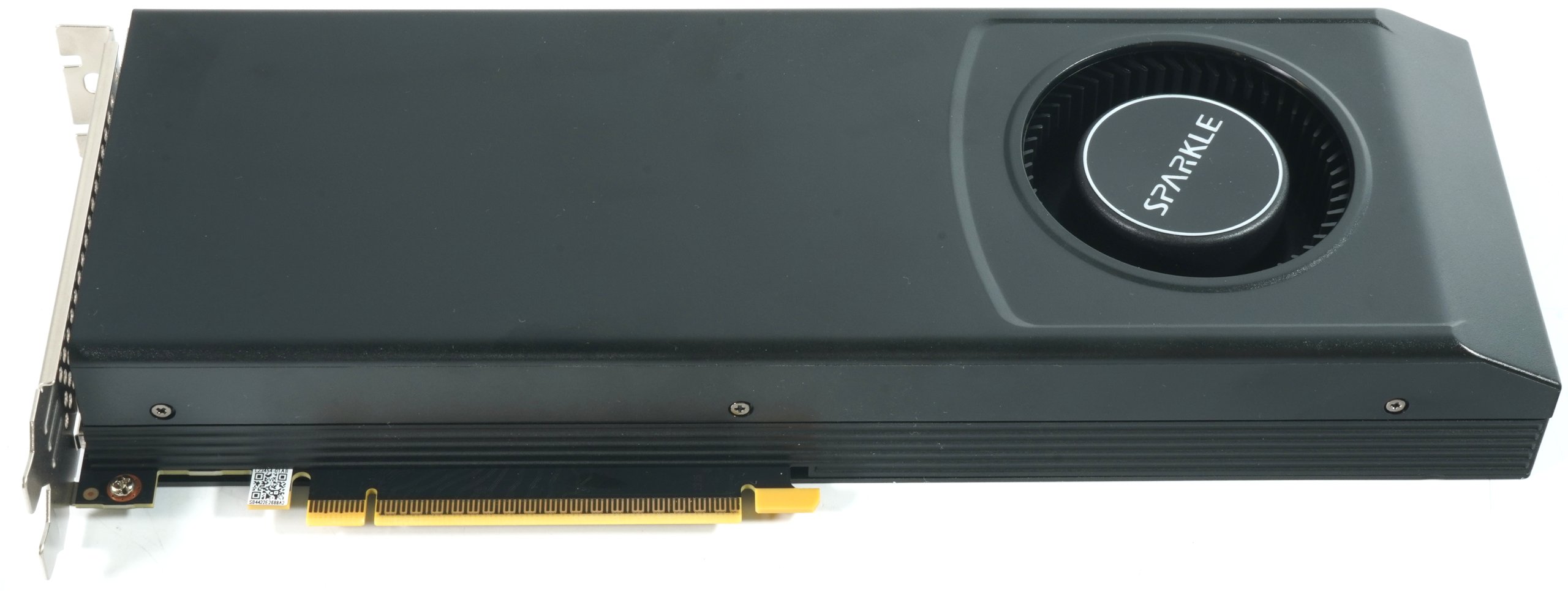
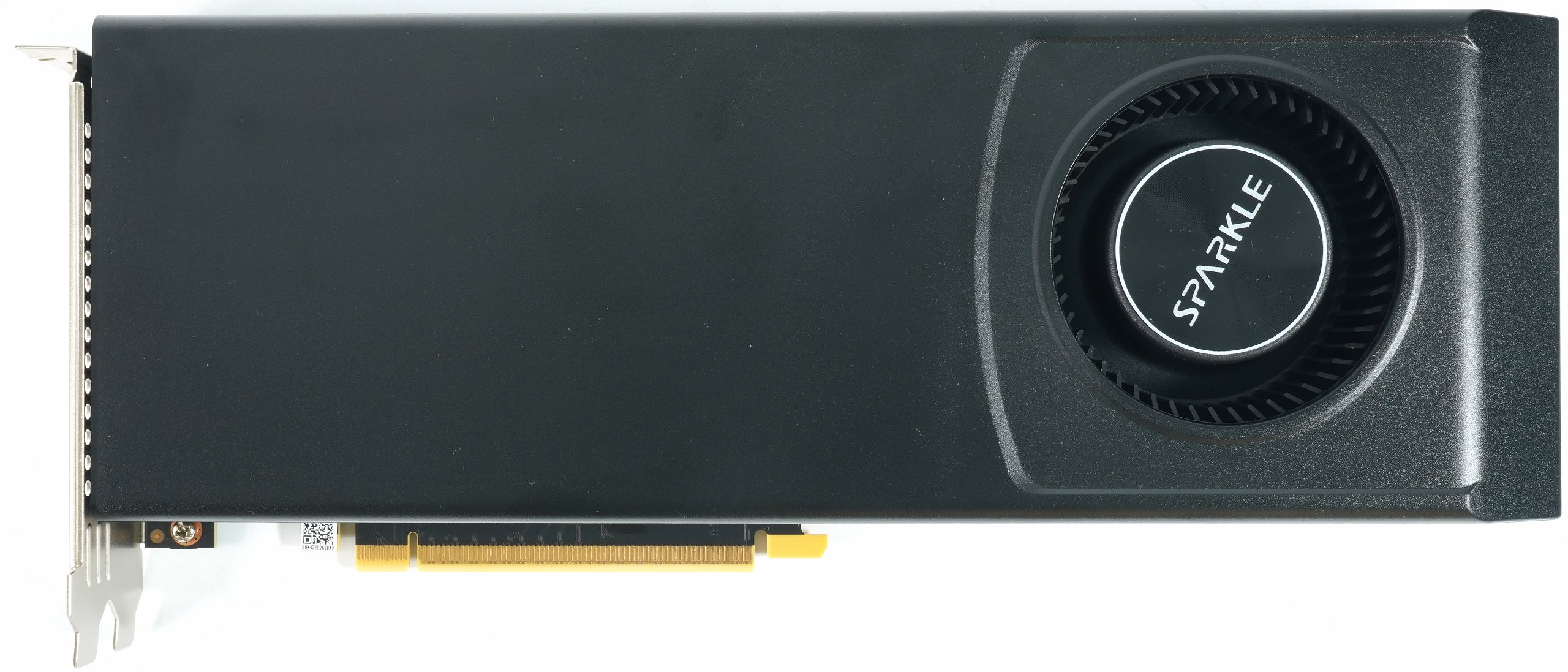
The Blower model shown here is specified by Sparkle with a typical board power consumption of 200 W and uses a single 8-pin PCIe power connector. The 756 gram card measures 29.0 cm in length, 10.5 cm in height and 3.5 cm in thickness plus 0.5 mm for the backplate. The cooler housing has a simple, matt surface, the 6.5 cm radial fan is slightly offset to the right behind a round inlet opening. The front view shows the consistently closed shroud of a blower design, which directs the waste heat out of the housing via the slot bracket.
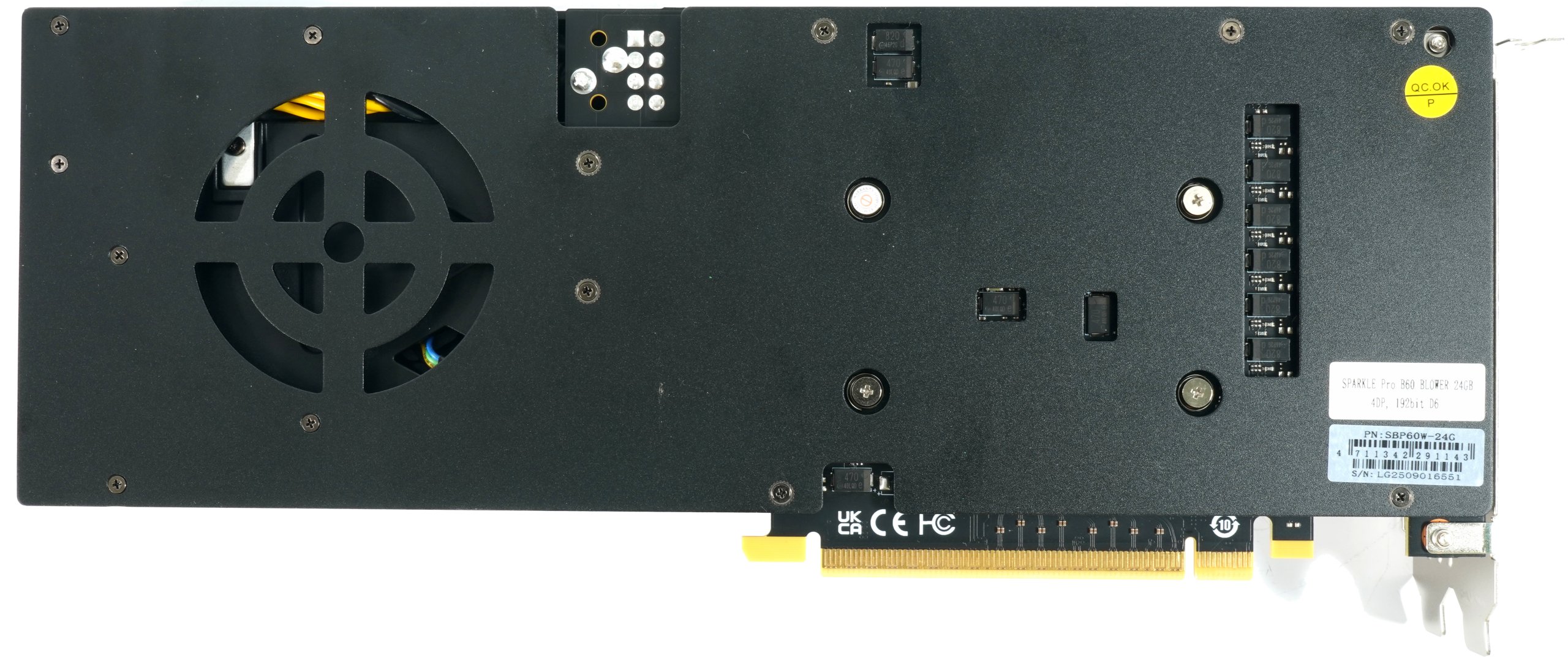
The rear is completely covered with a black backplate, into which a large round window is cut to accommodate the fan area. Several countersunk screws and openings for component tolerances and spacers are visible, giving a direct impression of the mechanical screw connection and load distribution.
The front at the end of the card shows the 6 2-pin PCIe power connector. The seat is slightly offset inwards, which facilitates cable routing in the housing.
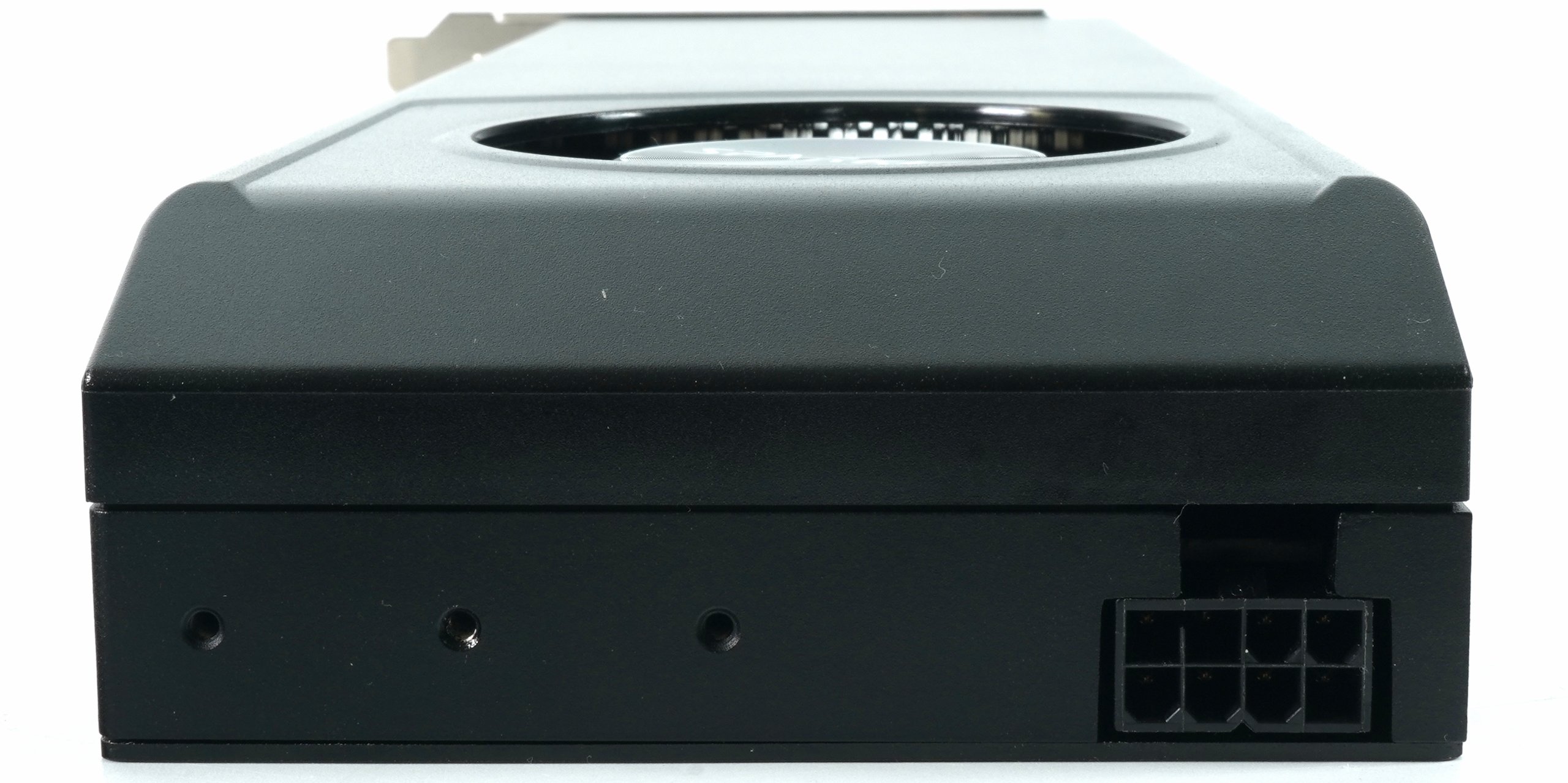
The side profile reveals the typical two-slot height with horizontal slat ends, the shroud bears the inscription “Intel Arc Pro” on the side.

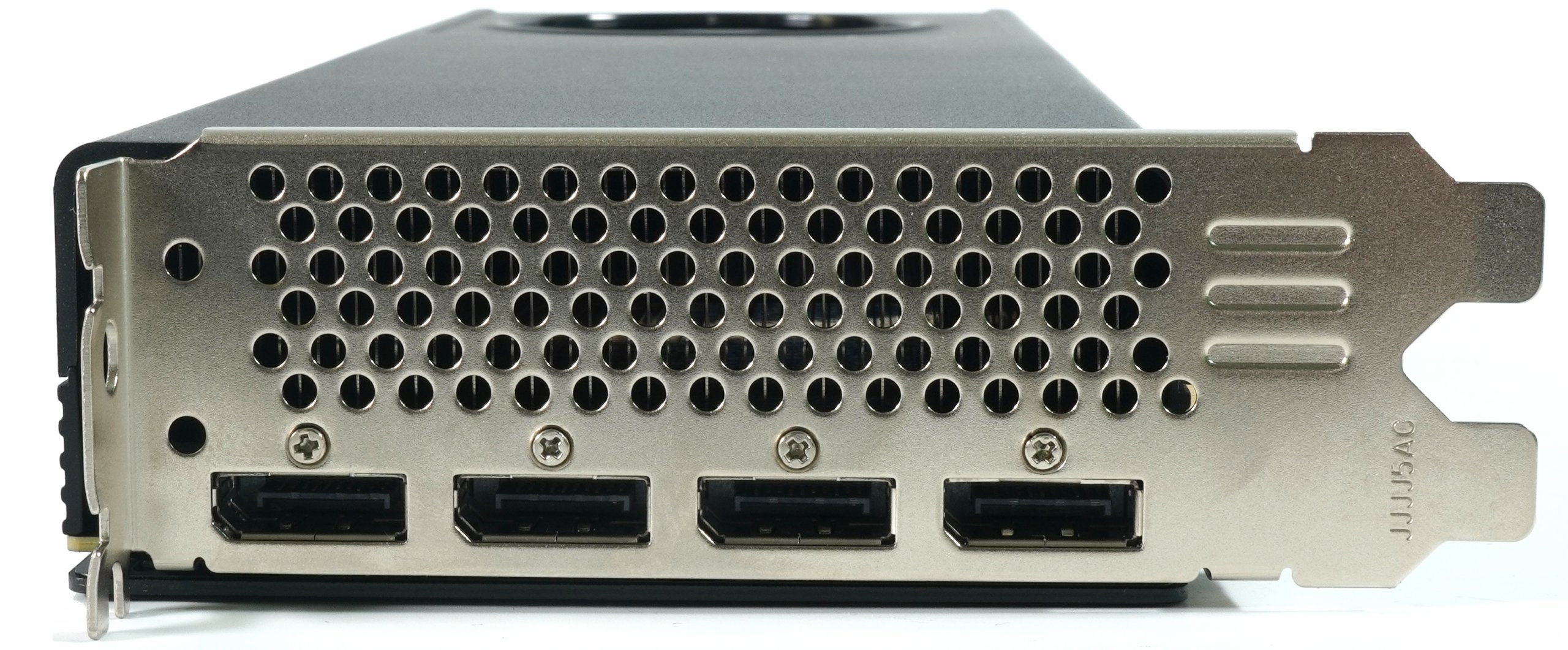
The slot panel is designed as a wide, perforated panel. Four full-format DisplayPort outputs are implemented on this, HDMI is not installed in this version. The configuration thus corresponds to the four-display limit of the GPU and the design of many workstation cards in this class. The upper half serves as an air outlet with round ventilation openings. The combination of a continuous hole pattern and blower radial fan confirms the blow-out principle of cooling, which is often preferred for workstations because the warm air is led directly out of the housing.
The photographed substrate of the Intel Arc Pro B60 shows the GPU type BMG-G21 in a planar view with precise measurements that correspond to the real dimensions of the chip and the carrier. The measurements result in a substrate diagonal of around 27,207 µm (27.21 mm) and a width of around 25,031 µm (25.03 mm). The actual silicon die in the center measures about 10,765 µm (10.77 mm) in height and thus takes up less than half of the substrate area. The ratio between die and substrate area illustrates the typical structure of modern GPU packages, in which the carrier material not only provides mechanical stability, but also creates space for the extensive signal routing and power supply. At the left and lower edges of the substrate, the bonding pads and conductor tracks are clearly visible, which create the transition from the flip-chip bonding zone to the BGA field on the back.
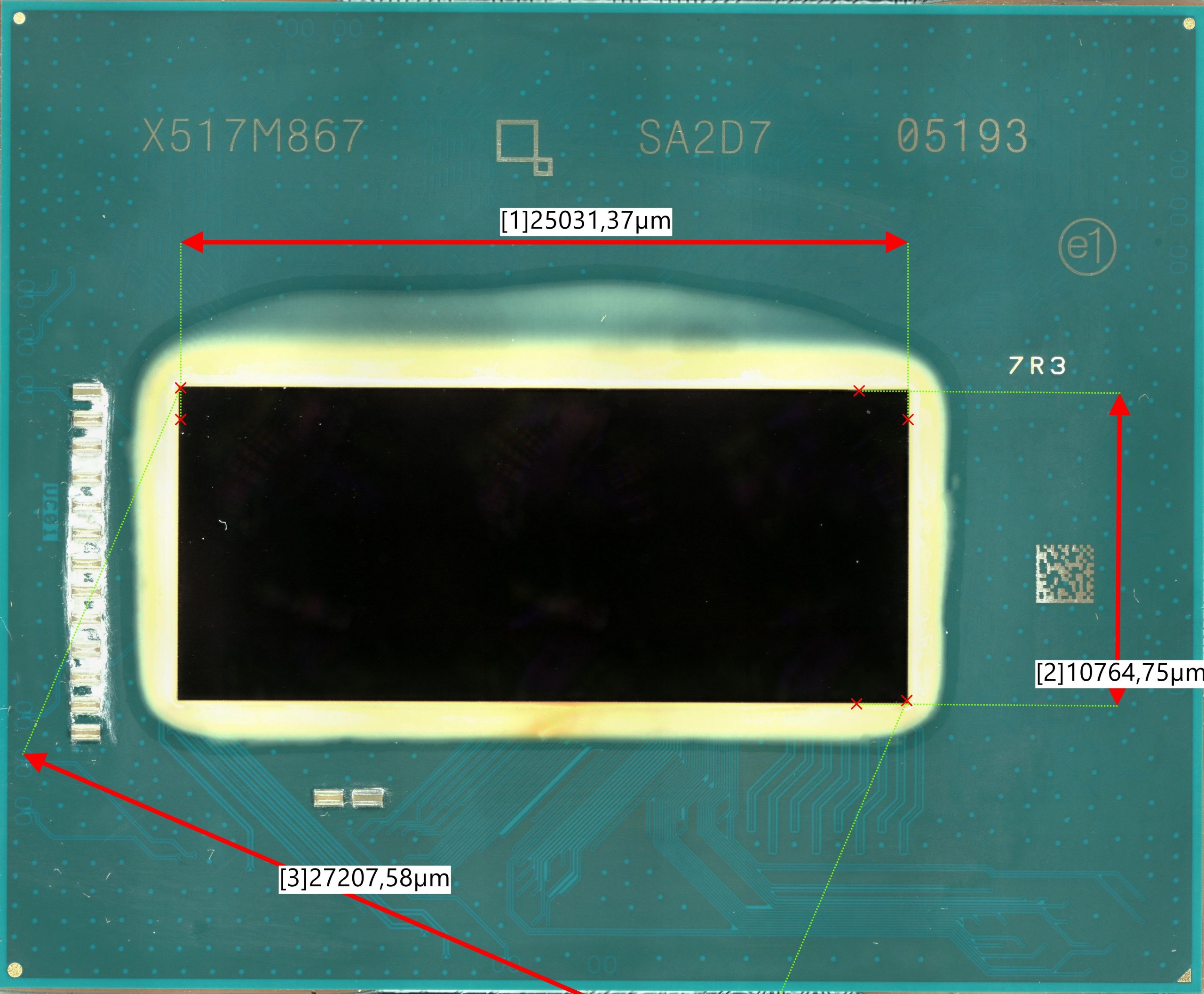
The geometry of the die, measuring around 10.8 × 25.0 mm, corresponds to an area of around 270 mm², which correlates exactly with the GPU-Z specifications and the manufacturer’s data. The measurement not only confirms the plausibility of the specified chip area, but also shows that Intel has opted for a comparatively compact but densely populated design for the BMG-G21. The substrate itself offers generous edges for thermal relief and electrical shielding, which ensures stability, especially for workstation cards with high continuous loads. More on this in the teardown and material test, which will also be interesting.
All in all, the Sparkle Arc Pro B60 corresponds to the profile of a workstation card under 1,000 euros with 24 GB VRAM, four DisplayPort outputs and 8-pin power supply. The following values are based on my own measurements and the GPU-Z readout of the Sparkle card I tested here, as well as the verified specifications from the Intel database:
Technical data of the Sparkle Intel Arc Pro B60
| Feature | Value |
|---|---|
| GPU | Intel BMG-G21 (Xe² HPG, Battlemage) |
| Manufacturing process | 5 nm |
| Chip area | 270 mm² |
| Transistors | 19.600 million |
| Architecture year | 2025 |
| Shaders / Xe cores | 2.560 shaders / 20 Xe cores |
| TMUs / ROPs | 160 / 80 |
| GPU base clock | 2.400 MHz |
| Memory clock (effective) | 19 Gb/s |
| Memory type | GDDR6 |
| Memory size | 24 GB |
| Memory interface | 192 bit |
| Memory bandwidth | 456.0 GB/s |
| Bus interface | PCIe 5.0 ×8 |
| Pixel fill rate | 192.0 GPixel/s |
| Texture fill rate | 384.0 GTexel/s |
| DirectX support | 12 (12_2) |
| OpenGL version | 4.6 |
| Supported APIs | OpenCL, Vulkan, Ray Tracing, DirectML |
| TDP | 200 W |
| External power supply | 1 × 8-pin (6 2) PCIe |
| Connectors | 4 × DisplayPort 2.1 |
| Multiple GPU operation | Disabled |
| Resizable BAR | Enabled |
| Dimensions (L × H × D) | 29.0 × 10.5 × 3.5 cm ( 0.5 mm backplate) |
| Subvendor | Sparkle |
| BIOS version | 23.0.1061 |
| Driver version (test) | 32.0.101.6979 (WHQL, Aug 19, 2025) |
Test content and scope
The test focuses on practical performance evaluation and covers the typical application areas of creation, design, rendering and visualization. Full versions of Solidworks, PTC Creo, AutoCAD, Inventor Professional and Autodesk Maya are tested, supplemented by the usual SPEC workloads and the PugetBench suites for DCC and video. The aim is a reliable classification of the map in real project scenarios with reproducible measurement runs, identical project settings and clearly identified driver profiles.
The measurements in the CAD and DCC applications follow project-related workflows, such as complex assemblies in Solidworks and Creo, parametric modeling in Inventor, viewport interaction and playback in Maya as well as 2D to 3D transitions in AutoCAD. SPEC provides device-independent profiling of viewport performance in the relevant scenes, PugetBench supplements this with practical pipelines for image processing, photo catalogs and editing, allowing the interactivity of the system and export performance to be objectively mapped. All software statuses, presets and scenes are documented in the test log, deviations are highlighted and unverifiable information is clearly marked as such.
For rendering and visualization, the test evaluates both raster and raytracing workloads in the viewport as well as offline renders. The display configuration with high resolutions and variable refresh rates is also tested under load, as bandwidth and timing can have measurable effects in complex setups. AI performance is evaluated independently and in detail. Standardized inference measurements with common suites for image and text tasks are planned, as well as throughput and latency across different levels of precision, with a particular focus on quantized INT8 and BF16 paths, where available.
In addition to the benchmarks, I also provide a very detailed teardown, which includes the material analysis and the evaluation of the thermal interface material (TIM). In this form, this is probably the only test today that contains such information at all. And to warm up for today’s three-way battle, there’s also the obligatory table:

- 1 - Intro, overview and technical data
- 2 - Test system and equipment
- 3 - Teardown: PCB, topology and components
- 4 - Teardown: Cooler and fan
- 5 - Teardown: Material analysis and TIM testing
- 6 - Autodesk AutoCAD
- 7 - Autodesk Inventor Pro
- 8 - PTC Creo
- 9 - Dassault Systèmes Solidworks
- 10 - Autodesk Maya
- 11 - SPECviewperf 15 (2025)
- 12 - Adobe Photoshop 26.10
- 13 - Adobe After Effects 2025
- 14 - Adobe Premiere Pro 25.41
- 15 - AI benchmarks (AI Vision, Image, Text)
- 16 - Rendering
- 17 - Temperatures, clock rate, power consumption, noise
- 18 - Summary and conclusion
















26 Antworten
Kommentar
Lade neue Kommentare
Urgestein
Veteran
1
Veteran
Urgestein
Urgestein
Urgestein
Urgestein
1
Mitglied
Urgestein
Urgestein
1
Urgestein
Veteran
Urgestein
Veteran
Mitglied
1
Alle Kommentare lesen unter igor´sLAB Community →