















With the Radeon AI R9700, AMD presents a graphics card that is clearly aimed at users who require high computing power for games and productive workflows and at the same time increasingly rely on AI acceleration. For my test, I had a model from board partner ASRock at my disposal (Creator series), which was provided by PCGH partner Krotus. This circumstance is initially pleasing, as it allows an early and practical insight, but in this particular case it brings with it significant limitations. The card was only allowed to be tested in an undamaged state, which precludes both complete disassembly and further analysis of the installed components, materials and PCB structure.
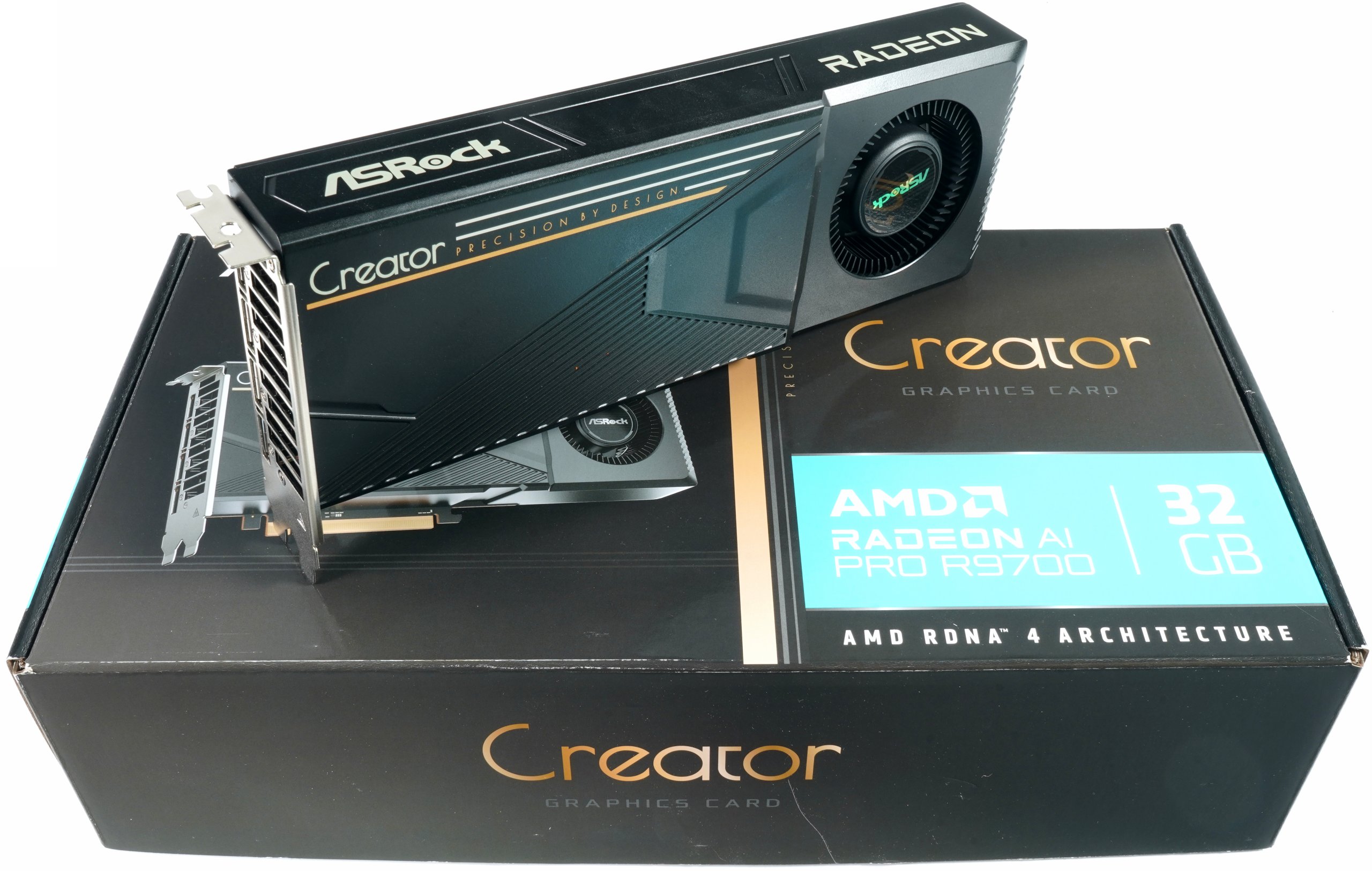
For someone like me, who usually delves deep into the technical design of a graphics card, this represents a noticeable hurdle. Normally, the dissection reveals critical details about the cooling design, power supply, components used and manufacturing quality, which not only round off the test report, but occasionally even benefit the card itself in the form of small optimizations. In addition, I have appropriate liability insurance and many years of experience in analysis, so that such interventions in regular samples are not only possible, but expressly desired. In this case, however, I had to completely refrain from opening the test sample and follow the instructions of the provider. This restriction does not alter the care with which the test was carried out, but it does set a clear framework for the depth of the investigation. The focus is therefore on the practical performance measurement, the thermal evaluation in the closed state and the consideration of the overall concept, without the usual dissection down to the smallest detail.
The card tested here was kindly provided by PC Games Hardware, as AMD was unable to sample anything, which further emphasizes the independent nature of this test. As my focus is traditionally on workstation applications, AI acceleration, technical analyses and teardowns, I naturally didn’t touch on the gaming part, as PCGH has already done that extensively with this card. I received the card directly from my colleague Raff from PC Games Hardware, who has already covered the topic of gaming performance and memory in great detail. The result is not an unnecessary overlap, but a fair division of labor from which everyone benefits in the end – including the readers, who get both perspectives: Technology and practice at first hand. Correction: first hands.
Of course, I also recommend that interested readers read the test on PCGH: AMD Radeon AI Pro R9700 aka RX 9070 XT 32GB in test: What are the benefits of 32 GiB memory?
Technical overview and design of the ASRock Creator Radeon AI R9700
In the first pictures, the ASRock variant of the Radeon AI R97000 looks very compact and functional, with clear edges and a continuous black tone. The housing of the two-slot blower cooler is made of light metal, which can be recognized by the sharply shaped edges and the thin walls. At 26.8 cm long, 10.5 cm high and 3.5 cm thick, plus around 0.4 cm for the backplate, the card remains in the typical format for workstation and Creator models without entering the realm of oversized gaming designs. The top bears the Creator lettering and the Precision by Design slogan, while the radial fan sits prominently at the rear end in a round, slightly recessed holder and pushes the air into the cooler channel of the slot bracket.
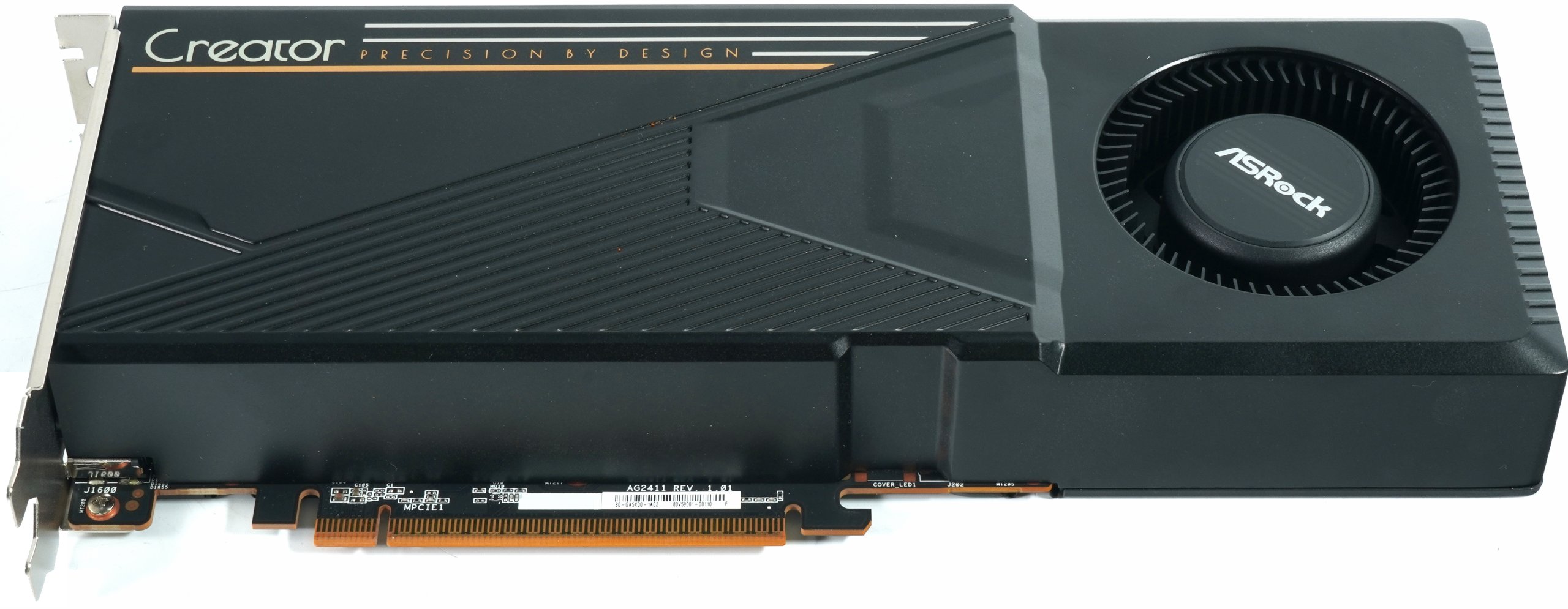
The structure of the shroud becomes clearer in the straight front view. The surface is divided into two zones, a smooth upper half with decorative lines and a ribbed surface offset downwards, which visually runs towards the fan. This design deliberately draws attention to the blower as the central functional element. The card actually occupies exactly two slots, the edging strictly follows the rectangular shape and dispenses with open radiator areas, which underlines its suitability for dense workstation assemblies.
The image from the underside shows that the entire base area is closed. The light metal housing completely encloses the board, only the PCIe contact strip is exposed. There are no other openings or ventilation slots on the bottom edge; the airflow is clearly designed for a combination of lateral air intake via the radial fan and exhaust via the slot bracket.

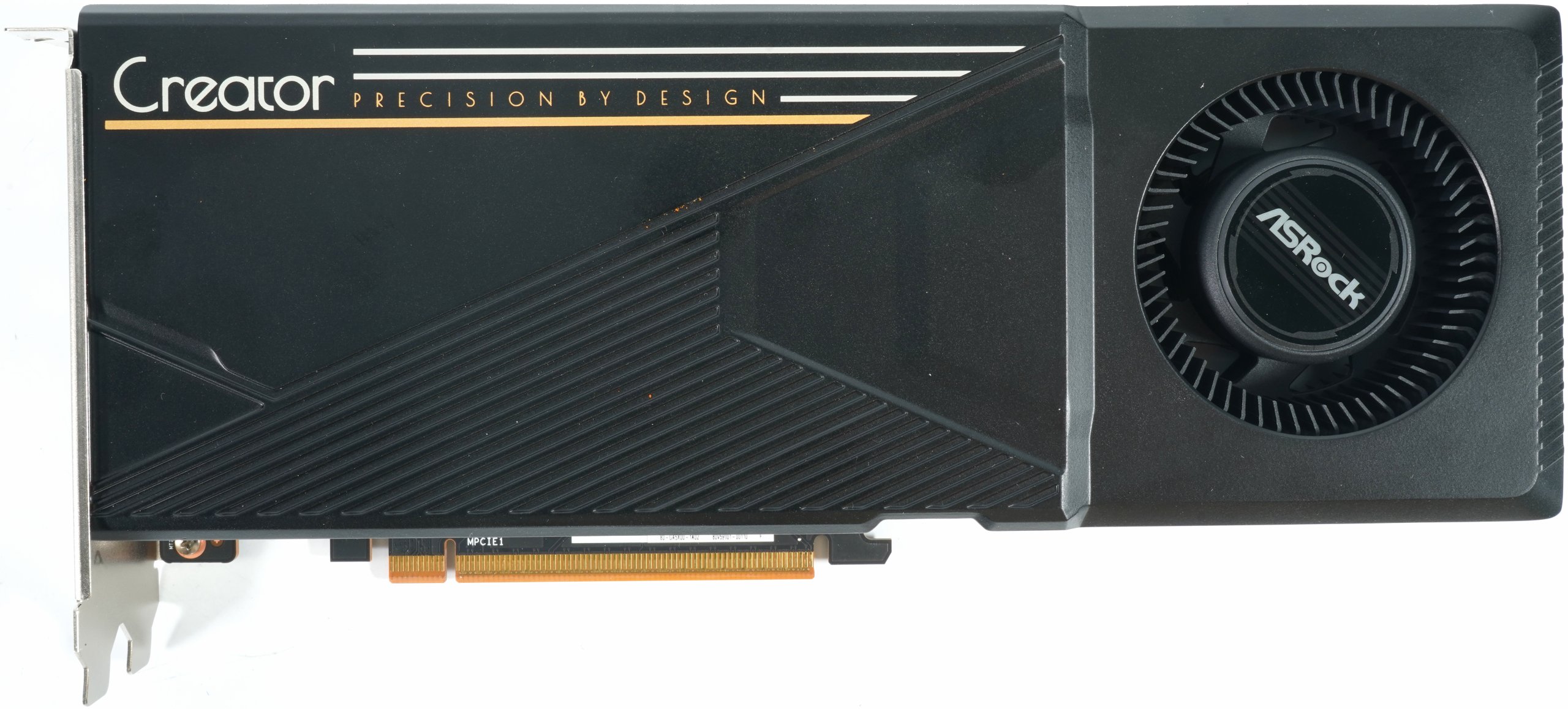
The view from above shows the clear block character once again from the perspective of how the card is perceived in the housing. The Radeon lettering can be found along the top edge and the ASRock logo on the side facing away from the motherboard. These labels are aligned in such a way that they are legible in a classic tower case when the card is inserted in the first PCIe slot. The lack of large cut-outs on the top indicates that the airflow is routed entirely within the cooling housing.

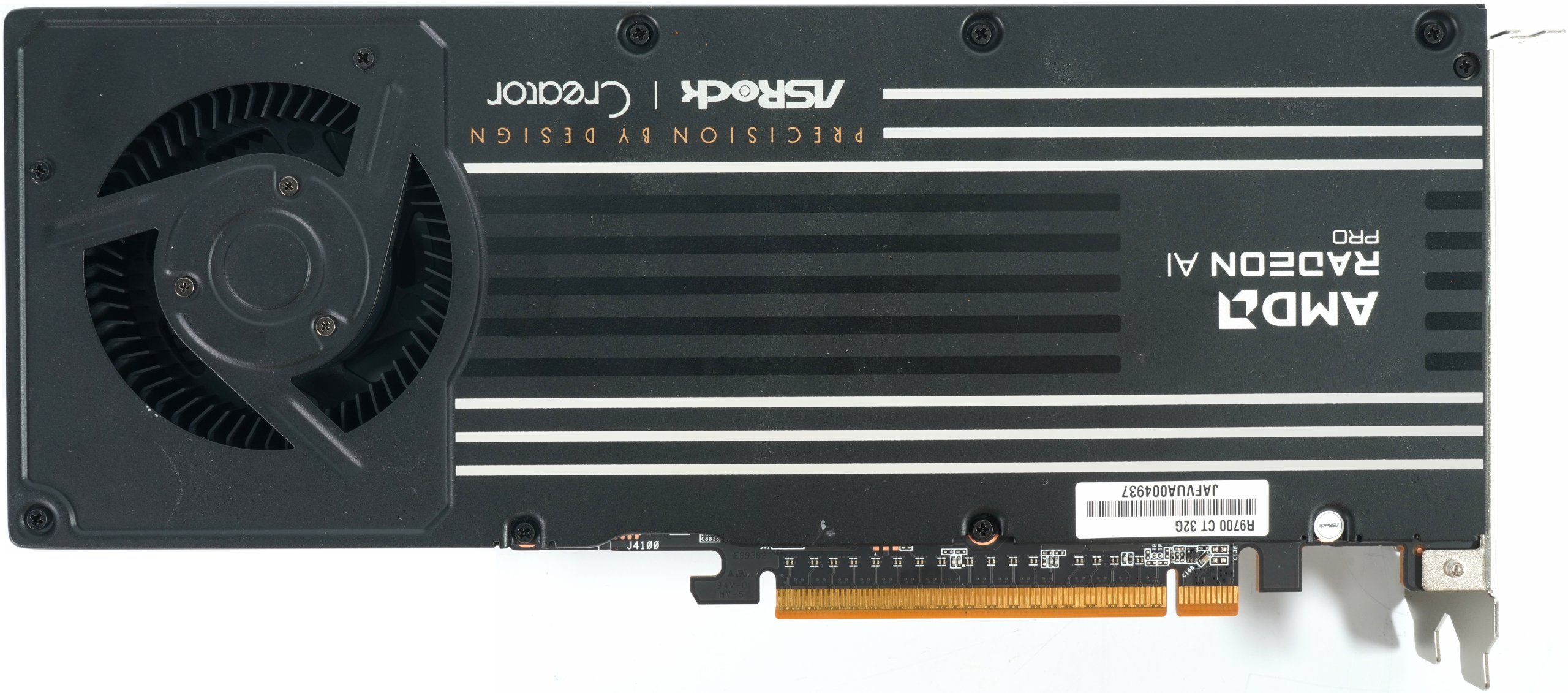
The rear is covered by a continuous metal backplate, which also serves as part of the cooling concept. Several horizontal lines structure the surface, along with the AMD, Radeon AI Pro, ASRock and Creator logos. The area above the fan inlet is also neatly edged, with the backplate taking on a load-bearing function and stiffening the entire assembly. If you add the approximately 0.4 cm thick backplate, the total thickness of the card increases to almost 3.9 cm, which still clearly identifies it as a typical two-slot design.
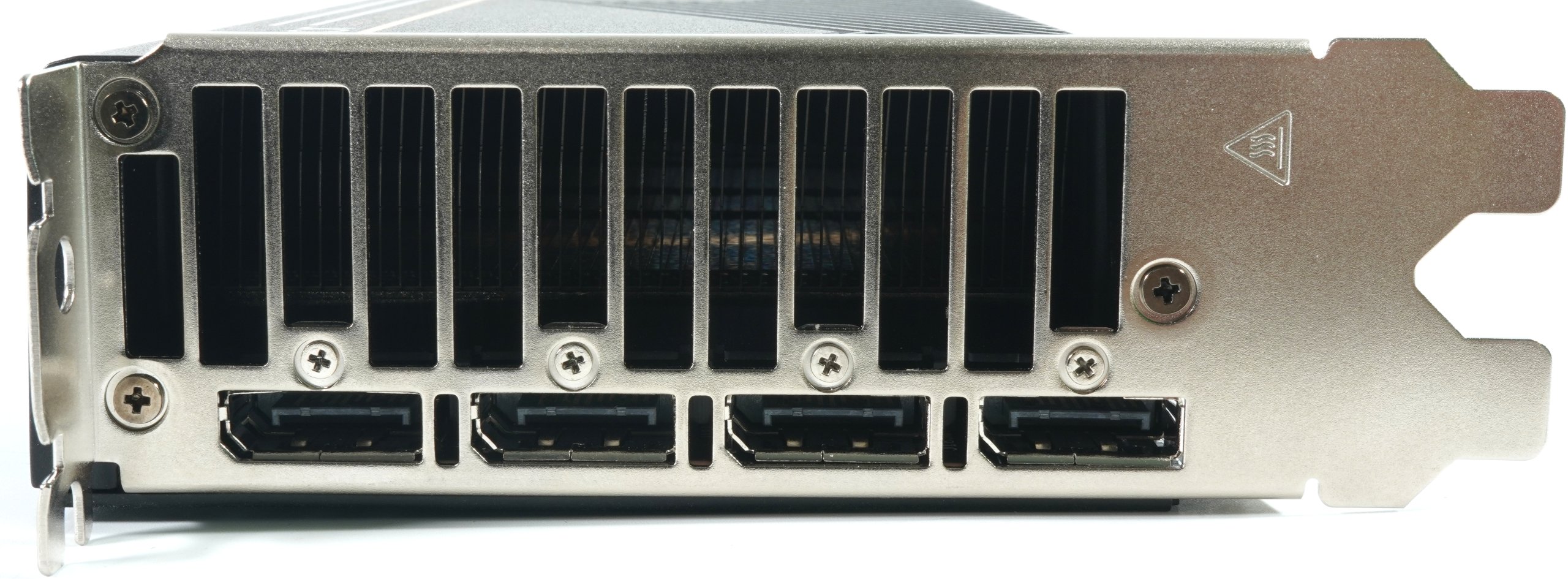
Finally, the slot panel clearly shows how consistently ASRock has implemented the blower concept. The upper area is taken up by a wide row of vertical ventilation slots, through which the radial fan forces the heated air directly out of the case. Below this are four full-format DisplayPort sockets, which are symmetrically distributed across the entire width. There are no HDMI or other image outputs; the card is clearly designed for multi-monitor setups with DisplayPort. The solid steel slot bracket provides sufficient stability, while the screwed openings also help to dissipate waste heat through the narrow air duct of the blower housing.
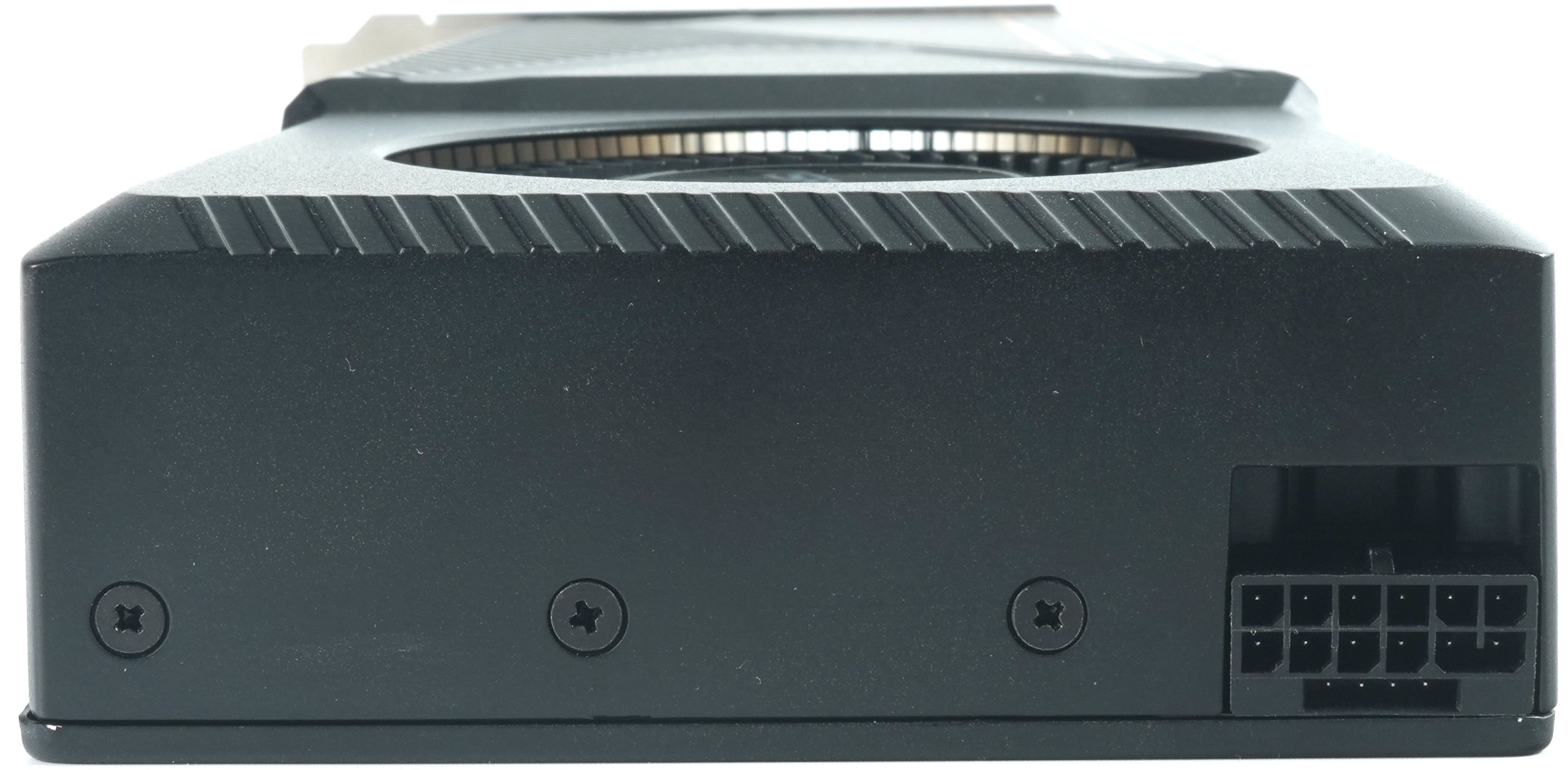
The last image provides a view of the front of the card, where the light metal housing of the cooler appears completely closed and only offers a precisely milled opening for the external power connection. The all-round contour remains angular and stable, the surface has the same matt finish as the rest of the shroud. The finely worked diagonal grooves on the upper edge create a visual accent without affecting the function. The connector used is 12V2X6 PCIe power connector, as has been common for the newer generations for medium-sized and professional workstation or creator cards. The placement at the front end of the card facilitates installation in housings where space next to the slot bracket is limited. Due to the recessed arrangement in the metal housing, the cable is routed without damaging the outer contour of the card, which can be an advantage especially in densely populated systems. The contact pins are clearly visible, as are the reinforcing ribs in the plastic housing of the connector, which ensure a defined positioning of the cable.
Comparison table Radeon AI Pro R9700 / Radeon RX 9070 XT / Radeon Pro W7800
All of the following information is based on the specifications of the respective reference cards, where available.
| Feature | Radeon AI Pro R9700 | Radeon RX 9070 XT | Radeon Pro W7800 |
|---|---|---|---|
| GPU name | Navi 48 | Navi 48 | Navi 31 |
| Architecture | RDNA 4 | RDNA 4 | RDNA 3 |
| Manufacturing process | 4 nm (TSMC N4P) | 4 nm (TSMC N4P) | 5 nm 6 nm (TSMC) |
| Die size | 356.5 mm² | 356.5 mm² | 529 mm² |
| Transistors | 53.9 billion | 53.9 billion | 57.7 billion |
| Compute units | 64 | 64 | 70 |
| Shader / stream processors | 4.096 | 4.096 | 4.480 |
| TMUs | 256 | 256 | 280 |
| ROPs | 128 | 128 | 128 |
| Ray Accelerators | 64 | 64 | 70 |
| AI / Matrix Cores | 128 | 128 | 140 |
| L2 cache | 8 MiB | 8 MiB | 8 MiB |
| Infinity Cache / L3 | 64 MiB | 64 MiB | 96 MiB |
| Memory size | 32 GB GDDR6 | 16 GB GDDR6 | 32 GB GDDR6 |
| Memory interface | 256 bit | 256 bit | 256 bit |
| Effective memory clock | 22.0 Gbps | 20.1 Gbps | 20.0 Gbps |
| Memory bandwidth | 704 GB/s | 644 GB/s | 576 GB/s |
| PCIe interface | PCIe 5.0 ×16 | PCIe 5.0 ×16 | PCIe 4.0 ×16 |
| Base GPU clock | 1.660 MHz | 1.690 MHz | 1.855 MHz |
| Boost clock | 2.920 MHz | 2.850 MHz | 2.499 MHz |
| FP32 performance (theoretical) | 47.8 TFLOPS | 46.5 TFLOPS | 45.3 TFLOPS |
| TDP / TBP | 300 W | 304 W | 260 W |
| External power connections | 1× 12-pin (12V-2×6) | 2× 8-pin | 2× 8-pin |
| Max. Max. resolution | 8K / 165 Hz | 8K / 165 Hz | 8K / 120 Hz |
| Display engine | DisplayPort 2.1a | DisplayPort 2.1 | DisplayPort 2.1 |
| Video outputs | 4× DisplayPort 2.1a | 4× DisplayPort 2.1 | 4× DisplayPort 2.1 |
| Video encoder / decoder | VCN 5.1 | VCN 5.1 | VCN 4.0 |
| Max. GPU temperature | 110 °C | 110 °C | 110 °C |
| Slot width | Two slots | Two slots | Two slots |
| Target market | AI, Workstation, Creator | Gaming Enthusiast | Workstation, Professional |
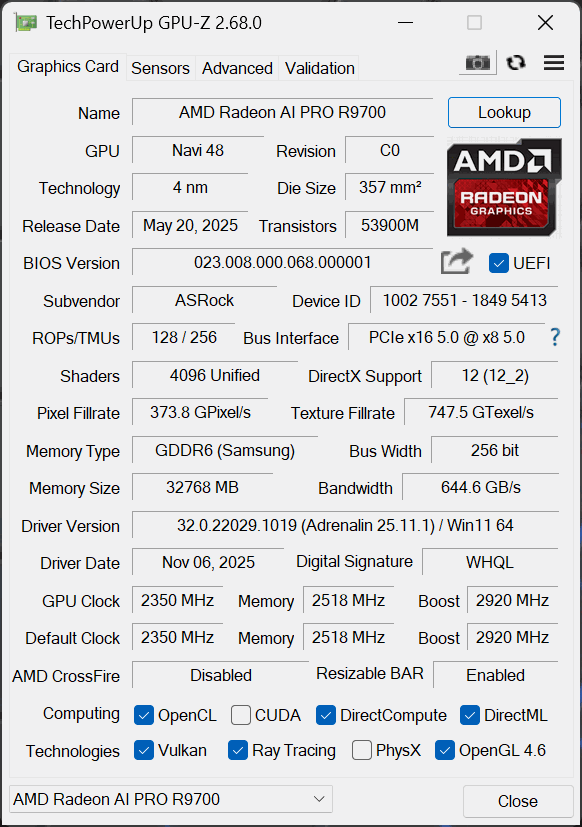
The GPU-Z screenshot provides a condensed but very informative overview of the key technical data of the Radeon AI Pro R9700, whose specifications are clearly geared towards professional workloads. The card is based on Navi 48 in revision C0, manufactured in the modern 4 nm process and with a chip area of 357 mm² and around 53.9 billion transistors. This chip is therefore clearly positioned above classic consumer models and underlines the focus on high computing and memory loads. However, the specs in the screenshot deviate slightly from the reference specifications.
GPU-Z recognizes 4,096 shader units with a ratio of 128 ROPs to 256 TMUs, which fits well with the measured computing and texture performance. However, the base clock of the ASRock card is 2,350 MHz, the maximum permissible boost is 2,920 MHz, whereby this value corresponds to the stable clock rates observed in the measurements. With 32 GB GDDR6 (Samsung) via a 256-bit interface, the memory configuration is extremely large and provides a bandwidth of 644.6 GB/s, which plays a central role in view of the workloads for AI calculations, large data sets and CAD models. The driver version corresponds to Adrenalin 25.11.1 WHQL from 6 November 2025, which explains the combination of graphics and compute optimizations. All essential interfaces for professional applications are activated, including OpenCL, DirectCompute, DirectML, Vulkan and ray tracing. OpenGL 4.6 is also fully supported.
Test content and scope
The test focuses on practical performance evaluation and covers the typical application areas of creation, design, rendering and visualization. Full versions of Solidworks, PTC Creo, AutoCAD, Inventor Professional and Autodesk Maya are tested, supplemented by the usual SPEC workloads and the PugetBench suites for DCC and video. The aim is a reliable classification of the card in real project scenarios with reproducible measurement runs, identical project settings and clearly identified driver profiles.
The measurements in the CAD and DCC applications follow project-related workflows, such as complex assemblies in Solidworks and Creo, parametric modeling in Inventor, viewport interaction and playback in Maya as well as 2D to 3D transitions in AutoCAD. SPEC provides device-independent profiling of viewport performance in the relevant scenes, PugetBench supplements this with practical pipelines for image processing, photo catalogs and editing, allowing the interactivity of the system and export performance to be objectively mapped. All software statuses, presets and scenes are documented in the test log, deviations are highlighted and unverifiable information is clearly marked as such.
For rendering and visualization, the test evaluates both raster and raytracing workloads in the viewport as well as offline renders. The display configuration with high resolutions and variable refresh rates is also tested under load, as bandwidth and timing can have measurable effects in complex setups. AI performance is evaluated independently and in detail. Standardized inference measurements with common suites for image and text tasks are planned, as well as throughput and latency over different precisions with special attention to quantized INT8 and BF16 paths, if available.

- 1 - Introduction and technical data
- 2 - Test system and equipment
- 3 - Autodesk AutoCAD
- 4 - Autodesk Inventor Pro
- 5 - PTC Creo
- 6 - Dassault Systèmes Solidworks
- 7 - Autodesk Maya
- 8 - SPECviewperf 15 (2025)
- 9 - Adobe Photoshop 26.10
- 10 - Adobe After Effects 2025
- 11 - Adobe Premiere Pro 25.41
- 12 - KI Benchmarks (AI Vision, Image, Text)
- 13 - Rendering
- 14 - Temperatures, clock rate, fans, noise and power draw
- 15 - Summary and conclusion












19 Antworten
Kommentar
Lade neue Kommentare
Urgestein
Mitglied
Urgestein
1
Urgestein
Mitglied
1
Mitglied
Mitglied
Urgestein
1
Urgestein
1
Urgestein
Veteran
1
Veteran
Veteran
Urgestein
Alle Kommentare lesen unter igor´sLAB Community →